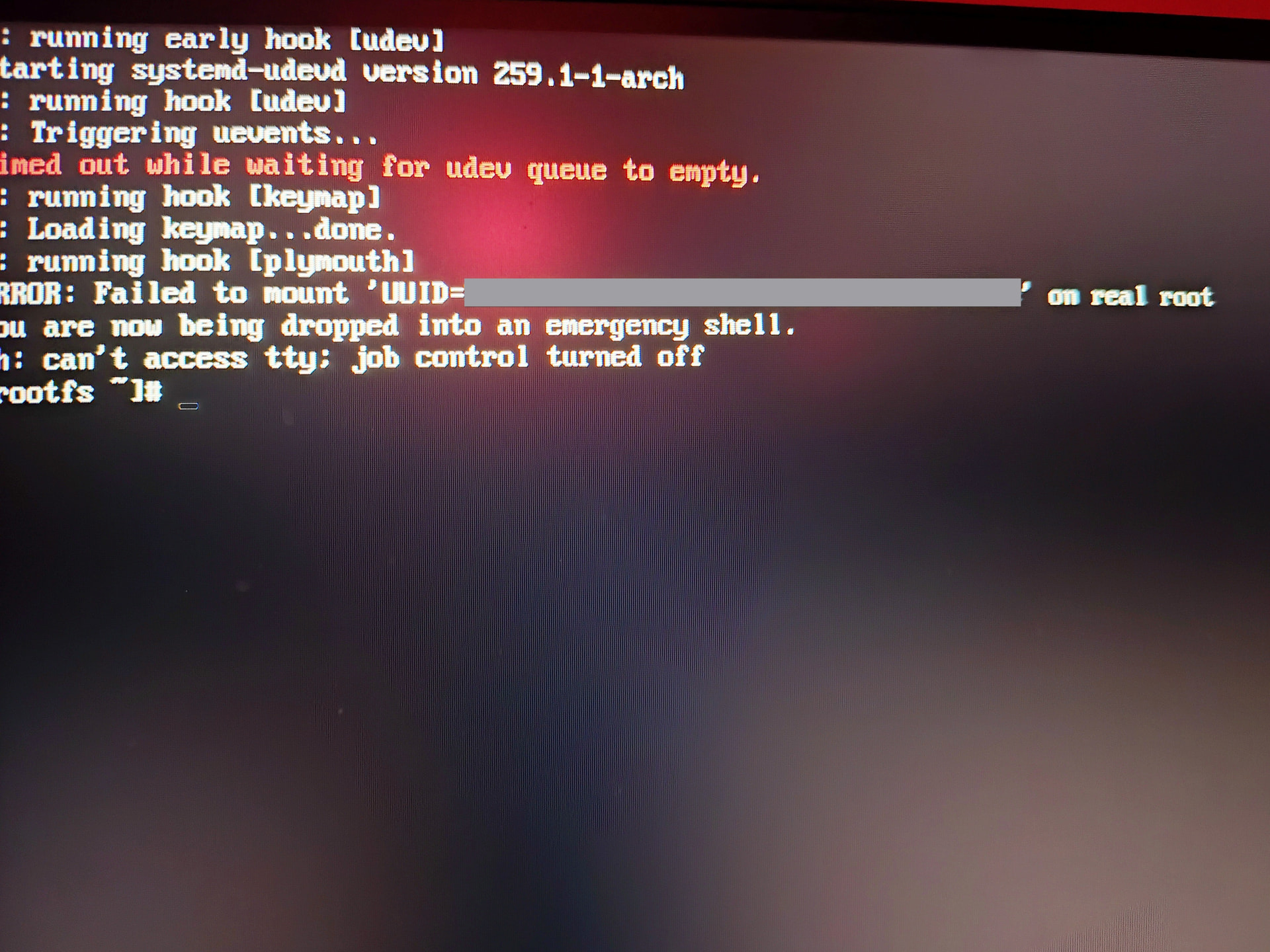
I’ve been getting this error when I try to boot normally, any idea for what I should do?
The drive in question is my root drive, again boots fine from CachyOs-LTS and from the snap before the update. I tried to cheek for errors in BTRfs and got nothing. I also changed my graphics drivers back form 580xx to modern nvidia just in case it caused a udev issue(was testing for performance issues in specific game last weeks and it did help to downgrade so I stayed for a bit).
Ran fsckit said there is a difference between the boot sector and the LTS back up I copied back up to original and still didn’t boot. Ran again it said there is a dirty bit I asked it to fixed it and still won’t boot normally.
Has anyone ran into this before?
Maybe I can use the Kernal manager to fix it but I haven’t really messed with it before so I am a bit hesitant to use it without guidance as to not to break LTS as well.
Gods…
Thanks for the link and the welcome, I started reading and quickly realized I’m completely lost. XD
I will probably add that for a month or even 2 before this issue occurred my system would get stuck on this step during the boot for 2-5 minutes every time since I see someone used udev timeout as a temp solution.
Also luckily for me I do have my home and root separate so if no solution is found I can reasonably rebuild I guess.
I’m still thinking about weather or not to rebuild the kernal, Would affect the LTS version?
I’m trying to find a link I had seen this morning, but a Arch Kernel Team member posted they hadn’t Signed off on 6.19 due to many boot issues. Just a heads up.
Okay then, I’m just going to revert to pre update tomorrow and block 6.19 until it gets cleared.
Thanks for the heads up, kind of a weird salad to be in but honestly Cachy being set up with fail safes like LTS and snapper is fantastic at times like this.
Just because I hate leaving threads unanswered I’ll explain what happened after.
I couldn’t find the time\energy to fully figure out how to use kernels built in the kernel manager so I stuck with Cachy-LTS for a while. If you ever find yourself in that situation and you use grub you can change to boot into LTS automatically making the whole thing mostly painless until an update eventually fixed it probably around march.
GRUB_TOP_LEVEL=‘/boot/vmlinuz-linux-cachyos’ —>
GRUB_TOP_LEVEL=‘/boot/vmlinuz-linux-cachyos-LTS’
if I remember correctly but please double cheek it was months ago!