I’ve been running CachyOS for a few months now on a 15 years-old laptop.
Since three days, my keyboard layout is messed up. For example, when I type “d” it comes out OK. But when I type “o” it comes out as “3”.
Now I can’t update anymore because I can’t enter all the characters for my password correctly. (Logging on still works OK, they keyboard is still fine at this point.) I’ve tried changing the keyboard layouts e. g. from German to English which would allow me to enter my password. Also I tried using the on-screen keyboard - the keyboard is displayed with all letters where they should be. But to no avail.
Open a text editor and see what’s happening and how consistent. I’ve had a keyboard of that age just wear out so a non-software problem is at least possible.
Have you tried running a system update using the on-screen keyboard? Or are you saying that the on-screen keyboard is spitting out the wrong characters as well?
Actually, my laptop (MacBook Air 2011 Mid) is turning 15 years old this year. I bought it second-hand, so it’s been with me for a little over 10 years…
I’ve already replaced the keyboard and battery.
I haven’t switched to Linux yet, but I’ve already replaced my Lenovo G580 keyboard twice (and of course I plan to switch to CachyOS).
It might be best to think of laptop keyboards as consumables, so to speak.
I’d probably try replacing the keyboard first.
You’d be lucky if you could find just the keyboard for sale.
In reality, you might need to buy another donor machine with everything else broken except the keyboard.
That’s what happened with my MacBook Air. The motherboard was broken.
Exactly, I tried to do that. The on-screen keyboard spits out the wrong characters. I click on “o” and it comes out as “3”.
I’ve also tried to copy-paste the correct password in a text editor, and then tried to copy-paste it into the terminal window, but that didn’t work either.
Do you have a CachyOS live usb you can boot into? You should be able to access your installation from there and update it using cachy-chroot
That would allow you to move forward. And hopefully the new update solves the issue.
The other option would be to move backward instead, as mentioned already above, by booting into a previous system snapshot from your bootloader. This option would only be available if you chose Limine or GRUB as your bootloader during installation. Otherwise, you would have to do so from within the OS and that’s a no go since it would require authentication.
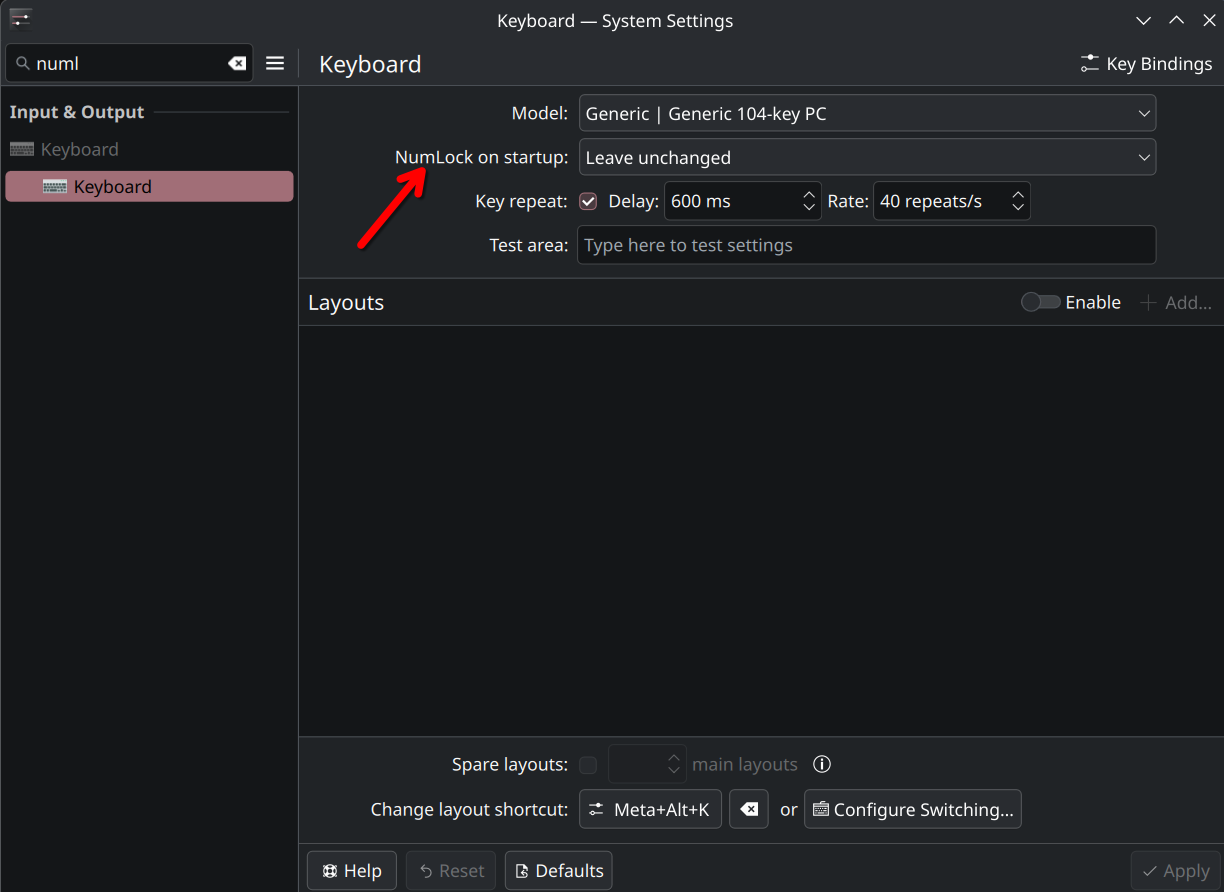
To my untrained eye, that looks as if some kind of NUMLOCK is in place… The keys 789,uio,jkl seem to be recognized as the numpad keys. Maybe check if some numlock has been set by accident. Might happen in KDE like so: