So I believe I have gotten FSR4 on RDNA3 working with vanilla Wine and thought to share how it all works. I figured I would post my findings to help other non-proton folk use FSR4 on RDNA3 cards without all the mystery behind magical environment variables and scripts that only work with Proton.
1. FSR4 support for RDNA4 cards was introduced to vkd3d-proton 3.0 on Nov 17th, 2025. But… RDNA3 could use it too, if you knew what to do.
FSR4 support
We added support for AGS WMMA intrinsics through
VK_KHR_cooperative_matrixandVK_KHR_shader_float8, which is enough to support FSR4. Note that these shaders are tightly coded for AMD GPUs with some implementation defined behavior (particularly around matrix layouts), and they will not necessarily work on other GPU vendors.There is also a quite hacky emulation path of this which relies on int8 and float16 cooperative matrix support, which can run on older GPUs at significant performance cost (and some cost to theoretical correctness).
Note that the default “official” build of vkd3d-proton only exposes this feature when the native
VK_KHR_shader_float8is properly supported, i.e. RDNA4+ only. The emulation path is available when building from source with the appropriate build flags. The decision to not include this emulation path by default is over my pay grade. The aim is to be able to ship FSR4 in a more proper way in Proton.
2. As stated in the release notes, vkd3d-proton requires a specific build option (-Denable_extended_emulation) for RDNA3 cards to even attempt to use FSR4 and is not enabled by default.
The easy route is to just download the proton-cachyos package and extract the dxgi.dll, d3d12.dll and d3d12core.dll 64bit files. Or, of course, build vkd3d-proton with the required options and download the latest dxgi.dll from DXVK.
#ifdef VKD3D_ENABLE_EXTENDED_EMULATION
        else
        {
            /* Don't expose this by default in official builds.
             * The decision is above my paygrade.
             * Pre-RDNA4 build requires extra env-var hacks on top to make it work. */
            /* In the fallback, we use u8 as an intermediate format. */
            if (fmt->AType == VK_COMPONENT_TYPE_UINT8_KHR)
                supports_8bit_a = true;
@@ -2756,6 +2761,7 @@ static bool vkd3d_supports_minimum_coopmat_caps(struct d3d12_device *device)
            if (fmt->CType == VK_COMPONENT_TYPE_UINT8_KHR)
                supports_8bit_c = true;
        }
#endif
3. As stated in the code comment, even if we build vkd3d-proton with the emulation option enabled, we will still need an environment variable to be set before FSR4 will work with RDNA3.
As far as I can tell, we only need to set this envvar:
DXIL_SPIRV_CONFIG=wmma_rdna3_workaround
4. Next we need the FSR4 DLLs, which the CachyOS Proton build has a script for, but you can just download them directly from AMD:
version: 4.0.0_67A4D2BC10ad000
https://download.amd.com/dir/bin/amdxcffx64.dll/67A4D2BC10ad000/amdxcffx64.dll

version: 4.0.1_67D435F7d97000
https://download.amd.com/dir/bin/amdxcffx64.dll/67D435F7d97000/amdxcffx64.dll

version: 4.0.2_68840348eb8000
https://download.amd.com/dir/bin/amdxcffx64.dll/68840348eb8000/amdxcffx64.dll
NOTE: See my later post about getting FSR 4.0.3 working.
5. But wait, there’s more! TM
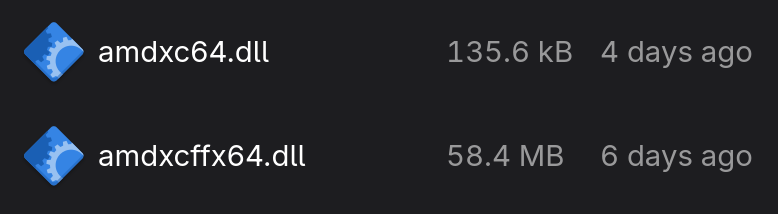
According to the OptiScaler folks, we also need amdxc64.dll:
cdozdil
Hi,
Current flow for
Fsr4Updateis like this:
amd_fidelityfx_dx12.dllloadsamdxc64.dll- Using
AmdExtD3DCreateInterfacefromamdxc64.dllqueryIAmdExtFfxApi- OptiScaler intercepts this call and returns a custom implementation of
IAmdExtFfxApiamd_fidelityfx_dx12.dllcallsUpdateFfxApiProvidermethod of OptiScaler’s customIAmdExtFfxApi- OptiScaler loads
amdxcffx64.dlland returns result ofamdxcffx64.dll’sUpdateFfxApiProvidermethodFor testing FSR4 on Linux at least you should put
amdxc64.dllandamdxcffx64.dllinto game folder so OptiScaler can load and use them.
Turns out Proton makes their own shim for amdxc64.dll, so we probably don’t want the official AMD file from the Windows driver:
$ grep -rni amdxc64 *
libs/vkd3d/device.c:579:     * leading to bad performance in some cases. Currently only affects Proton-GE which ships amdxc64.dll shim by default. */
libs/vkd3d/device.c:3494:     * like FSR and AntiLag check if amdxc64.dll is loaded, then attempt
libs/vkd3d/device.c:3506:        device->vendor_hacks.amdxc64 = LoadLibraryA("amdxc64.dll");
libs/vkd3d/device.c:3507:        if (device->vendor_hacks.amdxc64)
libs/vkd3d/device.c:3508:            INFO("Loaded amdxc64.dll successfully.\n");
libs/vkd3d/device.c:3516:    if (device->vendor_hacks.amdxc64)
libs/vkd3d/device.c:3517:        FreeLibrary(device->vendor_hacks.amdxc64);
libs/vkd3d/vkd3d_private.h:5495:        HMODULE amdxc64;
static void d3d12_device_init_vendor_hacks(struct d3d12_device *device)
{
    /* We don't do anything with this library directly, but various AMD provided dlls
     * like FSR and AntiLag check if amdxc64.dll is loaded, then attempt
     * calling into it. On Proton, this DLL is purely a shim intended to forward calls
     * to where they belong.
     * This DLL is provided through external means (at least for now),
     * but the logical thing to do is to load the DLL when the d3d12 device is created,
     * since this is literally the name of the d3d12 driver on Windows.
     * Don't bother with 32-bit since 32-bit d3d12 is not really a thing. */
    (void)device;
6. …and in the darkness, bind them!
Basically:
- Extract
amdxc64.dll,dxgi.dll,d3d12.dll,d3d12core.dllfromproton-cachyos. - Download
amdxcffx64.dllfrom AMD directly. - Place the Proton
amdxc64.dllshim andamdxcffx64.dllin~/.wine/drive_c/windows/system32 - Symlink or copy
dxgi.dll,d3d12.dll,d3d12core.dllnext to the game binary (the .exe file for the game, NOT a launcher .exe). E.g, “TQ2-Win64-Shipping.exe”. But make sure you backup any existing DLLs in the game directory by appending_originalor make a new directory namedoriginal_filesand place the old files there. - Open a terminal and run
winecfg. Set DLL overrides fordxgi,d3d12,d3d12coreand set “Windows Version” to “Windows 11”. - Finally, we need the all important envvar:
DXIL_SPIRV_CONFIG=wmma_rdna3_workaround. This is probably best done with a .desktop file or a simple shell script with something like:
#!/bin/bash
#Titan Quest II with FSR4 "upgrade" on RDNA3
#set vkd3d-proton envvar for RDNA3
export DXIL_SPIRV_CONFIG=wmma_rdna3_workaround
#you can also manually add Wine DLL overrides as an environment variable
export WINEDLLOVERRIDES="dxgi,d3d12,d3d12core=n,b"
#stop wine from spamming the console log
export WINEDEBUG=-all
#run the game
cd /path/to/game/binary
wine "TQ2-Win64-Shipping.exe"
And now you can game with FSR4 without needing multilib and cursed 32bit package cruft. If you actually want/need 32bit packages, then just use cachyos-proton. Its simpler, but I like doing things the hard way, lol. And I guess now you know what is actually going on behind the scenes: no longer can you claim ignorance as to what FSR4_UPGRADE=1 does (just downloads amdxcffx64.dll and places it in the system32 directory).
Also, this will only work for games that use FSR3.1. Otherwise, you will need Optiscaler to use FSR4. I prefer figuring out what is going on and why, so if I can manually get the game to “JUST DO IT!”, then I prefer that (even if it is a slog figuring out what the hell is going on). But OptiScaler is nice too and an amazing project that works on both Windows and Linux.