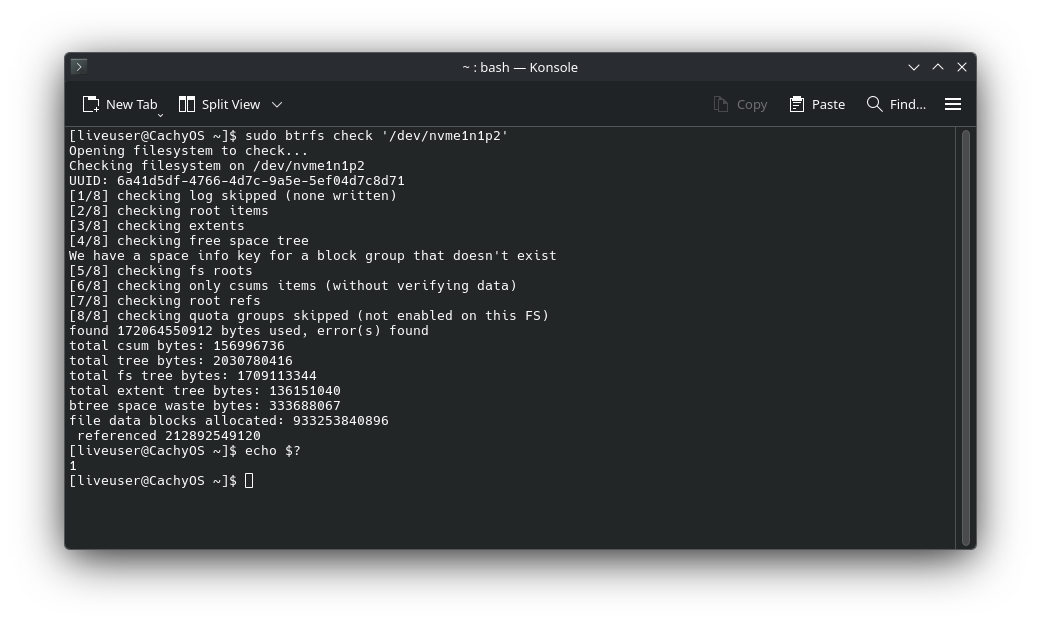
I use the Limine boot manager with BTRFS snapshots enabled (my root partition is BTRFS). My boot partition is 2GiB, which isn’t enough for me. I received a warning from snapper that the boot partition is running out of space. I wanted to increase the boot partition to 4GiB to prevent these issues, so I booted into a live USB and tried to use GParted to fix that. My current partitions setup:
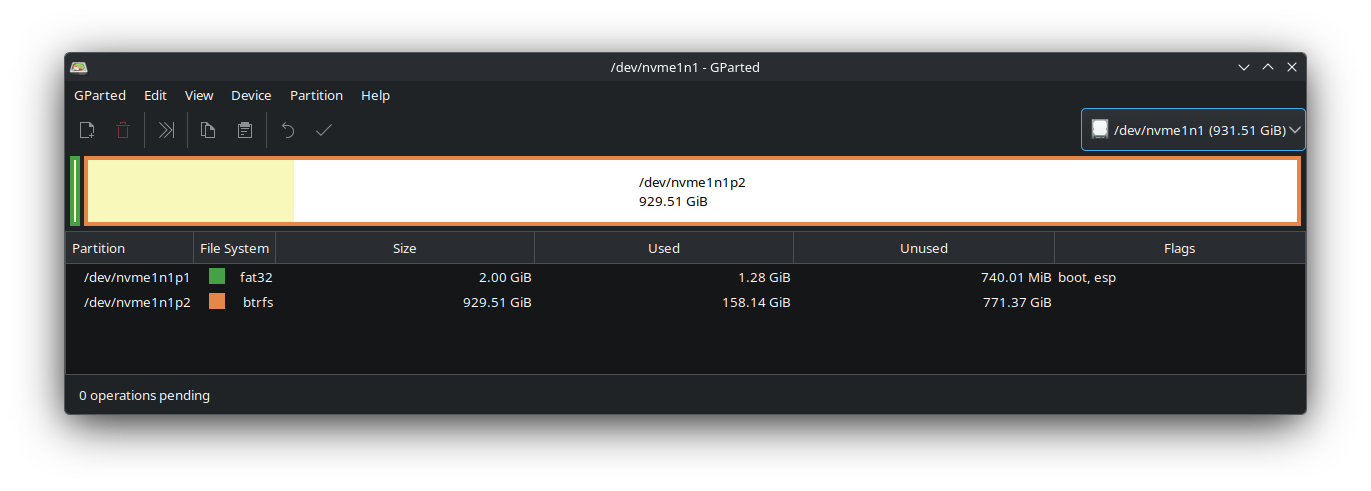
I wanted to shrink the root partition (from the beginning) to give extra 2GiB to the boot partitions. Here’s how GParted looks after making these modifications:
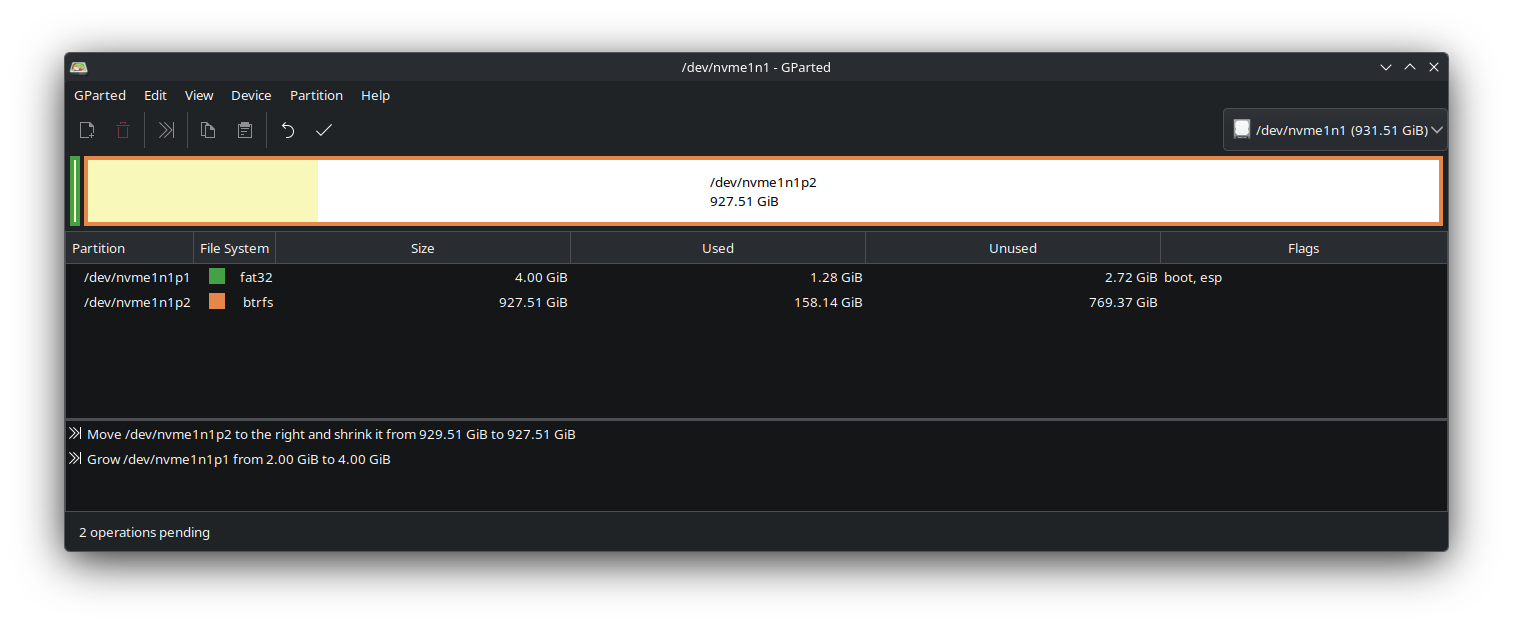
When I tried to apply the changes, it failed on the first step (shrinking the root). I exported the details and got them here:
GParted 1.7.0

configuration --enable-libparted-dmraid

libparted 3.6

========================================
Device:	/dev/nvme0n1
Model:	KINGSTON SNV3S1000G
Serial:	50026B73839CB899
Sector size:	512
Total sectors:	1953525168

Heads:	255
Sectors/track:	2
Cylinders:	3830441

Partition table:	gpt

Partition	Type	Start	End	Flags	Partition Name	File System	Label	Mount Point
/dev/nvme0n1p1	Primary	2048	206847	boot, esp, no_automount	EFI system partition	fat32
/dev/nvme0n1p2	Primary	206848	239615	msftres, no_automount	Microsoft reserved partition	unknown
/dev/nvme0n1p3	Primary	239616	1951799295	msftdata	Basic data partition	ntfs
/dev/nvme0n1p4	Primary	1951799296	1953521663	hidden, diag, no_automount		ntfs

========================================
Device:	/dev/nvme1n1
Model:	KINGSTON SNV3S1000G
Serial:	50026B73839AF6DE
Sector size:	512
Total sectors:	1953525168

Heads:	255
Sectors/track:	2
Cylinders:	3830441

Partition table:	gpt

Partition	Type	Start	End	Flags	Partition Name	File System	Label	Mount Point
/dev/nvme1n1p1	Primary	2048	4196351	boot, esp		fat32
/dev/nvme1n1p2	Primary	4196352	1953525134			btrfs

========================================
Device:	/dev/sda
Model:	SanDisk Cruzer Blade
Serial:	4C530301650701122455
Sector size:	512
Total sectors:	62521344

Heads:	255
Sectors/track:	2
Cylinders:	122590

Partition table:	none

Partition	Type	Start	End	Flags	Partition Name	File System	Label	Mount Point
/dev/sda	Unpartitioned	0	62521343			iso9660	COS_202601

========================================
Move /dev/nvme1n1p2 to the right and shrink it from 929.51 GiB to 927.51 GiB  00:00:10    ( ERROR )

calibrate /dev/nvme1n1p2  00:00:00    ( SUCCESS )

path: /dev/nvme1n1p2 (partition)
start: 4196352
end: 1953525134
size: 1949328783 (929.51 GiB)
check file system on /dev/nvme1n1p2 for errors and (if possible) fix them  00:00:10    ( ERROR )

btrfs check '/dev/nvme1n1p2'  00:00:10    ( ERROR )

Opening filesystem to check...
Checking filesystem on /dev/nvme1n1p2
UUID: 6a41d5df-4766-4d7c-9a5e-5ef04d7c8d71
found 169805975552 bytes used, error(s) found
total csum bytes: 157015640
total tree bytes: 2018836480
total fs tree bytes: 1696284672
total extent tree bytes: 120897536
btree space waste bytes: 322303363
file data blocks allocated: 275666472960
referenced 212547833856
[1/8] checking log skipped (none written)
[2/8] checking root items
[3/8] checking extents
[4/8] checking free space tree
We have a space info key for a block group that doesn't exist
[5/8] checking fs roots
[6/8] checking only csums items (without verifying data)
[7/8] checking root refs
[8/8] checking quota groups skipped (not enabled on this FS)

========================================
Grow /dev/nvme1n1p1 from 2.00 GiB to 4.00 GiB
I tried doing the same thing in KDE Partition manager and got the same error. I am new to managing partitions, and I am not sure what I am doing wrong. Can anyone help me shrink the root partition to increase the size of the boot partition?