You have somehow the “cachyos” repository not enabled
Was monitoring the ISO mirror. New Handheld ISO out?
https://mirror.cachyos.org/ISO/handheld/260125/cachyos-handheld-linux-260125.iso
Hi,
somehow there are with every ISO right now problems with the handheld installation of the bootloader. Were debugging.
Hi @ptr1337,
thanks for explicitly mentioning the relevant upgrade steps regarding new/changed features and defaults for existing users as well! I’m a new user for a couple of months now and it has been a great experience so far!
Little helpers like those commands to switch to Plasma login-manager are what makes it possible for a newbie like me to keep up with the latest and greatest developments. I created my discuss account just to let you know how helpful and appreciated small things like this are! 
Thanks for all your efforts and thanks to the great community too!
Hm, for some reason it’s still failing for me on ROG Ally
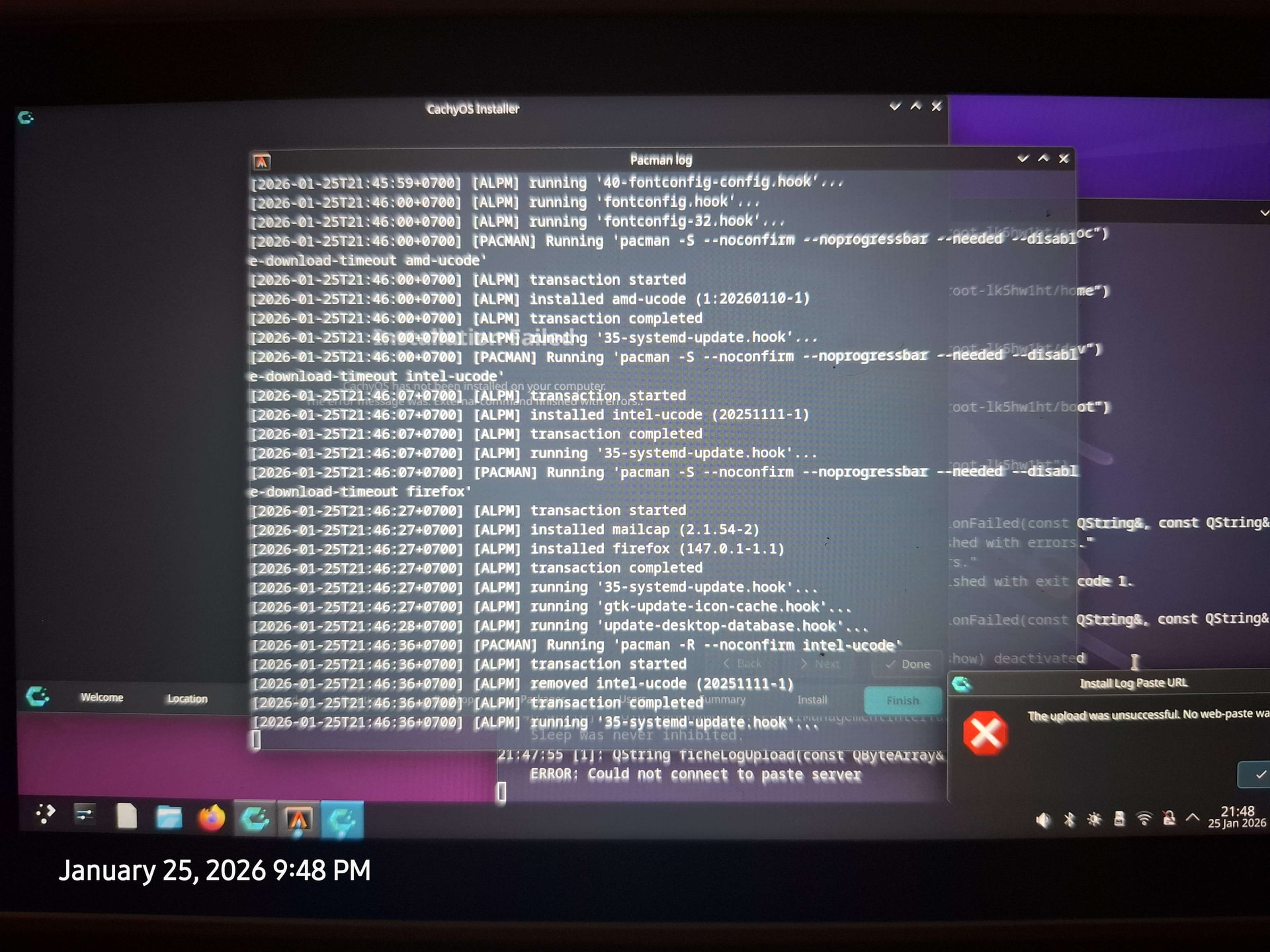
I checked the flash drive, it is the handheld ISO from 260125 ISO. Let me try again, making sure to disable intel-ucode.
Edit: still doesn’t work: https://termbin.com/5xs6 - last try with ext4 install now, just in case the issue is the btrfs to systemd-boot hooks.
How did you do that? I am unable to even get sddm back to work now.
Any chance Proton GE could be re-added back into the repo? Or why was it removed in the first place?
Been having to use the AUR for it now.
just reversed the commands above.
2026-01-25 - 22:55:51 [6]: "# 1. SpeedTestResult { speed: 949.7 KB/s; elapsed: 1.00s; connection_time: 823ms } -> https://mirror.hb9hil.org/cachyos/repo/\n"
The mirror was likely not fully synced. check out:
hhttps://packages.cachyos.org/mirrors
I had a spin with the new ISO, I’m running a Dell XPS 8930 which has a GTX 1070 so I’m aware I’m running out of time with this gfx carc. The default installer option gets to the plasma desktop briefly and then keeps crashing and relaunching, after a few goes it goes to a black screen with just the mouse pointer.
Wondering if that’s expected behavior due to the recent changes with the graphics card drivers or not? Happy to send logs if it’s unexpected. I ended up using the nomodeset version of the installer which worked but isn’t a great experience given the 800 x 600 res…
Very pleased by the change with Niri to Nocalia shell! Thanks!
Hello…since the lastest update the sound notification from gtk-apps does not work anymore in a wayland session. In x11-session it works. The same issue is in the new live-iso. What can I do?
Thank you
Hi,
The ISO uses now Wayland, and the GTX 10xx and lower series using the “novoue” kernel driver for this boot process. Did you try using the “nomodset” option or using the LTS option?
After the installation the nvidia driver will be properly installed, but we cant ship different versions of nvidia drivers in one iso sadly.
Hello…since the lastest update the sound notification from gtk-apps does not work anymore in a wayland session. In x11-session it works. The same issue is in the new live-iso. What can I do?
I also tried to switch back to sddm, but no success.
Thank you
I didn’t try the LTS one, I just went to nomodeset. I just tried LTS now and it has the same issue as the regular option.
Many thanks you guys are the best.
Thanks for the update
- Added FSR4 MLFG (Machine Learning Frame Generation) support; automatically enabled when using
PROTON_FSR4_[RDNA3_]UPGRADE
i want to ask, is this means it’s automatically grab / download the 4.0.3+ fsr dll (iirc MLFG is starting with 4.0.3) ?
a manual install should now if Limine is selected the /boot should be sized to 4192MB instead of 4096MB (but on cachyos wiki 4096MB )
So I will stay with X11
This is working for Firefox and Thunderbird, but no else GTK App like inkscape or gimp.
Hi, I’m a new user since last saturday….. .Apparently I installed just a few hours before your release 
Since I’m new to CachyOS, I have a question regarding the manual changes: Is this manual for now to first collect experience with users willing to switch early and later there will be an automatic migration from SDDM to Plasma login manager for everyone? Or will there be no further automatic migration from SDDM and do I have to keep checking the CachyOS release notes regularly to avoid being stuck on outdated systems, if I have to do manual stuff?