Well, BcacheFS is currently still a file system under active development that has not been included in the kernel for very long and is classified as experimental.
Due to repeated disagreements between the developer of BcacheFS and other developers, including Linus Torvalds, Linus Torvalds has put BcacheFS on hold in the kernel and is no longer accepting any code into new kernels. This means that as of kernel 6.16, no further changes or bug fixes will be incorporated into the kernel.
Anyone who wants to use it will then either have to see if a distro maintains its own kernel with the current BcacheFS code, or do it themselves.
Edit 20260930
Today I read that bcachfs will now be removed from kernel 6.18 after all. The developer of bcachfs has started to make the driver available in dkms, and it will then be recreated with each new kernel. It is already included in some distributions.
ZFS & wait until we can produce so much energy to bring the oceans to boil.
Besides the jokes? Al computer in house are COS, also the printer & Scanner server. The other two server OPNSense & True-NAS-Scale have ZFS too. The refurbished SFF of my apprentice have COS on ZFS too. We at home (6 computer) all ZFS, 4 are COS.
i love COS with ZFS so much, that move me to donate (since 2009, since i use Linux).
systemd-boot boot only own system, don’t look at other installed OSs, each os on own DC (data-carrier), press [F11] to choose DC-OS to boot. Very simple & fast, 4-6 sec. to boot (cold-start).
Ext4 the last year only. Stable, fast, perfect for gaming. As for other file systems..XFS is good and more robust , but on old 32-bit games brought serious issues.Btrfs on the other hand is nice, the snapshots are very handy, but are times consume resources since is CoW system , and bring performance drop in some cases. Plus it wore my previous nvme ssd pretty fast.
If I want some snapshot backup on Ext4 the Timeshift app , doing great job.
I’m just using SFTP for a remote repository and have it mapped to go to the same zpool in it’s own folder. So it’s not backing up IN Proxmox Backup Server, just using the same host since it has the RAIDZ2 pool that I wanted to utilize.
For those curious, when you set up your repository you can set the URI to a remote SFTP server: sftp:user@192.168.100.20``:/mnt/backups/restic
Yeah! if you want a faster system, you should provide a NVMe with ‘Phison’-controller like Corsair & switch LBA to 4 Kn, but you have to force twice by formatting the partition because ext4 don’t understand “properly” 4Kn o.o.t.b.
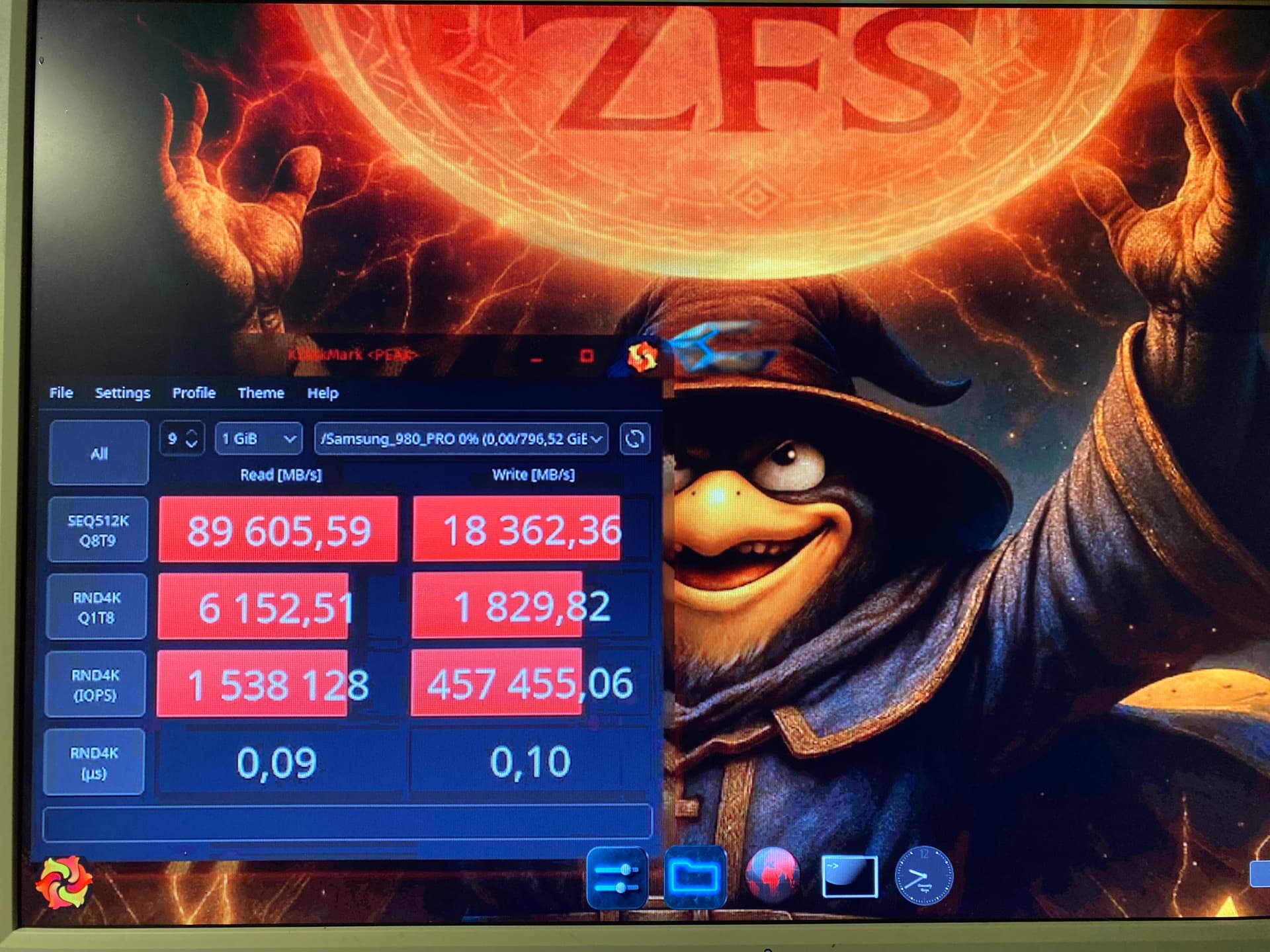
Zfs, I love the speed you get from arc, insane much faster than anything else. When I run a vm, cachyOS as host on zfs, and the vm also cachyOS I run a test with kdiskmark mark and get a read speed of 45GB/s no other filsystem kan make your workload so insane fast. And the fact that it is a dynamic data system there every data sheets expand and shrink depending on how much data you have is also outstanding, no corruption in your filesystem, snapshots, the list is long, special vdevs, zfs is a king of a file system and no other system can get close, the only downside is when you begin to do custom setups with several BE on the same pool.
Zfs don’t caching the usual way, you can say that zfs make ram your work space, like a dynamic, smart RAM disk that put all your work on ram, nvme is slow compare to ram, nvme is storage and ram is workspace that the way zfs work and yes, it is insane fast.
I have used F2FS as my primary file system for over 6 years now on two Archlinux-based systems with Samsung EVO SSDs. The driver is written by Samsung, so they must be doing something right for their own drives!
Almost zero issues, except for one time a few years ago when there was a kernel regression bug causing an ungraceful filesystem unmount on shutdown that consequently forced fsck on every boot.
The system is on Btrfs and the data drives are still on ext4. However, I’m considering switching them to either Btrfs or XFS in the future. My USB flash drives are always formatted as f2fs (external SSDs, USB sticks, if I even still use them).
Why? Well, the system partition is on Btrfs mainly because of the snapshots. Data loss on the system partition is irrelevant. Data drives are on ext4 mainly for convenience. As I said, the switch is planned …
After many years of trying different things, my preferred partition setup (excluding boot partitions) looks something like this:
/: LUKS+btrfs
/mnt/UserData: LUKS+ext4
/mnt/FastData: ext4
ext4 could be replaced with XFS or ZFS… But ext4 does the job just fine.
UserData is effectively my home partition. FastData is mainly for Steam (to avoid wasting CPU cycles on encryption for games that do a lot of IO streaming). The /home/user directory I treat as part of the system: Never keep any personal files there, only used for .config and such, included in system snapshots.
This setup works so well, I feel like it (or something similar) ought to be the default on modern *nix desktops. Or, at least, I wish it didn’t require so much manual intervention to set up.
Using /home/user for personal data, and separate from the system (whether as a partition or btrfs subvolume), just doesn’t work well in practice. Because the various config/cache/app/etc files in it are part of the system, are not cleanly transferable between systems, and can break a system if misconfigured (and therefore need to be included in system snapshots for rollback purposes, excluded and reset when reinstalling the OS).
It makes more sense to treat it as part of the system, and keep your persistent data elsewhere.
Sorry to ask again, but as far as I remember, CachyOS only offers Btrfs and ext4 during installation. How do you handle it when installing root on ZFS?
You just select it on install. It’s fully supported, including features like native encryption.
I also install zfsbootmenu after the installer completes and use that instead of the standard cachy bootloader choices, but that’s an optional step based on my preferences.