I’m trying to switch from windows to CachyOS. There are different approaches to install .deb files, but I’m not sure what’s the "better” way of going about it.
Hello and welcome,
.deb format is for Debian and debian-based (ubuntu, etc) distros.
So technically the answer is “You dont”.
Normally we prefer installing from the official repositories whenever possible.
What are you trying to install?
yeah just forget everything about .debs in an arch based system. Arch has better, and easier way to install programs.
And it has such a cool name for it, too:
Practical tip: instead of .deb files, open CachyOS Package Installer, search for what you want to install, first in popular tab and then Repo tab. Edit: don’t do this, my bad
If you still can’t find it, open Octopi and click on the little Alien icon and search again. This will check if what you want to install hasn’t already been configured for Arch by a random user. Make sure to review the code as it is from random (but trustworthy 99% of the time) people. Use an AI to tell you if there is anything suspicious in the package. Check the comments on the AUR page if something doesn’t work as it should. Edit: Only use the AUR as last resort, use Octopi before anything else.
You can also use paru to search. try tldr paru or tldr pacman to get a quick overview of what the commands do. If tldr isn’t already installed, find it in the package installer or Octopi.
After a while you’ll get used to just using paru or pacman for everything instead of the GUIs.
As much as I enjoy the look and feel of Cachy Package Manager, if you need to advocate a GUI, please talk about Octopi only. The CPM is already known for leading to partial upgrades, potentially ruining your system along the way 
As for the AUR: don’t give complete newbies the idea that this is “trustworthy 99%”, because it is not. Especially as a newbie, you need to learn about the votes and the popularity of a package, but most importantly about whether a package is still actively maintained. Because there is nothing that gets you in trouble easier than outdated packages.
Also, “Make sure to review the code” is of course the right choice of action, but how many Linux/Cachy newbies are actually capable of doing this?
I find it pretty alarming how light-heartedly the AUR is promoted by some people.
@xX_zapper_Xx : if you really want to know more about the AUR, start in the Arch Wiki or with this video (although I would strongly advise against manually changing your pacman.conf file and adding things to the IgnorePkg list!!) . But generally try to use only pacman, paru or Octopi to install new packages. And make sure your system does automatic pre- and post-snapper-snaphots when installing packages, this way you should easily be able to revert any lethal changes to your system. Also, backup your data frequently.
My bad. I did not realize that the Package manager sucked. Haven’t had problems with it so far but I agree that if it’s not fully functional I should not have cited it 
As a normie, I review AUR packages using AI but it does require meta-knowledge come to think of it. Or at least the intellectual humility of asking the AI to carefully explain every detail of what is happening and any unknown unknowns and be very conservative. You are right there too: I should not have been so light-hearted when I am not in fact nearly so carefree in my own setup! Medium-strength paranoia just seems like light-heartedness to me lmao
 % agreed. I for one am lacking both in time and motivation to go that deep into it and hanging around here for a while, I get the feeling I ‘m not completely alone in that. So I avoid the AUR as best as I can and should I ever I need it (for example for
 anydesk or epsonscan2), I really try to dig a little into it instead of blindly installing an AUR package I get recommended on a forum
Edit: oh I see you scratched half your answer. Nice touch, yet you still advocate AUR when recommending paru. When people are trying to install *.deb files on Arch, I would assume they are not even aware of the differences between Debian and Arch, so I’d definitely stick with pacman. paru may lead you into this “Please review” thing pretty quick and then people go like “my-oh-my what do I need to do now?!”, not finding the Q key 
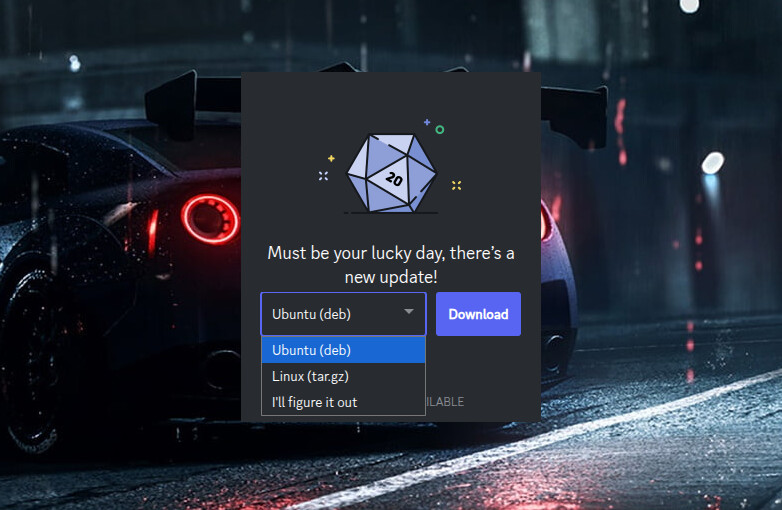
It actually does not.
But the discord folks think it should so they have it hardcoded to look for updates manually as if it were some windoze program.
Tell it to shut up;
We are a rolling release repository based Linux distro.
We do installs, removals, and upgrades via our package manager.
And we dont do partial-upgrades.
i’m using vesktop is mainly because of this 
Ferdium here so I have all that stuff (matrix, telegram, discord, etc) in one place.
didn’t know there was something like this, thanks for the information
will use it for works related  (teams, jira etc)
just hit “ill figure it out” and if installed from cachy, you will get the update when cachy releases the update
What if a program only has a .deb installer and is not found in the repository? Specifically “Traction Download Manager” which allows the installation of music production software such as the Waveform Pro DAW.
But it is in the AUR.
And we must become familiar with it before using though;
Thanks, I gave it my best shot but no luck installing. Guess I’ll have to stick to Debian based distros if I want to run Waveform or Bitwig.
Its not flagged or anything.
So I might assume it works for most people.
If you need help then you will need to include what you tried and what the outcome was.
I’ve tried too many things to list including suggested commands from the Waveform forums and the outcome is the same. No one on those forums seems to be using an Arch based distro to run Waveform.
So I’ll either go back to a Debian based distro or just forget about running anything on CachyOS outside its own repository. I’ve tried several different distros going back quite a few years but I’m certainly no Linux expert.
I do love CachyOS for it’s great performance so I’ll keep it around for awhile longer at least. Thanks for your help.
Why did the installation fail?
Did you accept the PKGBUILD with q after reading it?