Disk Infos :lsblk -o NAME,SIZE,FSTYPE,FSVER,LABEL,UUID,MOUNTPOINTS,MODEL orsudo fdisk -l
Journal System Infos:
Boot: journalctl -b
System: journalctl --system
User: journalctl --user
Live: journalctl -f
For more options: journalctl --help
Close with Ctrl+C or just close the terminal window
Get detailed infos over ports, devices and more: sudo dmesg | grep -i
USB devices: sudo dmesg | grep -i usb
Bluetooth: sudo dmesg | grep -i bluetooth
Ethernet: sudo dmesg | grep -i eth
Sound: sudo dmesg | grep -i sound
and so on…
List and export all the names of the installed programs and stuff to /home:
pacman -Q > packages.txt
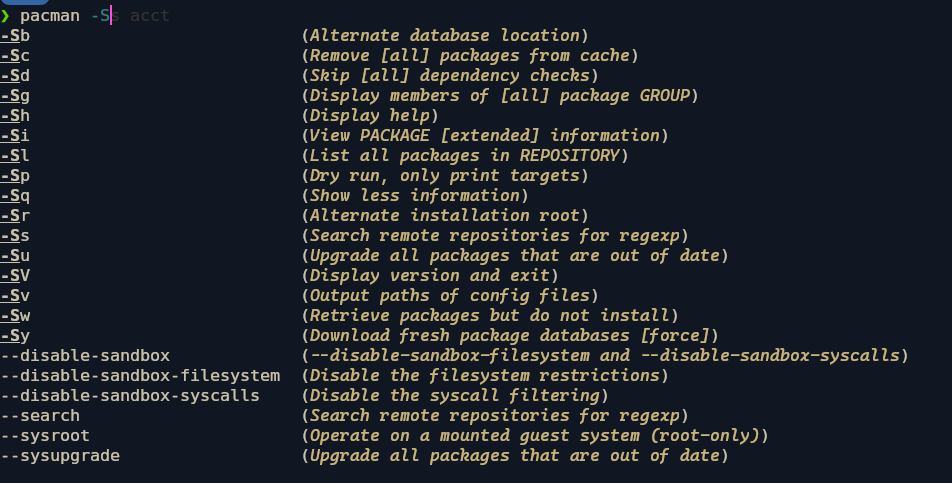
Software Updates:sudo pacman -Syu
Run the official cachyos bugrepport:sudo cachyos-bugrepport.sh
You can choose if you want to upload the repport to the forum or not. If you press N, the log will be saved in your home directory. cachyos-bug-report.log
That is also NOT a 'USEFUL TERMINAL COMMAND. Surely if you want to teach a command, you should teach a COMMAND which will delete the history…
This ‘Tutorial’ does look like something written by someone who needs it, more than someone qualified to attempt to write it.
About History:
Well, arguably the best feature of fish - it can be enabled and disabled at will, so why would anyone delete their entire history? That’s just crazy.
history delete <search term> for a few recent commands you want to remove is useful.
history clear-session nukes the record of your current session whilst preserving your broader history.
Fish Privacy
My first plan was to simply toggle history:
`set -g fish_history ""`
But then I found:
❯ fish --private
fish is running in private mode, history will not be persisted.
and overall, I think a more surgical approach with:
history delete <searchterm>
TL;DR
Sorry, a very poorly thought out and researched Tutorial - should be tucked away until it’s improved to a standard fit for the distribution, or scrapped.
Sorry to add another reply, but first let me say thank you to @Thor for taking his time to write some helpful commands, even If they are from his own view in some cases.
I like people who try to help.
On the other hand it saddens me how this thread evolved. RTFM? Is this the way to honor people who try to help?
Why not just say: “Thanks, but this command would be better if you do it this way…”
Maybe I am lost in translation and read it wrong, but we have a saying in Germany: “Der Empfänger bestimmt die Botschaft” and this “Botschaft” (message) ist not written in a positive way IMHO.
You know, just to say ‘RTFM’ is offensive… but I didn’t say that. Also, this isn’t a ‘just try to help’ section, it is an official FAQ and Tutorial section.
In here, only tried, tested, and verifiably agreed solutions should be offered - not amateurish lists including stream of thought, including misleading, damaging, or outright dangerous suggestions.
I was absolutely right to push back at OP.
What you should do is:
Learn and discover - don’t try to make ROTE lists:
Man pages, info, --help, tldr, tab completion teach far more and discover far more options to self-solve problems.
fish autosuggest and completions are interactive and a million times better than lists.
DELETE TERMINAL HISTORY is a harmful tip, and this post was being made in the TUTORIAL section - thought it’s also a FAQ section which OP may have confused.
It is supposed to be a knowledge repository, not an area for noobish discussion with dangerous and unhelpful suggestions.
History is the primary learning tool where you review mistakes, repeat successful commands and reproduce workflows.
You know, like 'how do I get these MKV files ready for my TV?
mkv
CtrlR for f in *.mkv; ffmpeg -i "$f" -c:v copy -c:a aac -strict experimental (basename "$f" .mkv).mp4; end
There, now I can just edit and re-use a command I don’t fancy typing out any time soon… and it’s not gonna be in a list.
What should OP learn here first?
Firstly OP should identify the need for deleting the history innit? Not start writing a tutorial about how to do that.
If Privacy is the issue, then a discussion about privacy should be carried out before thinking about entering a Tutorial.
If CachyOS or Arch system commands are the issue, then OP should carry out research about how to SEARCH in the CachyOS/Arch Wiki to find commands they need.
TL;DR
1. Learn the problem, not memorize commands
Focus on what you want to do, not learning a list of commands.
2. Learn how to inspect commands (RTFM, use TAB etc: