Unity Games low fps in game high in Menu

Hey,

I’m having an issue with the games Against the Storm (AtS) and Songs of Conquest (SoC), both running on the Unity engine.

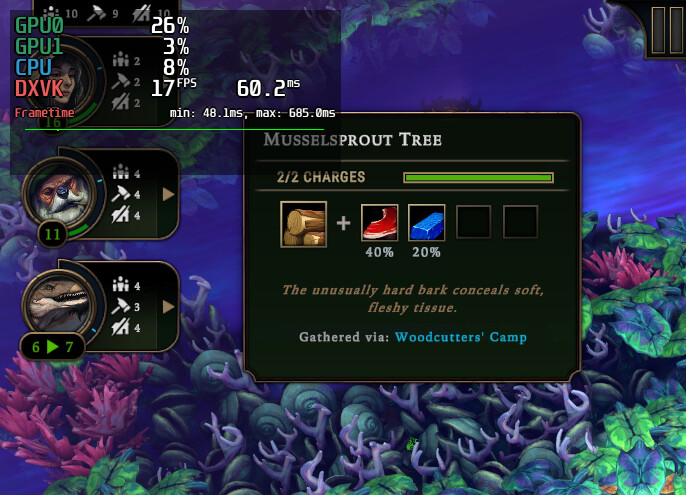
The problem is that when I enter the menu, I get normal FPS (unlocked in the settings) (in SoC, on the loading screen), but once I get into the game, the FPS drops (SoC menu and gameplay) with DXVK, and the frame times increase in ms. CPU and GPU usage is also higher even before entering gameplay (or the SoC menu).

Unfortunately, I don’t know what’s causing the issue — this is the only problem I have with games on this laptop.

I’m using a laptop with the following specs:

  • Operating System: CachyOS Linux

  • KDE Plasma Version: 6.6.5

  • KDE Frameworks Version: 6.26.0

  • Qt Version: 6.11.1

  • Kernel Version: 7.0.9-1-cachyos (64-bit)

  • Graphics Platform: Wayland

  • Processor: 12 × AMD Ryzen 5 5600H with Radeon Graphics

  • Memory: 16 GiB RAM (15.0 GiB usable)

  • GPU 1: AMD Radeon Graphics

  • GPU 2: NVIDIA GeForce RTX 3050 Laptop GPU

  • Manufacturer: HP

  • Product Name: Victus by HP Laptop 16-e0xxx

It seems like your dedicated NVIDIA GPU is not being used? Maybe try to force use of dedicated GPU in steam launch options:

DXVK_FILTER_DEVICE_NAME="NVIDIA GeForce RTX 3050 Laptop GPU" %command%

Sadly it doesn’t work. It says in game and logs that it’s using Nvidia GPU. Issue persists.

For me, switching to DX12 with -force-d3d12 (works for every unity game I have) improves performance over DXVK (by using VKD3D-Proton instead).

Also have you tried adding DRI_PRIME=1! to force the dGPU?

Alternatively you can use the PCIe vendor ID, device ID:

$ MESA_VK_DEVICE_SELECT=list vulkaninfo
selectable devices:
  GPU 0: 1002:7480 "AMD Radeon RX 7600 (RADV NAVI33)" discrete GPU 0000:03:00.0
  GPU 1: 8086:4c8a "Intel(R) Graphics (RKL GT1)" integrated GPU 0000:00:02.0
  GPU 2: 10005:0 "llvmpipe (LLVM 22.1.3, 256 bits)" CPU 0000:00:00.0

Using

MESA_VK_DEVICE_SELECT=1002:7480

or

DRI_PRIME=1002:7480

would specifically force using my AMD dGPU, but with Nvidia… I’m not sure. I don’t have any experience with their HW on Linux.

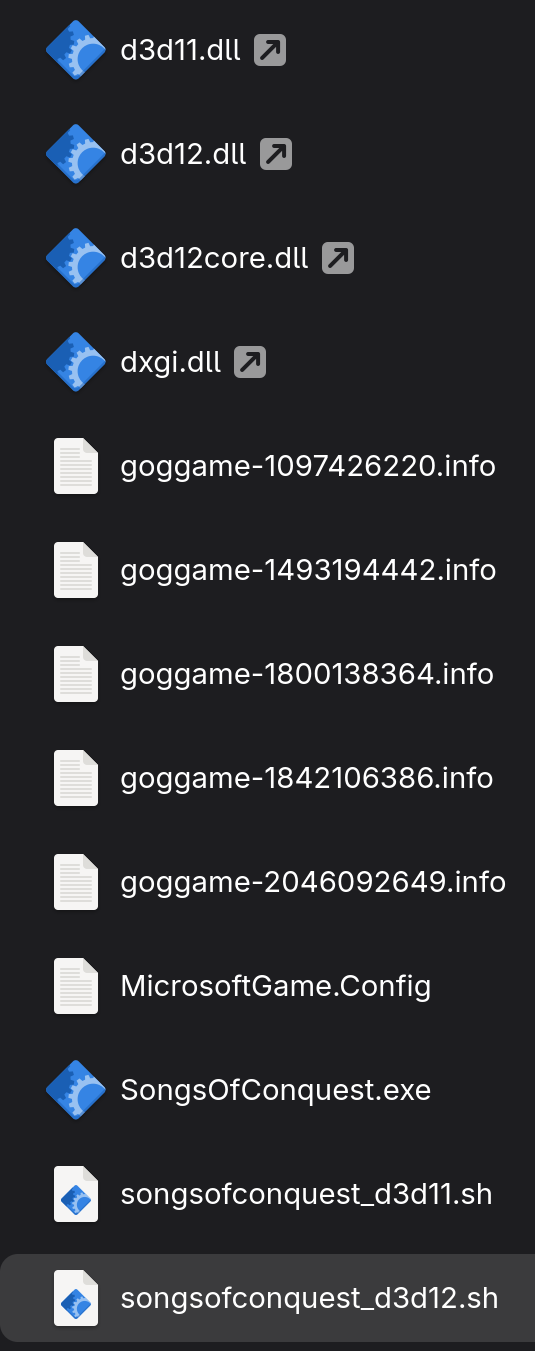
Here’s my setup for Songs of Conquest from GOG:

#!/bin/bash
export VK_LOADER_LAYERS_ENABLE=VK_LAYER_MESA_overlay
export DRI_PRIME=1!
export RADV_EXPERIMENTAL=transfer_queue
export DXVK_CONFIG="dxgi.maxFrameRate = -120"
export WINEDLLOVERRIDES="dxgi,d3d11,d3d12,d3d12core=n,b"
export WINEDEBUG=-all
powerprofilesctl set performance
wine SongsOfConquest.exe -force-d3d12
powerprofilesctl set balanced

My dGPU is “headless”–only my iGPU is connected to my displays. This matches a laptop without a MUX (multiplexer). If your laptop has a MUX, then things get more complicated and is honestly quite fragile on Linux. If your dGPU has a dedicated video port (HDMI / DP / USB-C with DP-altmode) then using that port will force the dGPU to always be used and is more performant than passing data over the PCIe bus and less fragile than relying on a MUX to switch which GPU is rendering.
Belki bios üzerinden dahili ekran kartını devre dışı bırakmayı denemelisiniz

I tried your suggestion, issue still persists

My GPU is same as the-burrito-triangle. No MUX switch in BIOS because in this model iGPU is hardwired to display.

I’m confused by this statement; it does not look the same at all.

He has an Intel CPU with AMD GPU, you have an AMD CPU with Nvidia GPU.

See the wiki page here: Dual GPU Setup Guide | CachyOS

Short version:

  • Make sure this is installed: sudo pacman -S nvidia-prime
  • In Steam properties for the game, set launch options: prime-run mangohud %command%

Statement was referring to “headless”.
I have prime-run, and both games are using dGPU.
Seems like both games aren’t using CPU and dGPU to the fullest

Are you seeing any spiking in fps and or cpu and gpu usage?