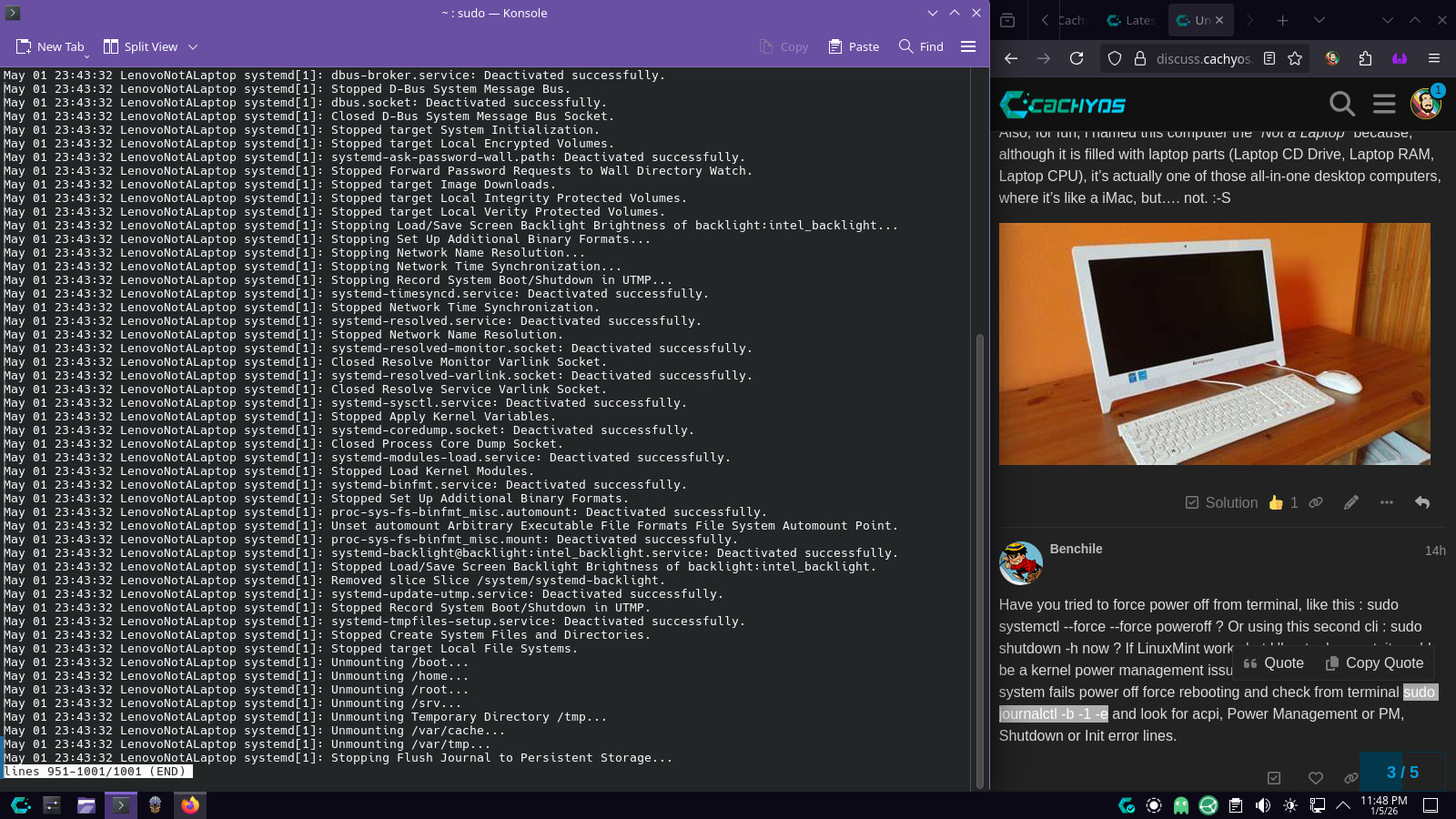
When choosing Shut Down or Restart from the KDE Menu, The machine shuts down all the way, but gets stuck at the point where it should power off or restart. leaving the user stuck at a Blank Screen that sometimes has a single _ at the top left corner.
I have no idea if this is a CachyOS issue, Lenovo issue, or a wider Linux issue. but i will do my best to explain.
Specifications:
Lenovo C260 - 10160.
Intel Atom J2900.
1TB HDD.
4GB DDR3L RAM.
(Yes, it’s an old potato)
Steps to reproduce the issue:
Have CachyOS Installed (Or running from LiveUSB) on the Lenovo C260
Other Troubleshooting steps i have tried:
I have tried other operating systems to see if this issue is only on CachyOS.
The issue is not unique to CachyOS.
OS
Shutdown Works?
Restart Works?
Windows 10
CachyOS
CachyOS Live USB
Ubuntu 24.04.1 Live USB
Ubuntu 25.10 Live USB
Linux Mint v22 Live USB
Fedora KDE 44-1.7 Live USB
PopOS 24.04 Live USB
Strangely Enough Shutdown and Restart work fine on Linux Mint, but not on Ubuntu, or any other distro i have tried. so… has mint fixed this issue already?
and, if this issue isn’t fixable on CachyOS, is there a way to get it to say “It is now safe to turn off your computer” (Think Windows 95).
If you need more information on this issue please instruct me like i’m an idiot, as i’ve only been using Linux/CachyOS for a month, but i’ve been using Windows since i got my first computer in 1993 (Windows 3.1) and as such, i often get stuck in windows-thinking mentality.
Ah yes. i completely forgot to mention. i don’t believe there has ever been an actual Bios Update released for this computer. as it is running bios version IXKT29A - And, although i have never updated it, the only download on Lenovo’s website is for the same version IXKT29A.
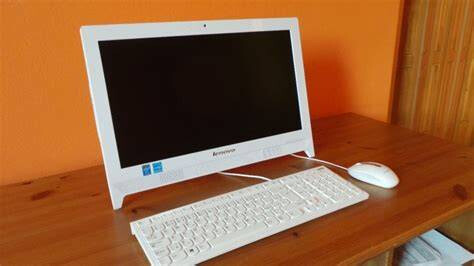
Also, for fun, i named this computer the “Not a Laptop” because, although it is filled with laptop parts (Laptop CD Drive, Laptop RAM, Laptop CPU), it’s actually one of those all-in-one desktop computers, where it’s like a iMac, but…. not. :-S
Have you tried to force power off from terminal, like this : sudo systemctl --force --force poweroff ? Or using this second cli : sudo shutdown -h now ? If LinuxMint works but Ubuntu does not, it could be a kernel power management issue as well I suggest after your system fails power off force rebooting and check from terminal sudo journalctl -b -1 -e and look for acpi, Power Management or PM, Shutdown or Init error lines.
Sounds like a kernel regression since an older kernel from Mint 22 works fine. You may want to stay on that version until you find a fix.
I would look through the output of sudo dmesg after a clean boot and see if there are any errors. I had to disable all watchdog timers (WDT) for my laptop to reliably reboot and power off.
If you remove plymouth or disable it (by removing the “quiet” option in the boot args), you can see the actual boot and shutdown log and will likely see what is causing the issue.
If it is WDT related, you can add nowatchdog module_blacklist=intel_oc_wdt,iTCO_vendor_support to your kernel boot arguments or make a modprobe.conf` file to do the blacklisting:
Did that. the machine stayed on but froze. (Also, this turned off the WiFi and after multiple power cycles, the WiFi still won’t turn on. There’s no physical button or Keyboard Shortcut, and the on/off switch is just straight missing from the network Tray Icon - I have had to run an Ethernet Cable across my lounge temporarily)
Video of Result: https://photos.app.goo.gl/MDcdpq9bTht5hFLw6
This one got a new thing to appear, after the shutdown sequence, it froze as normal, but this time with some kind of [UFW BLOCK] that i didn’t understand.
Video: https://photos.app.goo.gl/S36AxgCkfpyxPXRC9
I didn’t spot anything odd in this. but i have basically zero experience with Linux so it could be staring me in the face and i wouldn’t know.
Failed to start Virtual Console Setup. - This is a known error caused by selecting English Australia Keyboard during CachyOS Install. All Three of my CachyOS Machines have this same bug, and someone else has reported it here: Bug - 'Failed to start Virtual console setup' Keyboard English (Australian)
Pretty sure it’s completely unrelated to the shutdown issue.
think-lmi 51F5230E-9677-46CD-A1CF-C0B23EE34DB7-2: probe with driver think-lmi failed with error -95
No idea what this is.
Hello this UFW block message deals with a Firewall block (UFW means Uncomplicated Firewall progam manager which somehow you have it enabled as you might have installed CachyOs by default in your system, there’s an option to unclick as default but never mind)
First you need to disable it with this line command and your password in terminal: sudo ufw disable Next I suggest you could remove it if it’s not necessary for your connection, using this command and your password: sudo pacman -Rsc ufw
Then Reboot and check if this can solve your wifi and shutdown issues.
This has nothing to do with your poweroff issue. This was solved in linux 5-6 years ago, which was to access your BIOS firmware setup easily to manage your default system Lenovo BIOS and drivers of ThinkLMI
Disabling UFW had no effect on shutdown or restart.
—
Also, i managed to get the WiFi running again, but it was an absolute pain in the arse.
I tried booting into the CachyOS Install USB - Still no Wifi.
I booted into Linux Mint USB - Still no Wifi.
I booted into the Windows 10 Installer USB - Wifi started working again.
Rebooted back into CachyOS on the internal hard drive, Wifi still working.
So, Definitely not going to do another sudo systemctl --force --force poweroff any time soon, but if i have to, at least i now know how to reactivate the wifi aferwards.
—
Either way, still back at the original issue. Shutdown and Power Off only work on Windows or Mint.
I’m GUESSING Lenovo did something (intentionally or unintentionally) that makes shutdown and reboot on this computer only compatible with Windows. (And the guys at Mint found a workaround for this that is only implemented in Mint?)
I don’t want to use Mint on this machine, because this is one of three computers I have running linux and i’d prefer to use the same CachyOS on all of them.