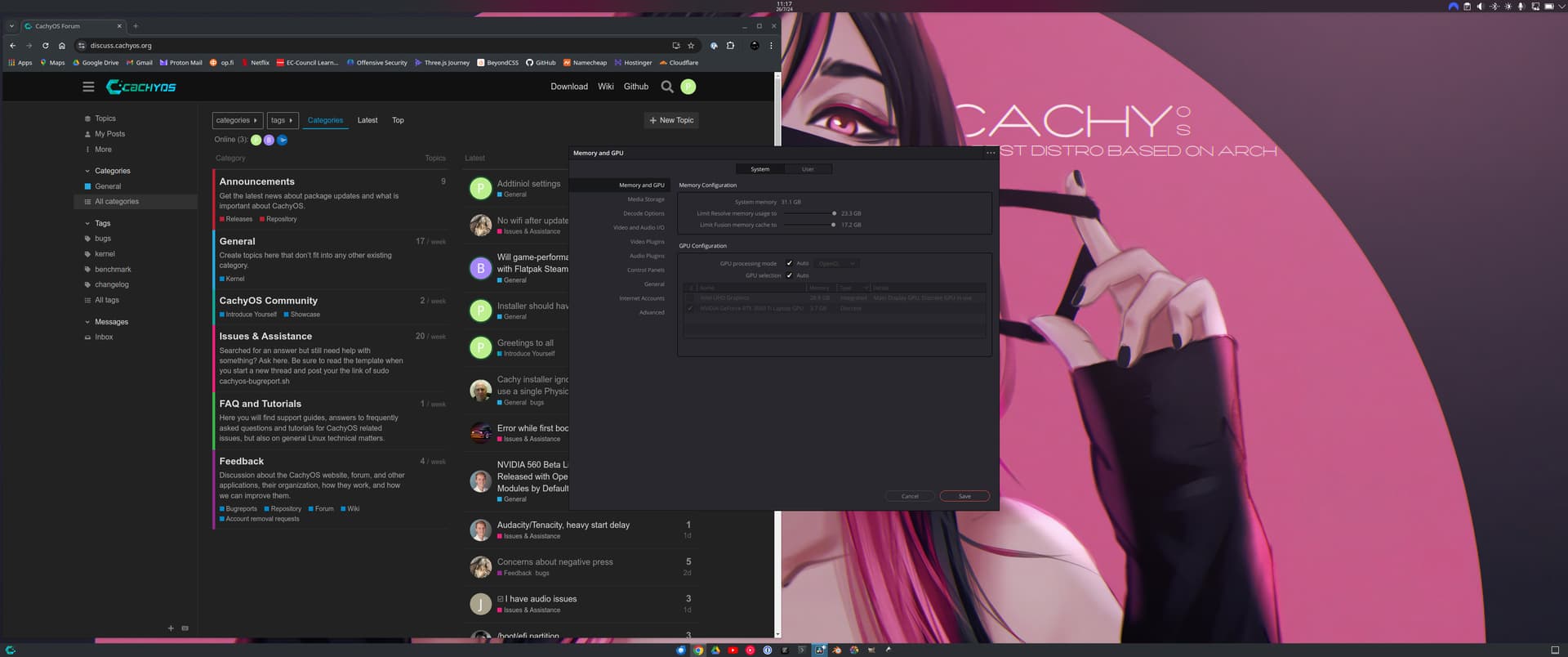
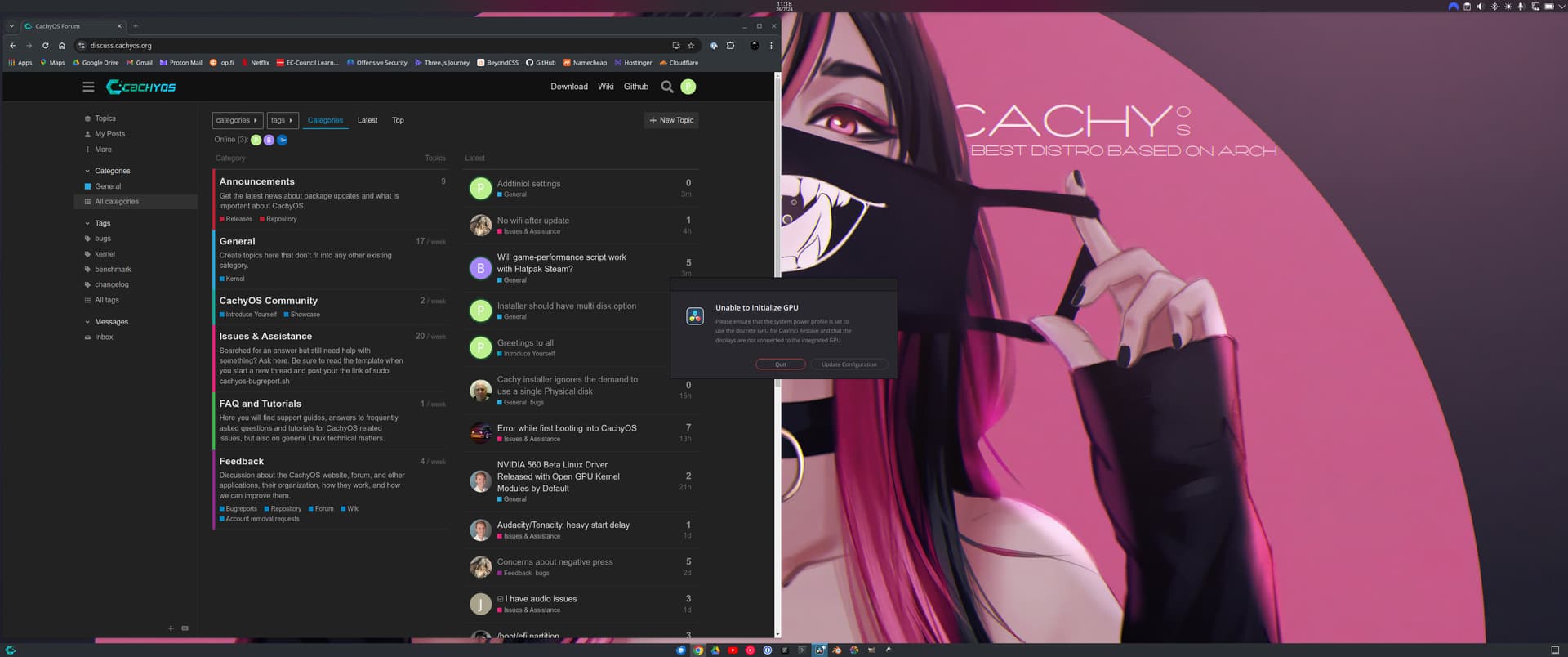
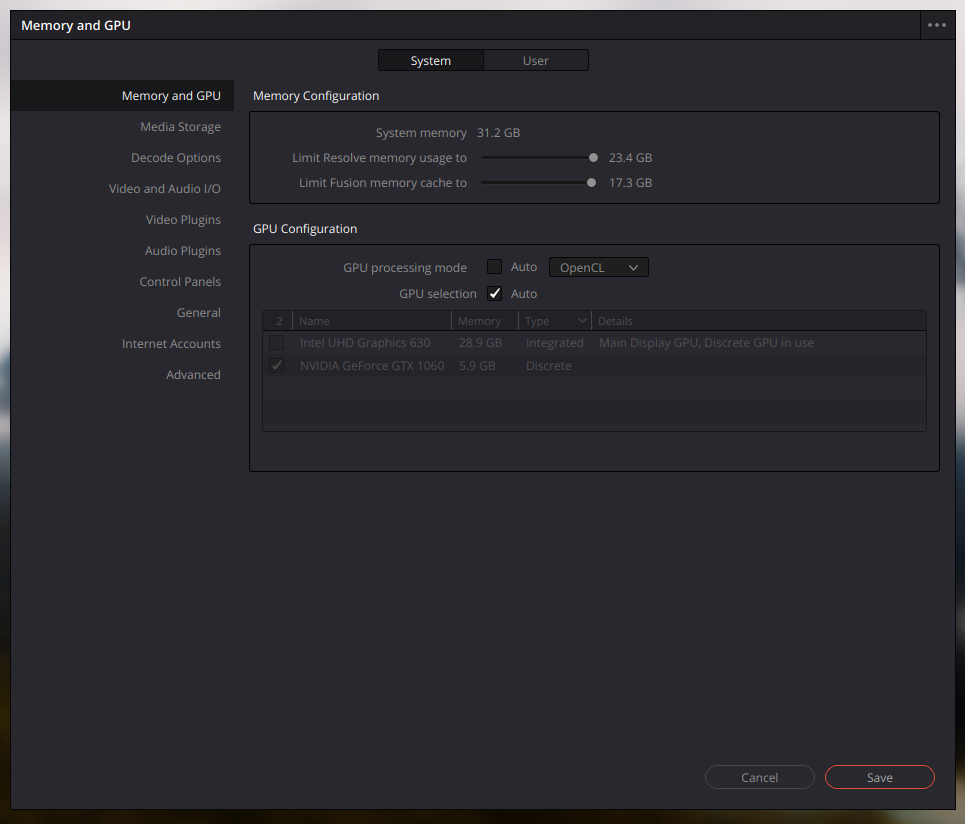
There’s no cuda option for GPU processing mode.
Somebody could please tell me what package should I install.
It didn’t work… It’s Nvidia graphic card by the way. Still showing the same.
when you did the installation of CachyOS?
I Installed it today.
I even ran this Davinci-Resolve-Checker script and this is result.
Locale unavailable: en_IN, using en_US instead
Using locale en_US
DaVinci Resolve checker 5.2.8
Installed DaVinci Resolve package: davinci-resolve 18.6.6-4
Chassis type: notebook
Installed OpenCL drivers:
        intel-compute-runtime 24.22.29735.20-1.1
        intel-oneapi-compiler-shared-runtime 2024.1.0-1.1
        lib32-opencl-clover-mesa 1:24.1.4-2
        lib32-opencl-nvidia 555.58.02-1
        lib32-opencl-rusticl-mesa 1:24.1.4-2
        opencl-clover-mesa 1:24.1.4-3
        opencl-nvidia 555.58.02-2
        opencl-rusticl-mesa 1:24.1.4-3
Presented GPUs:
        CoffeeLake-H GT2 [UHD Graphics 630] (kernel driver in use: i915)
        GP106M [GeForce GTX 1060 Mobile] (kernel driver in use: nvidia)
OpenGL vendor string: NVIDIA Corporation
OpenGL renderer string: NVIDIA GeForce GTX 1060/PCIe/SSE2
clinfo detected platforms and devices:
        Clover (number of devices: 0)
        rusticl (number of devices: 0)
        NVIDIA CUDA (number of devices: 1)
        Intel(R) OpenCL (number of devices: 1)
        Intel(R) OpenCL Graphics (number of devices: 1)

All seems good. You should be able to run DaVinci Resolve successfully.
I still don’t understand why it doesn’t have CUDA as GPU processing mode.
we had such a report in the past, and their the issue was that a different opencl was installed, I think.
Could you check if opencl-mesa/rusticl-mesa is installed?
We had reports that removing opencl drivers from mesa fix cuda appearance in Davinci Resolve
Are these all the package you suggested.
local/glu 9.0.3-2.1
    Mesa OpenGL utility library
local/lib32-glu 9.0.3-1
    Mesa OpenGL utility library (32 bits)
local/lib32-libva-mesa-driver 1:24.1.4-2
    Open-source VA-API drivers - 32-bit
local/lib32-mesa 1:24.1.4-2
    Open-source OpenGL drivers - 32-bit
local/lib32-mesa-utils 9.0.0-1
    Essential Mesa utilities (32-bit)
local/lib32-mesa-vdpau 1:24.1.4-2
    Open-source VDPAU drivers - 32-bit
local/libva-mesa-driver 1:24.1.4-3
    Open-source VA-API drivers
local/mesa 1:24.1.4-3
    Open-source OpenGL drivers
local/mesa-utils 9.0.0-4.1
    Essential Mesa utilities
local/mesa-vdpau 1:24.1.4-3
    Open-source VDPAU drivers
local/opencl-rusticl-mesa 1:24.1.4-3
    Open-source OpenCL drivers - RustICL variant
If so it’s still not working.
Tried and still same CUDA is missing.
Is cuda installed? I remember having same issues always when using dnf/rpm on other distros and fix was always install cuda issues happens on blender and davinci always. Those need cuda to be installed well cuda-toolkit minimum. Flatpak versions work with compute and drivers
Well it says I have CUDA 12.5 Version, but let me check with installing CUDA toolkit once.
❯ nvidia-smi
Thu Jul 25 22:47:23 2024
+-----------------------------------------------------------------------------------------+
| NVIDIA-SMI 555.58.02              Driver Version: 555.58.02      CUDA Version: 12.5     |
|-----------------------------------------+------------------------+----------------------+
| GPU  Name                 Persistence-M | Bus-Id          Disp.A | Volatile Uncorr. ECC |
| Fan  Temp   Perf          Pwr:Usage/Cap |           Memory-Usage | GPU-Util  Compute M. |
|                                         |                        |               MIG M. |
|=========================================+========================+======================|
|   0  NVIDIA GeForce GTX 1060        Off |   00000000:01:00.0 Off |                  N/A |
| N/A   38C    P8             16W /   88W |       7MiB /   6144MiB |      0%      Default |
|                                         |                        |                  N/A |
+-----------------------------------------+------------------------+----------------------+

+-----------------------------------------------------------------------------------------+
| Processes:                                                                              |
|  GPU   GI   CI        PID   Type   Process name                              GPU Memory |
|        ID   ID                                                               Usage      |
|=========================================================================================|
|    0   N/A  N/A       776      G   /usr/lib/Xorg                                   4MiB |
+-----------------------------------------------------------------------------------------+
By the way Blender works absolutely fine, with CUDA and Optix.
So it must be openCL issue on davinci then if blender works that is missing library. Let me search on my files what it needs
Thanks in advance. And no CUDA toolkit didn’t work.
I read some on arch wiki forums and they said
opencl-rusticl-mesa only supports intel & amd video cards, remove it and install nvidia-opencl .
So this is one solution not sure does it work and do you need to remove the Mesa it is all about at the end on your system. If you run hybrid system you need both
@phatle I also have the same issue, this what i have been posting about.
And yes as @vnepogodin has suggested in earlier comment, I tried this. But sadly that didn’t work either.
I think this is more related on for running the davinci since it detect all cards but won’t run the app on discreet card and that is the issue in short version
As I read the error text it is saying it is running on discreet make sure to out it on etc similar sentence
Going to search more for option/solution on this I remember I had similar issues on fedora and openSUSE, but can’t remember what was the fix
the card is working and actually DaVinci is using the discrete, but it has something wierd still since it wont detect cuda. Does CacyOS have compute drivers it seems it want only use OpenCL and if even cuda installation didint work there might be something related that drivers are too new just a guess
❯ pacman -Qs nvidia
local/egl-wayland 3:1.1.13-1.1
    EGLStream-based Wayland external platform
local/lib32-libvdpau 1.5-2
    Nvidia VDPAU library
local/lib32-nvidia-utils 555.58.02-1
    NVIDIA drivers utilities (32-bit)
local/lib32-opencl-nvidia 555.58.02-1
    OpenCL implemention for NVIDIA (32-bit)
local/libva-nvidia-driver 0.0.12-1.1
    VA-API implementation that uses NVDEC as a backend
local/libvdpau 1.5-3.1
    Nvidia VDPAU library
local/libxnvctrl 555.58.02-2
    NVIDIA NV-CONTROL X extension
local/linux-cachyos-nvidia 6.10.1-3
    nvidia module of 555.58.02 driver for the linux-cachyos kernel
local/nvidia-prime 1.0-5
    NVIDIA Prime Render Offload configuration and utilities
local/nvidia-settings 555.58.02-2
    Tool for configuring the NVIDIA graphics driver
local/nvidia-utils 555.58.02-2
    NVIDIA drivers utilities
local/opencl-nvidia 555.58.02-2
    OpenCL implemention for NVIDIA

~