Stuck in emergency mode message-loop after update

Host Specs:
CachyOS KDE on wayland
i7 6700k
GTX 1060

KVM specs:
x86_64
Q35
Uses disk encryption (should ask for a password during boot)

I’ve just updated my host system and had to re-set the keymap for SDDM, so I could login, using my local keyboard .. as I did, before without having to mess about .. successfully.

I guess, that should’ve given me pause, but since I already knew, how to fix the problem, I just went ahead and updated one of my VMs, too.

That VM is now stuck in a loop, where it presents me with this message during boot (see screenshot):
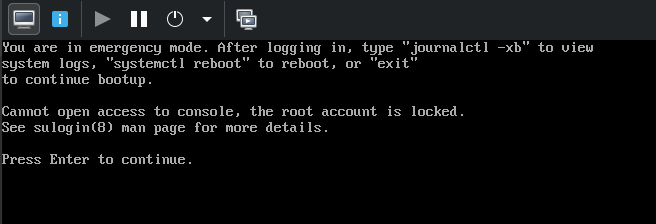
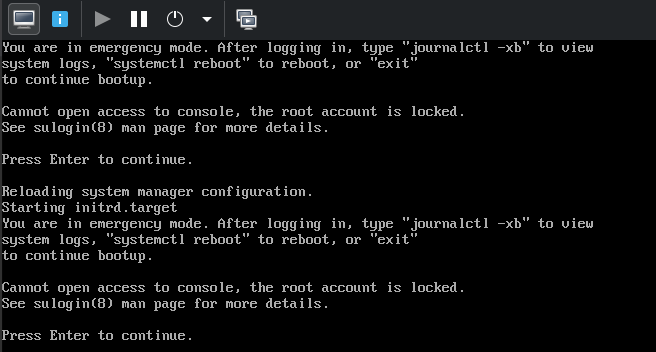
When I actually hit Enter, all I get is that same message again .. so, whatever displays that message, is stuck in a loop (see screenshot):
That VM contains my email-client (Evolution) and all my emails (important ones, too .. so, I’m gonna have to get those back).

How can I drop into a shell, where I can do all the things to fix this (e.g. call journalctl -xb, as the message tells me to)?

EDIT:
I just realized, that if I hit Enter a couple more times, this is what happens (it’s stuck there, now .. see screenshot):
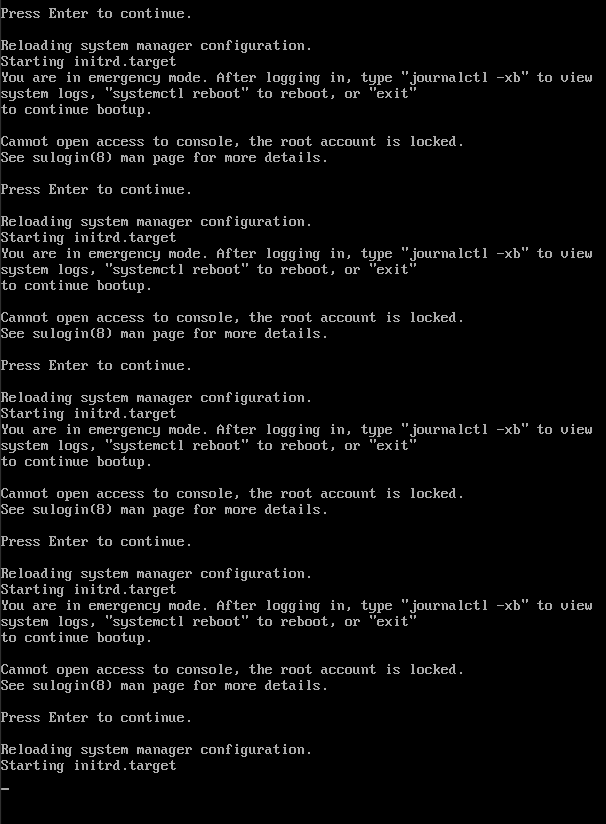
After that, it’s stuck and nothing else ever happens.

Should have heeded the warning

“It is not recommended to install CachyOS on a virtual machine. VMs can have issues with incorrect configuration or can be broken entirely. It is recommended to install CachyOS on bare metal.”

especially since you say your VM has important information contained in it. It’s probably fixable with a live image but not sure.

Thanks for pointing that out .. Well, I managed to install CachyOS without any noteworthy problems, using virt-manager and it was working well, ever since (a few months) .. until today.

While I do keep backups (full exports from Evolution), the last one is more than 2 weeks old. If I just nuke&restore, I’m highly likely gonna lose a few mails, I’m gonna miss.

My best guess about what’s going wrong, at this moment:
The VM used to ask for a password during boot (I’m using disk encryption), but it doesn’t do that, anymore. So, it doesn’t decrypt the disk .. and therefore, it doesn’t find the necessary files, it needs to boot .. and highly likely, that’s the reason, it goes into emergency mode.

So, I’m assuming, today’s update must’ve done something to mess with that disk encryption stuff.

Let’s assume, I’m able to boot a live-medium inside that VM and chroot into the installed system:
What’s the first place, where I could look for clues?

I think, I found the problem .. and it’s an even bigger problem, than I initially thought, so please read this in full (I’ll try to keep it short).

It highly likely has to do with the recent systemd-update and that the mirrors aren’t all 100% in sync .. so, it’s a timing-issue (see the numbered list further down).

I have multiple clones of a CachyOS-VM, for security reasons (e.g. if I get a malicious email, it can only infect the VM, I use to read my emails).

So, after waiting 1 day, I just updated another clone of that same CachyOS VM - and it worked without any problems (other than the keymap-thing for the SDDM login screen, but I fixed that, myself).

I’ve seen that same notice during installation of the updates (about some new systemd-metadata user and group being created), on both of the VMs, I updated.

So, why did one VM-clone die after the update and the other didn’t?

I think, this is what happened (in this order):

  1. CachyOS headquarters pushes the full systemd update (all related packages that need updating for it not to break)
  2. Due to internet-latency and whatnot, those updates “trickle in” at the mirrors and immediately become available to the users, instead of the mirrors waiting to be 100% in sync with all packages again.
  3. User (in that case: me) manually checks for updates, gets notified that there are indeed updates and applies the (incomplete “trickle in”-)update.
  4. The rest of the updates “trickle in” to the mirrors .. but, they’re too late and of no use to my dead VM anymore.

I think, that’s what happened .. and I think, this could happen to everyone .. even on bare metal machines .. so, this should be thoroughly considered and fixed, imho.

I’ll still gladly accept any help with trying to fix my broken VM-clone, if anyone has an idea.

Offtopic, I know, but:

A mail itself cannot infect your system. You will always have to click something in the mail first. And even then, on a Linux system, you are pretty safe from such attacks assuming you would not blindly download and then run a *.sh script or something similar.

In theory, that’s correct .. but, theory and practice can sometimes differ wildly.

And in light of the recent series of CVE’s, of which some vulns have been around for decades, I’m trying to assume that everything can and will be broken .. or that everything is already broken (I tend to go with the latter).

My reasoning is this:
Assuming, there’s some sort of undiscovered vulnerability in the email-app, then - worst case scenario - some spam-mail could infect me in some way.
In other words, I could fall victim to some large-scale automated attack (unlikely .. but, not impossible .. and not unlikely enough, for my taste).

But, if - on top of the vuln in the email app - an attacker had to break out of the VM, too .. that’d be a lot of effort. If someone were to invest that sort of effort, I’d assume that to be a targeted attack .. and that’s extremely unlikely, because I’m pretty sure, I’m not that interesting to anyone.

And adding the VM was relatively effortless, for me .. so, that extra layer of security costs me nothing, but a few GB of storage.

I’ve been able to solve my own problem :slight_smile:

I found the CachyOS chroot Helper wiki page and followed the steps, using cachy-chroot.

  1. Downloaded current CachyOS Live Image
  2. Mounted it in virt-manager, so it’s available in the VM
  3. Set the boot-order, so the Live Image gets booted
  4. When the VM and Live Image is up and running, open alacritty
  5. sudo su -
  6. pacman -Sy cachy-chroot
  7. cachy-chroot
  8. Mounted both, the /boot partition and the / partition.

As described, in the comment above, I assumed, my problem came from sort of a partial update (parts of systemd updated .. other parts not updated .. probably, because of only half-synced mirror, when I started the update).

So, I crossed my fingers and did a cachy-update.

It worked like a charm.

So, I exited the chroot and did a shutdown -h now.

Undid steps 2 and 3 from the ordered list, above.

And when it booted, it really booted .. System health 100% restored .. Emails saved and backed up :slight_smile: