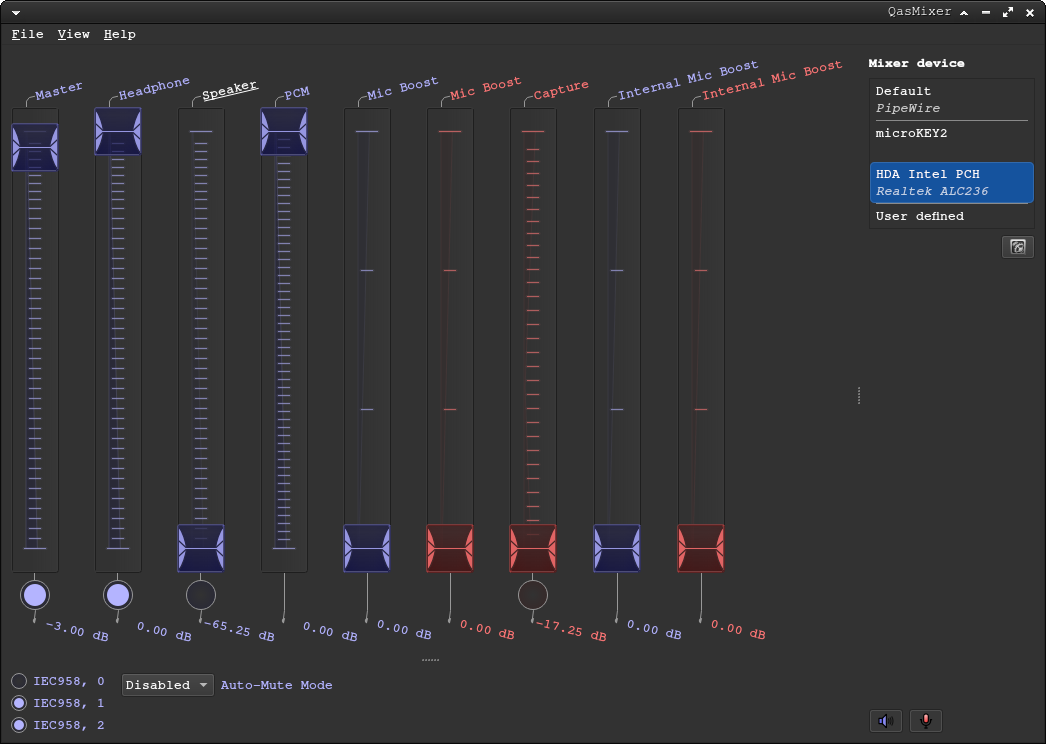
Hi community. Yesterday I decided to switch from Ubuntu. Everything worked fine when I tested the compatibility using the USB bootable version. But after the actual install, the only thing not working is the sound.
I already tried stuff from here. Everything looks ok on the Volume Control UI ( I see several output devices and the bars moving when sound is playing). And I already toggle all the options I could find on Alsamixer
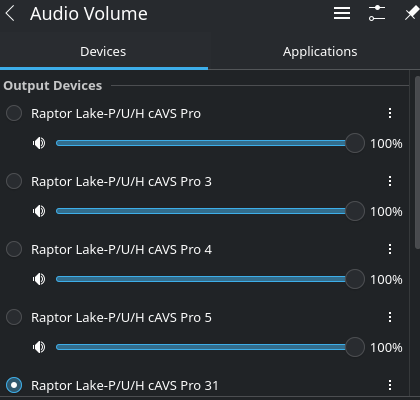
Some relevant outputs:
- Kernel Version
7.0.2-2-cachyos
- Pipewire status
❯ systemctl status --user pipewire
 pipewire.service - PipeWire Multimedia Service
     Loaded: loaded (/usr/lib/systemd/user/pipewire.service; disabled; preset: enabled)
     Active: active (running) since Fri 2026-05-01 17:33:51 -05; 24min ago
 Invocation: 3108c2de53974746929737d92cf432e7
TriggeredBy: ● pipewire.socket
   Main PID: 3478 (pipewire)
      Tasks: 3 (limit: 18738)
     Memory: 15.9M (peak: 49.8M)
        CPU: 10.408s
     CGroup: /user.slice/user-1000.slice/user@1000.service/session.slice/pipewire.service
             └─3478 /usr/bin/pipewire

may 01 17:33:51 crisefd-cachyos systemd[3339]: Started PipeWire Multimedia Service.
may 01 17:33:51 crisefd-cachyos pipewire[3478]: mod.rt: could not set nice-level to -11: Permission denied
❯ pacman -Qs pipewire
local/gst-plugin-pipewire 1:1.6.4-1.1
    Multimedia graph framework - pipewire plugin
local/kpipewire 6.6.4-1.1 (plasma)
    Components relating to pipewire use in Plasma
local/libpipewire 1:1.6.4-1.1
    Low-latency audio/video router and processor - client library
local/libwireplumber 0.5.14-1.1
    Session / policy manager implementation for PipeWire - client library
local/pipewire 1:1.6.4-1.1
    Low-latency audio/video router and processor
local/pipewire-alsa 1:1.6.4-1.1
    Low-latency audio/video router and processor - ALSA configuration
local/pipewire-audio 1:1.6.4-1.1
    Low-latency audio/video router and processor - Audio support
local/pipewire-pulse 1:1.6.4-1.1
    Low-latency audio/video router and processor - PulseAudio replacement
local/wireplumber 0.5.14-1.1
    Session / policy manager implementation for PipeWire
- Audio card
❯ inxi -A
Audio:
Device-1:Intel Raptor Lake-P/U/H cAVSdriver:sof-audio-pci-intel-tgl
API:ALSAv:k7.0.2-2-cachyosstatus:kernel-api
Server-1:PipeWirev:1.6.4status:active
~
-
Speaker Test
speaker-test 1.2.15.2
Playback device is default
Stream parameters are 48000Hz, S16_LE, 1 channels
Using 16 octaves of pink noise
Rate set to 48000Hz (requested 48000Hz)
Buffer size range from 128 to 2097152
Period size range from 64 to 1048576
Periods = 4
was set period_size = 12000
was set buffer_size = 48000
0 - Mono
Time per period = 1,996832
0 - Mono
Time per period = 3,007969
0 - Mono
Time per period = 2,986734