I would like to suggest replacing Octopi with Shelly.
Yes, I understand that Octopi might be acceptable for enthusiasts. But I want to say: guys, CachyOS is gaining popularity. I’d like as many non-techies as possible to take notice of it and see it as a CONVENIENT alternative to Mint, for example. Don’t cringe at the comparison.
One of the key steps toward this that I’d like to highlight is the package management interface. Right now, someone visiting CachyOS for the first time won’t immediately understand where to install programs. And when they get to Octopi, they’ll feel put off because Octopi doesn’t look user-friendly.
I say this based on my own experience when I tried installing CachyOS as the main system on my laptop and ran into this issue. By the way, that was last year, and Cachy has still found a home on my laptop and in my heart))
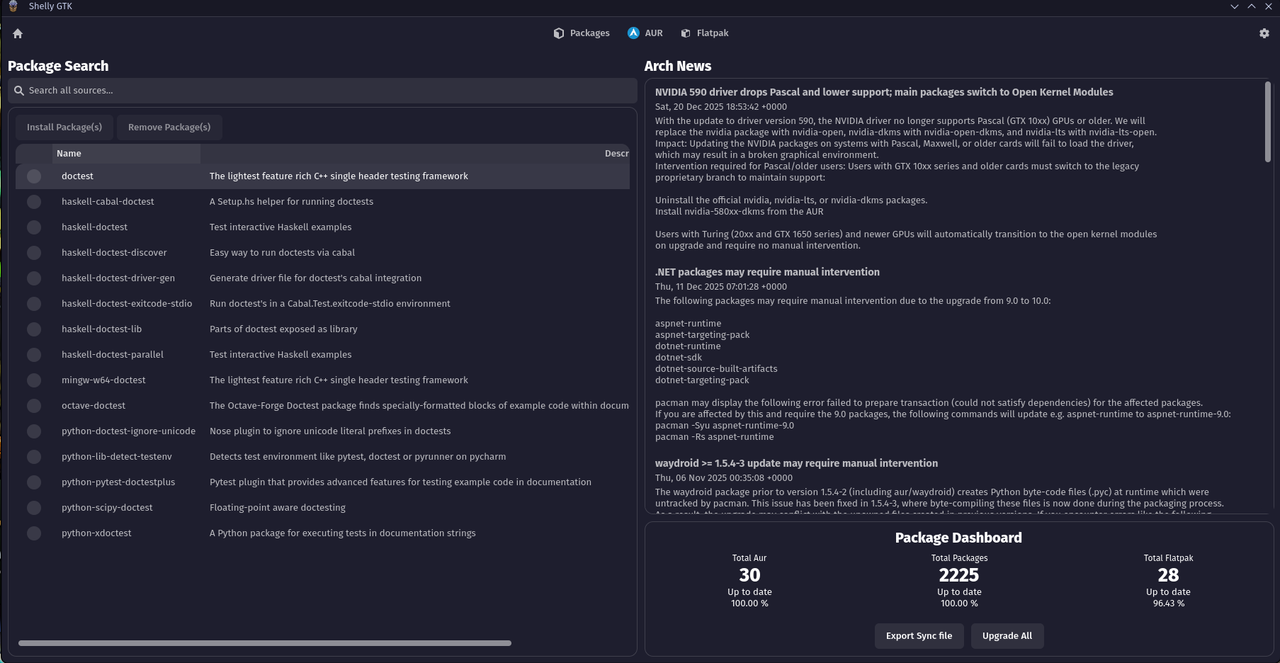
Shelly objectively looks much more modern. Its settings are easy to understand. AUR is actually called AUR, and that’s the good thing about it, because the alien icon in Octopi is creative but not immediately obvious. As a bonus, you can enable Flatpacks.
Additionally, I would place the Shelly icon on the taskbar so that new users see it immediately.
Shelly also seems to not have many safeguards and is a grand spanking 3 months old. I know that it executes a partial upgrade under certain cicumstances. I also know it advertises itself as not a pacman wrapper but rather something trying to use ALPM directly. This is what pamac also tried to do and one of the reasons pamac has so many issues. I might have more to say but I really have not had a lot of time to review shelly in full.
I also really really do not like the idea of using msoft dotnet technology for my Arch Linux package manager.
pacman.
Its pacman.
Really anyone using Arch/Cachy should know how to use that and understand it is the default package manager.
Anyone without that kind of knowledge should prioritize gaining it as a fundamental part of their operating system.
Neither Arch nor Cachy is meant as a hand-holding learn-nothing nanny-OS experience.
Sure some youtubers seem to be selling it that way but that does not change the reality that its Arch linux. Arguably even more niche than Arch itself. Where there is both freedom and responsibility. Such as pacnews that require the users manual intervention.
Of course that does not mean there cannot be a nice GUI package management solution.
But I would be rather hesitant to consider shelly that.
And would not come to any such conclusion simply based on aesthetics.
given the newness of shelly, pace of development, and history of other alpm package managers it’s not a tool that’s up to my level of technical conservatism (and .NET is a bit of a weird choice) - but it looks like it’s the default for cachy now so it is going to get a track record of its own to evaluate.
On the contrary, it is very USER friendly, but it that is not the same as nOOb friendly.
I appreciate Octopi for offering some GUI browsing and incorporating the terminal, it is a ‘full disclosure’ type application (unlike Discover, for example) that lets you see exactly what’s occuring…
However, it only manages system plus AUR which is a serious limitation for a ‘software centre’.
I was of the impression that CachyOS was an ‘opinionated Arch on steroids’ - a deeply opinionated distribution targeted for the kinds of folks who want to squeeze extra performance, overclock their gaming rig, and get some extra value out of their generally higher end hardware… even at the cost of some stability and usability, with quite a few defaults which are completely insane for non-target users.
So suggesting that it be made a non-techy click click alternative to Linux Mint really does entirely miss the point… and apart from flatpak integration, I’d put Octopi head and shoulders above Shelly right now.
For sure it could do with a lot more work to improve the ‘GUI’ aspect, as it stands it’s worse than just using ‘yay’ in the terminal and it was quicker and more satisfying to purge than it was to build.
I can’t believe I wasted a good ten minutes trying to work out if it just needed to be ‘set up’ right to make it work…
I did a guick search of ollama, which I know is installed, the only option it gave me was to installing. I didn’t pke around any further. I just install with paru. I think of something, i will search with paru and install it.
It’s not that simple - paru is great IF you already know what you want… and it’ll bring up some variations (like LibreOffice language packs, -bin versions, -git versions etc).
But for ‘discovery’ I think still the best tool is your browser.
But then with Manjaro they have pamac-manager (GUI) and if you enter the name of your software in there, it’ll bring results from your main repo, AUR (if enabled), Flatpak (if enabled) and also (GOD FORBID) Snapd… so it’s good to find packages across those 4 at least.
It also handles the updates - but obviously a GUI is nothing without a decent ability to preview and let you see what’s going on.
So unless the GUI is better, I will also stick with the web browser and terminal.
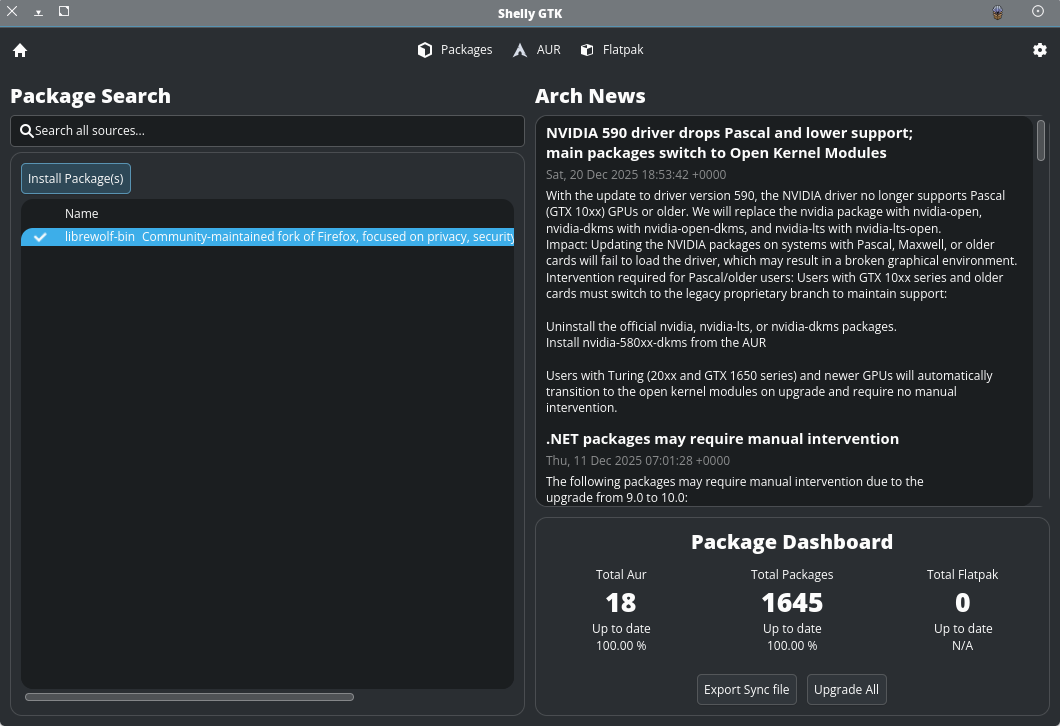
I tried Shelly. It doesn’t seem “bad”, but when I search for an installed package, there is no indication of whether it’s installed. For example… librewolf-bin is installed on my system. When I search for it, there is no indication that it’s installed. And when I click the check box, it offers to install it.
─❯ yay -Rns shelly
[sudo] password for wombat:
checking dependencies...
Package (1)  Old Version  Net Change
shelly       2.0.5-1      -32.01 MiB
Total Removed Size:  32.01 MiB
:: Do you want to remove these packages? [Y/n]
:: Processing package changes...
(1/1) removing shelly      [----------------------------------] 100%
:: Running post-transaction hooks...
(1/3) Arming ConditionNeedsUpdate...
(2/3) Updating icon theme caches...
(3/3) Updating the desktop file MIME type cache...
─❯
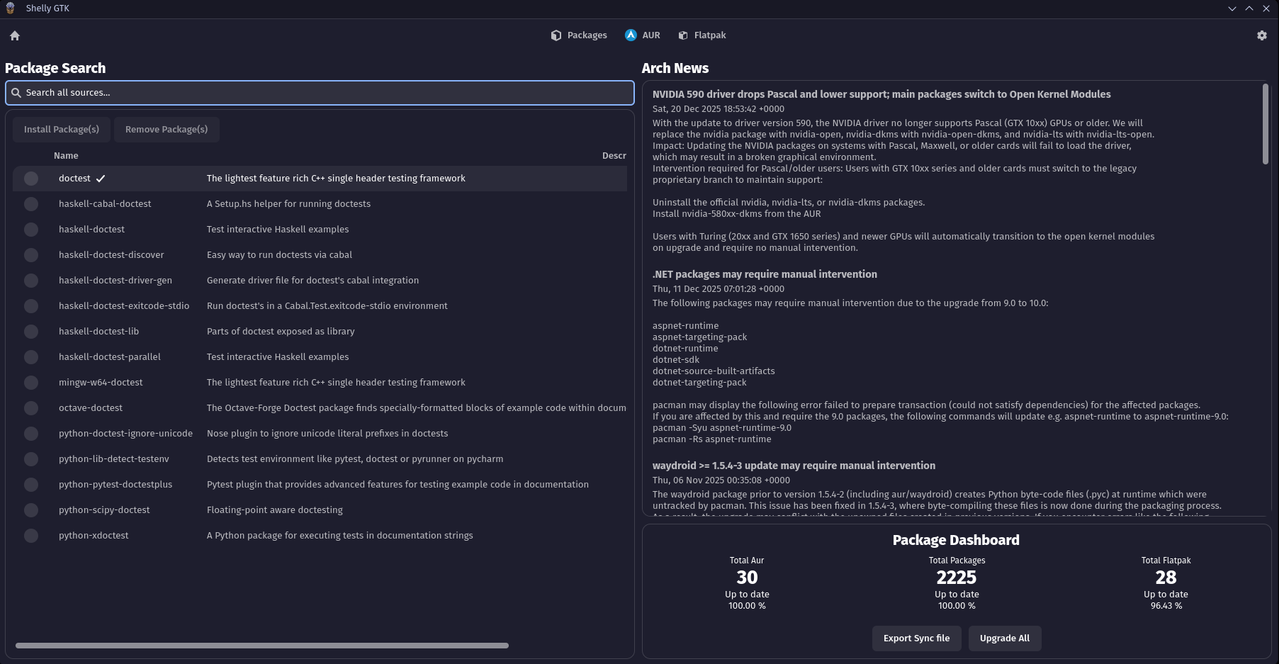
You are on the meta search page if you click on the packages button up top it will show there. This weeks update will also show the checkbox on that homepage meta search.
Also going to make sure you can remove from that search system as well. @Uncle_Spellbinder you are one of many that have requested so I’ll make sure it gets out.
What I am missing in Shelly atm is what I like most on pamac-manager (GUI):
the easy way to find the source of (installed or available) packages and the easy way to decide from where to install.
my two cents (use cases for pamac-manager (or better for the use of a “software center GUI”)) are
I need this or that software and want to install it. I even do not exactly know the name of the package. It is just easier to have one source of truth than to use pacman/paru + flatpak to search for one software and afterwards to decide from where to install
Is this or that software already installed, from where and what dependencies does it have that I prob. migth not need anymore or that I want to be installed. Or I want to uninstall the software completely
Pamac is great for this usecases! Nothing is missing for this. It’s … easy, nice, works.
( What is not working with pamac is … reliabilty and stability … we know that it might even bring your system in an unbootable status if used for system maintanence … not cool for a software center at all …)
There could shelly come into the race - but it seems that (for me) the usecases are not covered (yet).
Take zoom as an example:
if you type “zoom” in pamac-manager you directly see that is is available in AUR as well as a flatpak. Your choice than to take whatever you want.
In shelly you need to scroll around a lot to see this infos, and afaik it even does not search the flatpak repos, does it? At least if I search for zoom this is not even listed as an available flatpak option, but zoom exists as a flatpak … (it is even installed as a flatpak on my system, I do not find this infos in shelly at all)
The “Impression” of shelly is that it searches all configured sources … the reality is that flatpak is not used as a source?
PS: please don’t take this as a critisism, but as a feature request
I am on mobile for this reply. @Zauberer-Merlin Do you have flatpak enabled in settings? If so I will absolutely look into why it is not searching for you.
Also to understand further the source location is currently hidden by a scrollbar ( we are aware this is not ideal on the homepage and are working to make that display much more clear) There are several windows that allow for much more detailed search and information divided by each type of supported install. Is it not clear from the top bar that those are click able menu items (this seems to be a common thing I am suspecting is a bit of a poor design we can fix). I appreciate all feedback and will be spending most of tomorrow cleaning up the home page further to try and bring it more in line with the rest of the pages in the application.