I am trying to get a samba drive auto mounted when I login to my computer.
With my current fstab file:
//freenas.local/Audio/ /mnt/freenas1/Audio cifs user=alex,password=topsecret,_netdev,nofail,x-system.automount,x-systemd.mount-timeout=30,x-systemd.after=network-online.target,rw 0 0
this is what it shows in dolphin:
sorry, apparently new users are only allowed one media item and this isn’t the most important media item
then if i run `sudo mount -av` to manually mount the drives I get the following output:
❯ sudo mount -av
[sudo] password for alex:
/boot : already mounted
/ : ignored
/home : already mounted
/root : already mounted
/srv : already mounted
/var/cache : already mounted
/var/tmp : already mounted
/var/log : already mounted
/tmp : already mounted
Host “freenas.local” resolved to the following IP addresses: 192.168.1.136
mount.cifs kernel mount options: ip=192.168.1.136,unc=\\freenas.local\Audio,user=alex,pass=********
/mnt/freenas1/Audio : successfully mounted
Which then results in this output in dolphin. I am not sure why it duplicates them instead of updating the ones that already existed…
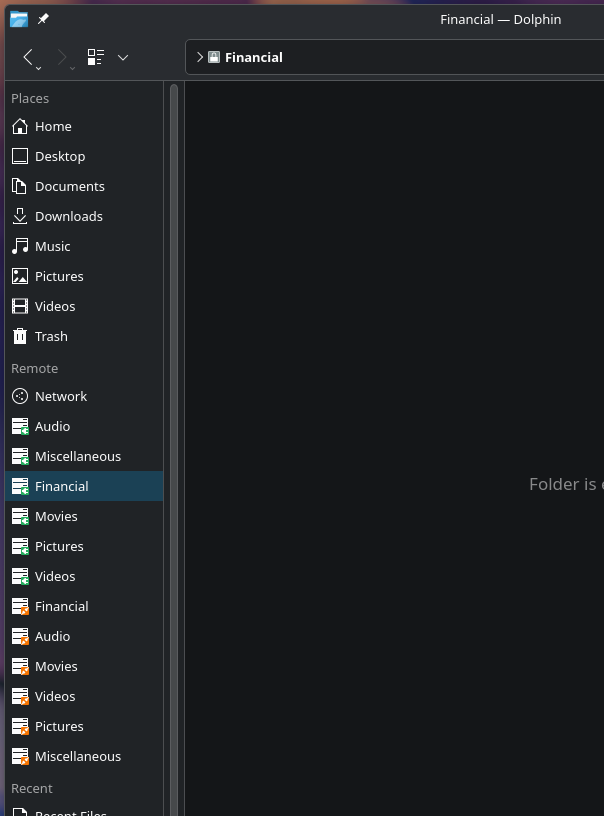
Even after manually mounting them I still don’t have write permissions.
/mnt/freenas1/Miscellaneous
❯ touch test.txt
touch: cannot touch ‘test.txt’: Permission denied
I read tons of online articles but nothing seems to work. I thought I was finally going to get it to work with this one but it didn’t.
Any ideas? how can i get my samba drives to auto mount with the correct permissions? I have previously had this working without any issues on POP_OS! using gvfs, but I don’t think that’s an option when using KDE plasma.