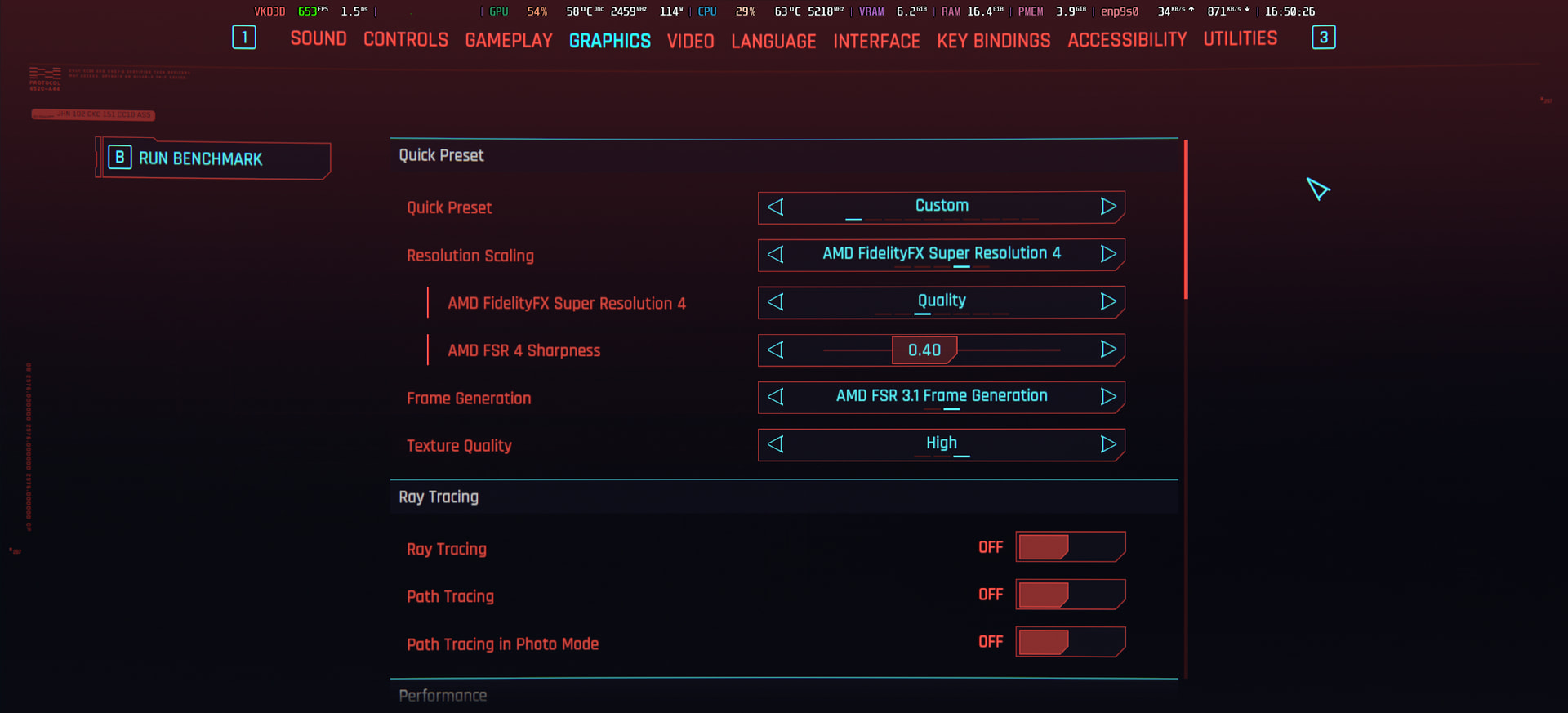
Radeon 9070xt mesa no FG & FSR

hello everyone
I encountered the fact that after updating mesa to version 2:26.0.6-2. frame generation stopped working there were
also fps drawdowns in steam games
for example, cyberpunk 2077 and last of us 2
everything was fine before the update.
i’m using limiine, but I can’t roll back to snapshot, since limine-snapper shows later versions of snapshot

has anyone encountered a similar problem?
how was it solved?

I use radeon 9070xt 16gb

limine-snapper-restore

is the command for restoring a snapshot from your native environment. Did you reduce the amount of snapshots you store so far that you can’t go back to where you need to go(presumably before the latest Mesa version)?

As for FSR frame generation on the latest Mesa in Cyberpunk 2077:

❯ inxi -G
Graphics:
  Device-1: Advanced Micro Devices [AMD/ATI] Navi 32 [Radeon RX 7700 XT /
    7800 XT] driver: amdgpu v: kernel
  Device-2: Advanced Micro Devices [AMD/ATI] Raphael driver: amdgpu
    v: kernel
  Display: wayland server: Xwayland v: 24.1.11 compositor: Hyprland
    v: 0.54.3 driver: gpu: amdgpu resolution: 1: 2560x1440~75Hz
    2: 2560x1440~60Hz
  API: EGL v: 1.5 drivers: kms_swrast,radeonsi,swrast
    platforms: gbm,wayland,x11,surfaceless,device
  API: OpenGL v: 4.6 compat-v: 4.5 vendor: amd mesa v: 26.0.6-arch2.2
    renderer: AMD Radeon RX 7700 XT (radeonsi navi32 ACO DRM 3.64
    7.0.3-1-cachyos)
  API: Vulkan v: 1.4.341 drivers: radv surfaces: N/A
  Info: Tools: api: eglinfo, glxinfo, vulkaninfo wl: wlr-randr
    x11: xprop,xrandr

So, unfortunately I haven’t been able to reproduce the issue. It is a 7700 XT instead of your 9070 XT but I’m unsure if that would make much of a difference unless you were using a different version of FSR than me(3.1).

mind sharing the details of your game launch command line and which proton did you use ?

Launch options for Cyberpunk 2077
Steam
WINEDLLOVERRIDES=“winmm=n,b;version=n,b” PROTON_FSR4_UPGRADE=1 mangohud %command%
Play with Mods via Nexusmod

❯ inxi -G
Graphics:
Device-1: Advanced Micro Devices [AMD/ATI] Navi 48 [Radeon RX 9070/9070
XT/9070 GRE] driver: amdgpu v: kernel
Device-2: Advanced Micro Devices [AMD/ATI] Strix [Radeon 880M / 890M]
driver: amdgpu v: kernel
Display: wayland server: Xwayland v: 24.1.11 compositor: kwin_wayland
driver: gpu: amdgpu resolution: 1920x1080~75Hz
API: EGL v: 1.5 drivers: radeonsi,swrast
platforms: gbm,wayland,x11,surfaceless,device
API: OpenGL v: 4.6 compat-v: 4.5 vendor: amd mesa v: 26.0.6-arch2.2
renderer: AMD Radeon RX 9070 XT (radeonsi gfx1201 ACO DRM 3.64
7.0.4-1-cachyos)
API: Vulkan v: 1.4.341 drivers: radv surfaces: N/A
Info: Tools: api: clinfo, eglinfo, glxinfo, vulkaninfo
de: kscreen-console,kscreen-doctor gpu: lact,radeontop wl: wayland-info
x11: xdpyinfo, xprop, xrandr

~

as far as i know, you don’t need to use optiscaler for this (i assume, because you have overriden the winnm.dll), it can be used natively now
you just need to use proton-cachyos-slr or proton-ge latest i think (those can be obtained via protonplus if you want for GE and cachyos-slr, or via pacman for cachyos-slr alone)
then what you need is
PROTON_FSR4_UPGRADE=1 manghoud %command%
only, you can remove the winnm.dll and other optiscaler files (i run cbp without them)

and if you want to use the latest 4.1.0 fsr4 (in case, because amd disabled direct download url nowdays, you need to extract it directly from adrenalin setup or simply download from my drive)
put this in your /home/{your username}/.cache/protonfixes/upscalers

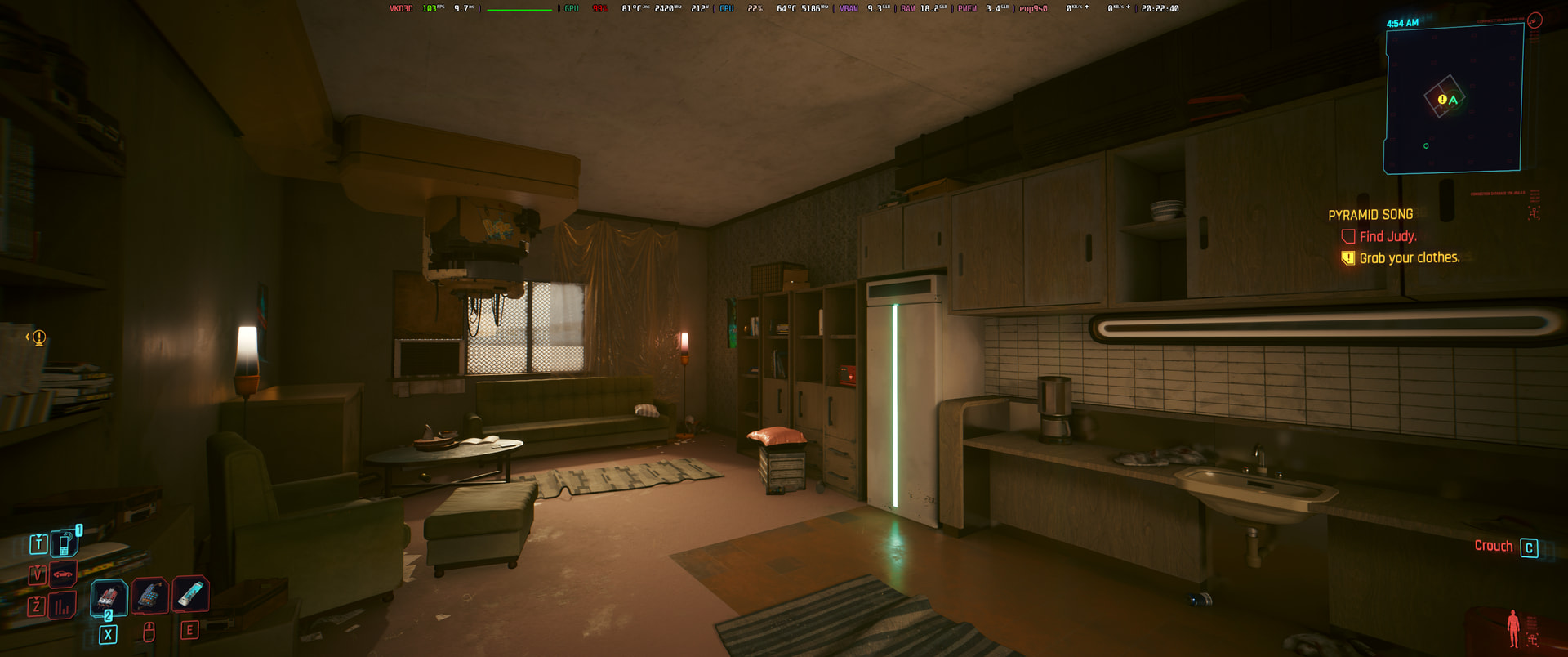
also for debugging purpose, you might want to launch the game without mangohud first, then go benchmark (incase mangohud limiting your FPS, because it was on my end as well, but i do limit it to 120fps, SS below is when i’m uncapping the fps)

or maybe did you enable VSYNC ? because your monitor refresh rate is 75hz (in case)

❯ inxi -G
Graphics:
  Device-1: Advanced Micro Devices [AMD/ATI] Navi 48 [Radeon RX 9070/9070
    XT/9070 GRE] driver: amdgpu v: kernel
  Device-2: XIFT Web Camera driver: snd-usb-audio,uvcvideo type: USB
  Display: wayland server: X.org v: 1.21.1.22 with: Xwayland v: 24.1.11
    compositor: kwin_wayland driver: X: loaded: amdgpu,nvidia
    unloaded: modesetting dri: radeonsi gpu: amdgpu resolution:
    1: 3440x1440~165Hz 2: 1920x1080~144Hz 3: 1920x1080~75Hz
  API: EGL v: 1.5 drivers: kms_swrast,radeonsi,swrast
    platforms: gbm,wayland,x11,surfaceless,device
  API: OpenGL v: 4.6 compat-v: 4.5 vendor: amd mesa v: 26.0.6-arch2.2
    renderer: AMD Radeon RX 9070 XT (radeonsi gfx1201 ACO DRM 3.64
    7.0.4-2-cachyos)
  API: Vulkan v: 1.4.341 drivers: radv,llvmpipe surfaces: N/A
  Info: Tools: api: clinfo, eglinfo, glxinfo, vulkaninfo
    de: kscreen-console,kscreen-doctor gpu: lact wl: nwg-displays,
    wayland-info, wlr-randr x11: xdpyinfo, xprop, xrandr
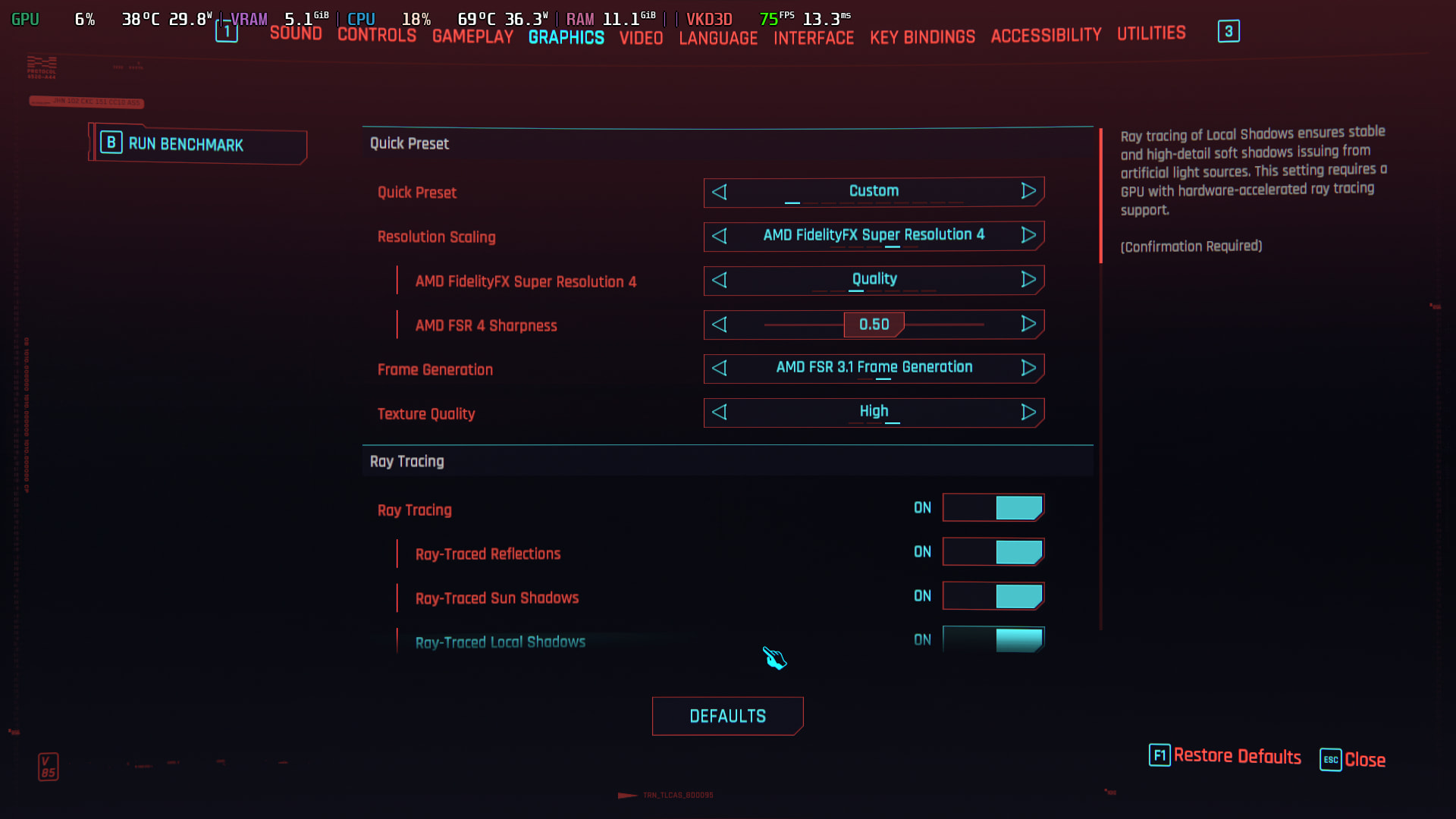
i dont use optiscaler . i`ll try but dont like it.
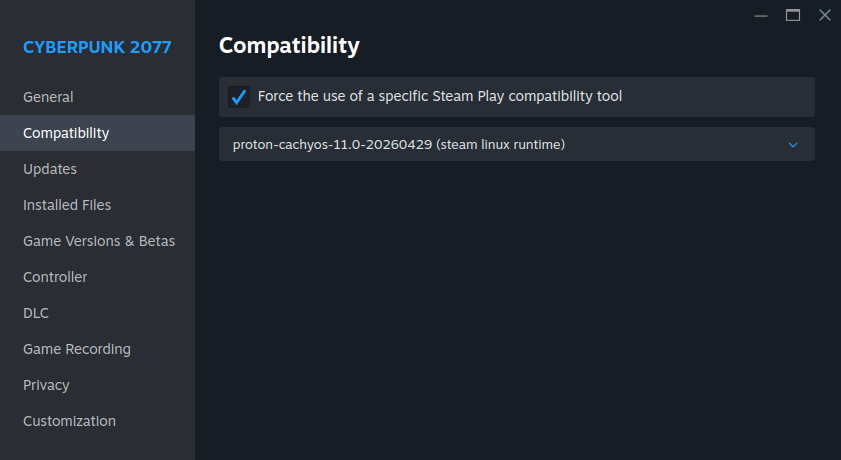
Compatibility used in Steam - proton-cachyos-slr Details on screenshot

couple week ago all works well.
but aftet update for mesa , works worst.

i`ll try play on LTS kernel, same trouble- no real fsr & fg.

So i think, real reason - mesa.

Monitor with 75 Hz maximum. Its old, but good for sofa playing.

hmm that’s weird tbh, because i’m using the same mesa as well and it was fine on my end
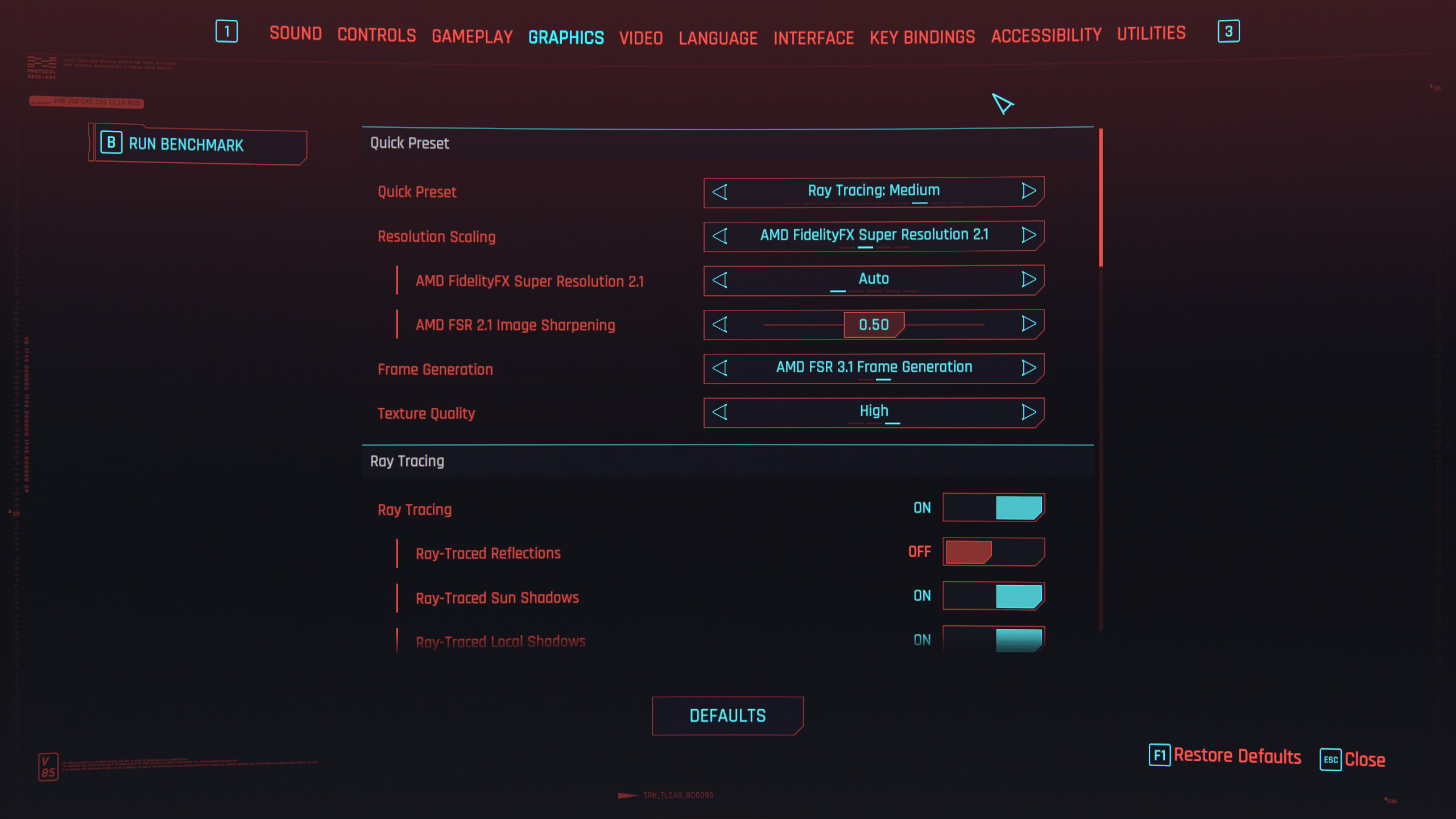
here a quick screncap that using that settings + all RT enabled (the toggle ones)
i’m playing in 3440x1440

have you try using this to shown is the FSR4 is really there or not ?

PROTON_FSR4_INDICATOR=1

mine is like this

you’re probably a visionary or a very experienced user. it turned out to be goverlay. after removing all the settings from./config and./cache everything worked as it should.

THANK YOU very much for your help, advice and attention.

atleast it’s working and solve your issue, happy gaming then! :clinking_beer_mugs: