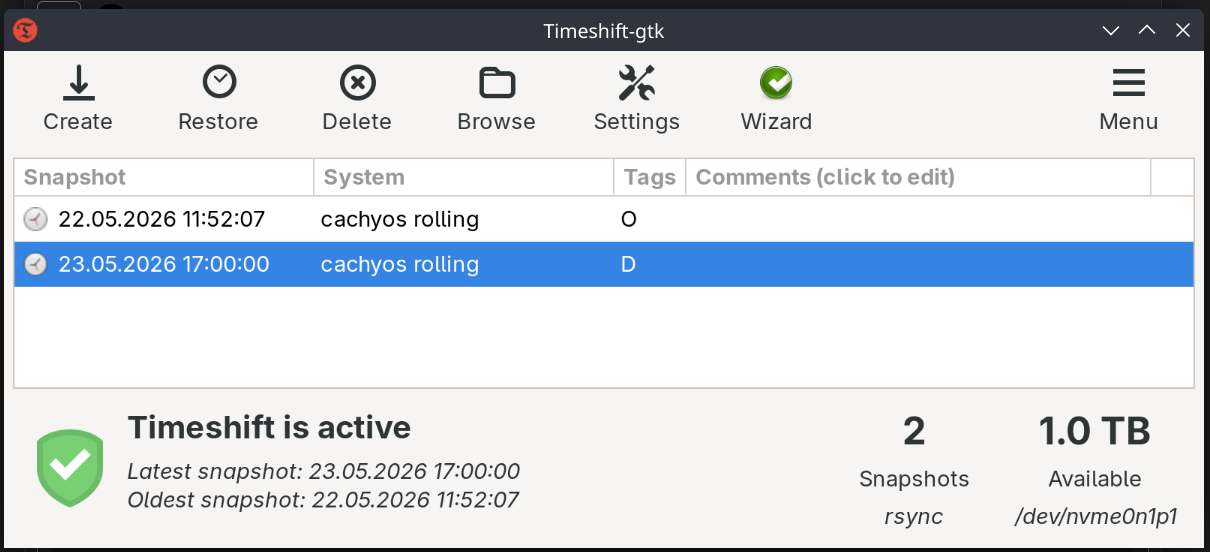
I have noticed that timeshift isn’t doing automated backups.
It is not creating any crontab schedules and there is no systemd service.
Is there a bug that it does not exist or is that by design and i have to do this manually?
I have noticed that timeshift isn’t doing automated backups.
It is not creating any crontab schedules and there is no systemd service.
Is there a bug that it does not exist or is that by design and i have to do this manually?
Do you have cronie installed?
If you have, is cronie.service enabled and running?
As far as I can tell the default application to do snapshots in cachyos if you are running on a btrfs filesystem is snapper and its GUI tool would be Btrfs Assistant. Thats where you will see your snapshots and where you will be able to edit all the rules from a graphical interface. In case you installed Timeshift on your own you have to setup the rules to do autoamtic backups, it does not automatically configure rules for you.
It would be interesting to know what filesystem you are using.
I think think activating the cronie service solved the problem. It’s running now:
➤ sudo systemctl status cronie.service
● cronie.service - Command Scheduler
     Loaded: loaded (/usr/lib/systemd/system/cronie.service; enabled; preset: disabled)
     Active: active (running) since Sun 2026-05-24 09:00:26 CEST; 36min ago
 Invocation: 42bb96cfb2f84d2eb58dc54935d52e54
   Main PID: 950 (crond)
      Tasks: 1 (limit: 38213)
     Memory: 1.4M (peak: 4.1M)
        CPU: 18ms
     CGroup: /system.slice/cronie.service
             └─950 /usr/sbin/crond -n

May 24 09:00:26 cachy crond[950]: (CRON) INFO (Syslog will be used instead of sendmail.)
May 24 09:00:26 cachy crond[950]: (CRON) INFO (RANDOM_DELAY will be scaled with factor 23% if used.)
May 24 09:00:26 cachy crond[950]: (CRON) INFO (running with inotify support)
May 24 09:01:01 cachy CROND[1304]: (root) CMD (run-parts /etc/cron.hourly)
May 24 09:01:01 cachy anacron[1311]: Anacron started on 2026-05-24
May 24 09:01:01 cachy anacron[1311]: Will run job `cron.daily' in 21 min.
May 24 09:01:01 cachy anacron[1311]: Jobs will be executed sequentially
May 24 09:22:01 cachy anacron[1311]: Job `cron.daily' started
May 24 09:22:01 cachy anacron[1311]: Job `cron.daily' terminated
May 24 09:22:01 cachy anacron[1311]: Normal exit (1 job run)
I will check again tomorrow since I set up daily backups, But it seems to be working.
Though I am not sure since I can’t find any jobs:
danizmax@cachy:~
➤ sudo crontab -l
[sudo] password for danizmax:
no crontab for root
danizmax@cachy:~
➤ crontab -l
no crontab for danizmax
Oh and I am using ext4 on main (sda) and backup disk (nvme0n1p1) since it always worked for me and don’t see a big need to use btrfs.
Filesystem      Size  Used Avail Use% Mounted on
/dev/sda2       192G   29G  154G  16% /
devtmpfs         16G     0   16G   0% /dev
tmpfs            16G   90M   16G   1% /dev/shm
efivarfs        128K   47K   77K  38% /sys/firmware/efi/efivars
tmpfs           6.3G  2.2M  6.3G   1% /run
none            1.0M     0  1.0M   0% /run/credentials/systemd-journald.service
none            1.0M     0  1.0M   0% /run/credentials/systemd-resolved.service
tmpfs            16G   15M   16G   1% /tmp
/dev/sda3       723G  117G  570G  18% /home
/dev/sda1       998M  328K  998M   1% /boot/efi
/dev/nvme0n1p1  3.6T  2.5T  921G  74% /mnt/datastore
tmpfs           3.2G   56M  3.1G   2% /run/user/1000
fuse-overlayfs  3.2G   56M  3.1G   2% /run/user/1000/psd/danizmax-firefox-vku2myki.default
fuse-overlayfs  3.2G   56M  3.1G   2% /run/user/1000/psd/danizmax-firefox-B1YXiXDR.Profile 1
➤ sudo lsblk
NAME        MAJ:MIN RM   SIZE RO TYPE MOUNTPOINTS
sda           8:0    0 931.5G  0 disk
|-sda1        8:1    0  1000M  0 part /boot/efi
|-sda2        8:2    0 195.3G  0 part /
`-sda3        8:3    0 735.2G  0 part /home
sr0          11:0    1  1024M  0 rom
zram0       253:0    0  31.3G  0 disk [SWAP]
nvme0n1     259:0    0   3.6T  0 disk
`-nvme0n1p1 259:1    0   3.6T  0 part /run/timeshift/8179/backup
                                      /mnt/datastore
So if it is working, how without cron jobs?
Timeshift manages scheduled snapshots through system cron files under /etc/cron.d/ .
It will place entries in /etc/cron.d/timeshift-*, which cronie then reads automatically.
That’s why you cannot see them with crontab -l which shows current user’s crontab.