I installed the new 11 version today, but still have the same issue as 10:
The games are launched on the wrong vertical left monitor, same game using regular Proton or Wine 11 using the primary monitor.
I tried to use the WAYLANDDRV_PRIMARY_MONITOR=DP-1 and also xrandr --verbose --output “DP-1” --primary, but I still have the same issue on my Radeon card.
The only workaround ( annoyingly) is to disable the left screen on KDE settings, and launching the game (now possible, after contacting the dev and he sent a patch for it for Kde 6.6.5)
I can use the other two runtime but I see that Proton-cachy works better with some of my fav games with less GPU use (aka less heat) and more (or the same) FPS.
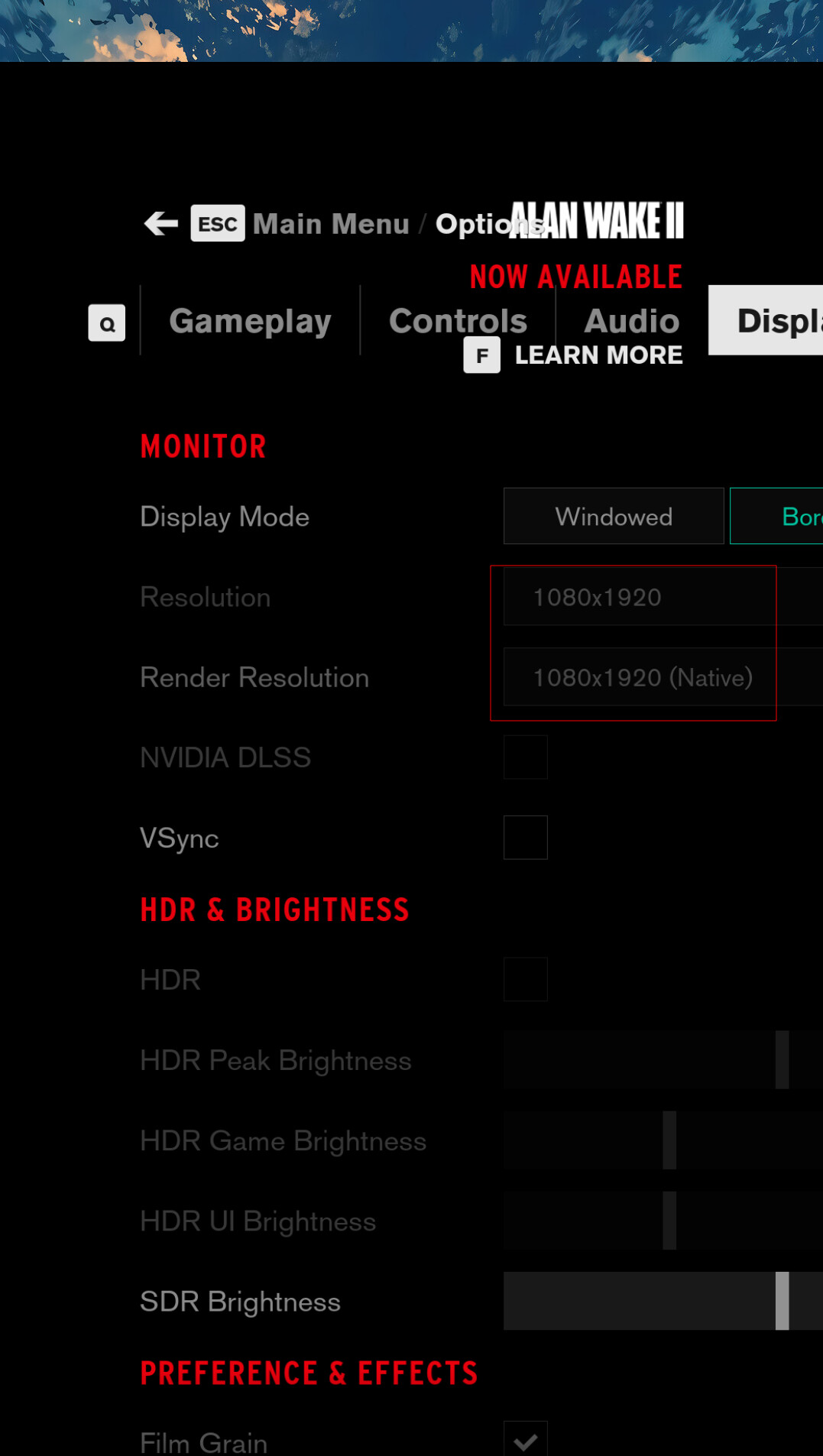
Is not working, it will bring the 1080x1920 on the 1920x1080, and in only in one game is possible to change to window and going to full screen/bordeless , but in most is just broken.
I have this issue in both Heroic and Steam ( when select the proton-cachy), and I tried to create new user, recreate the user profile etc, but is still the same.
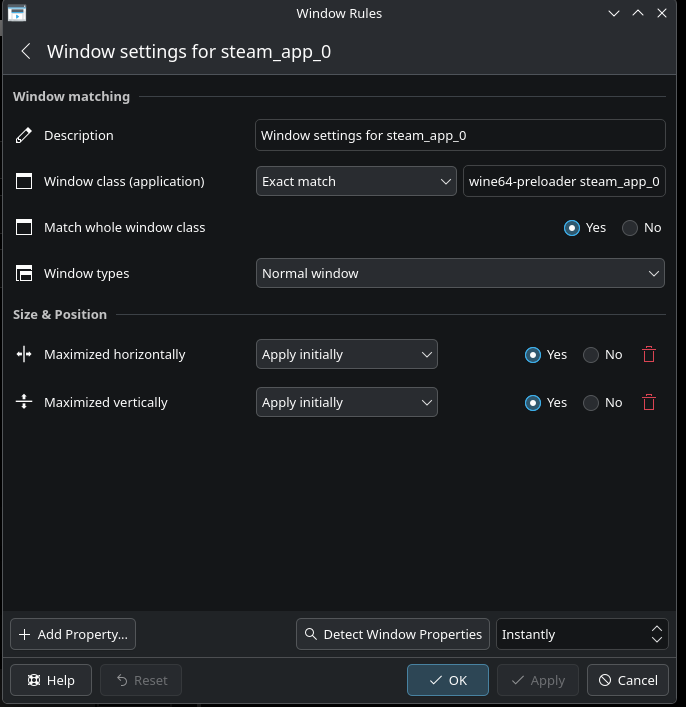
One change from version 10 is that the Kde more action. Configure Special Application is now working use by Proton-Cachy ( as @HardCode4All suggest last time) so force the windows mode on display 1 working but is tiny and ask to change to full screen will try again to open in the other screen.
WAYLANDDRV_PRIMARY_MONITOR=DP-1 would only work if you also have PROTON_ENABLE_WAYLAND=1. I’m not sure these even work though because, in the past, I had this problem too and it didn’t work. However, since like a couple of months, games always start on the correct (or my preferred) monitor. Also not quite sure what changed because it works the way I want now. I assume it was a bug but works for me since later versions of 10. Also, some games let you configure the desired monitor within the game itself. Have a look there too if it’s such a game. Besides, if you quickly want to switch an app from one monitor to another while the window is focused, you can use:
Shift + Super (Windows or Mac key) + Arrow keys
So if you want the app being on your monitor to your left, you can do “Shift + Super + Left Arrow key”. Works in Windows too, not sure about Mac.
this is my /etc/enviroment LIBVA_DRIVER_NAME=radeonsi PROTON_ENABLE_WAYLAND=1 WAYLANDDRV_PRIMARY_MONITOR=DP-1 PROTON_FSR4_UPGRADE=1 PROTON_FSR4_RDNA3_UPGRADE=1 ENABLE_LAYER_MESA_ANTI_LAG=1 PROTON_LOCAL_SHADER_CACHE=1 MOZ_ENABLE_WAYLAND=1 #MOZ_DISABLE_RDD_SANDBOX=1 QT_QPA_PLATFORM=wayland WEBRENDER_LOG=1
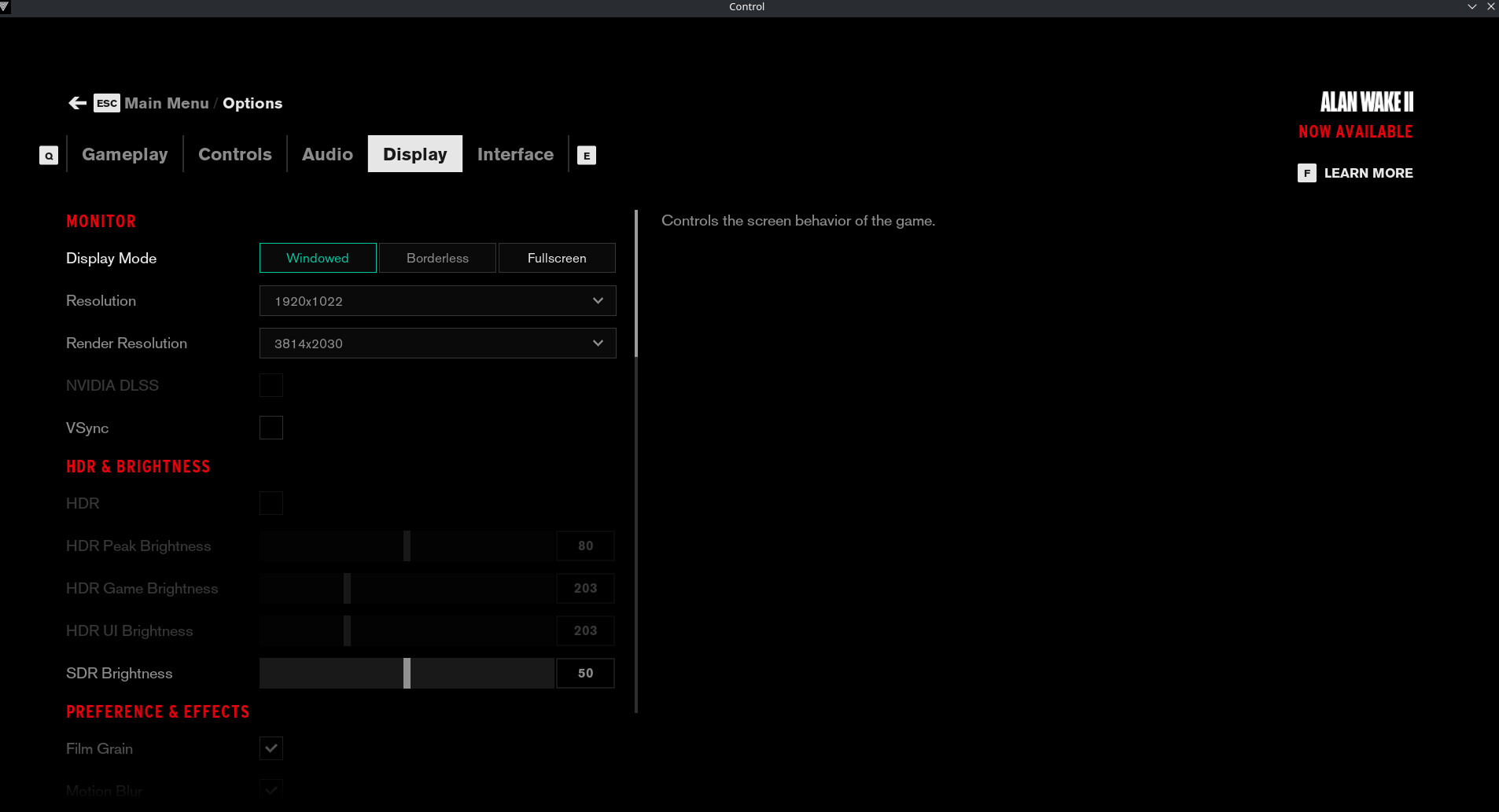
Launching a game ( in this case, I use Control) is open fullscreen bordeless, is open, but not really bordeless, on the vertical screen
I know this ain’t a solution, sorry to say, but with some games the “primary window detection” can be a definiton of insanity. I never had it change the settings to another resolution though, usually I just have half of the game window rendered on the secondary monitor (In my case, ET:Legacy from AUR (so even funnier considering it’s a native game)).
Not going to lie, I just have learned to live with it, shortcut it to the right monitor and get on with getting fragged.
Yea look like I will using the regular Proton and Wine, and use the Cachy one when i really need it doing the workaround, the only things that “annoying me“ is that worked fine a few months ago and this issue was probably introduced at one point ( I checked if I introduced it, but cleaned up the configuration, I created new users and is still there)…so if someone got any similar experience and can share it, will be great. Something that I would like to know how the Proton-Cachy is different from the Regular one, and why this one has no issue with the primary monitor ( maybe I need to ask directly on Github)
For some reason /etc/enviroment is ignored ( need to check why tho)
The solution:
Photon-Cachy start working again after I created a file on /home/USER/.config/environment.d/enviroment.conf ( that is copy of /etc/enviroment/ and can be named whatever), at this point after logout /login, proton-cachy started using my main display.
I will check on the release notes when this behaviors (maybe) changed, as it was working before when it was looking at /etc/enviroment and I never create an user enviroment file.