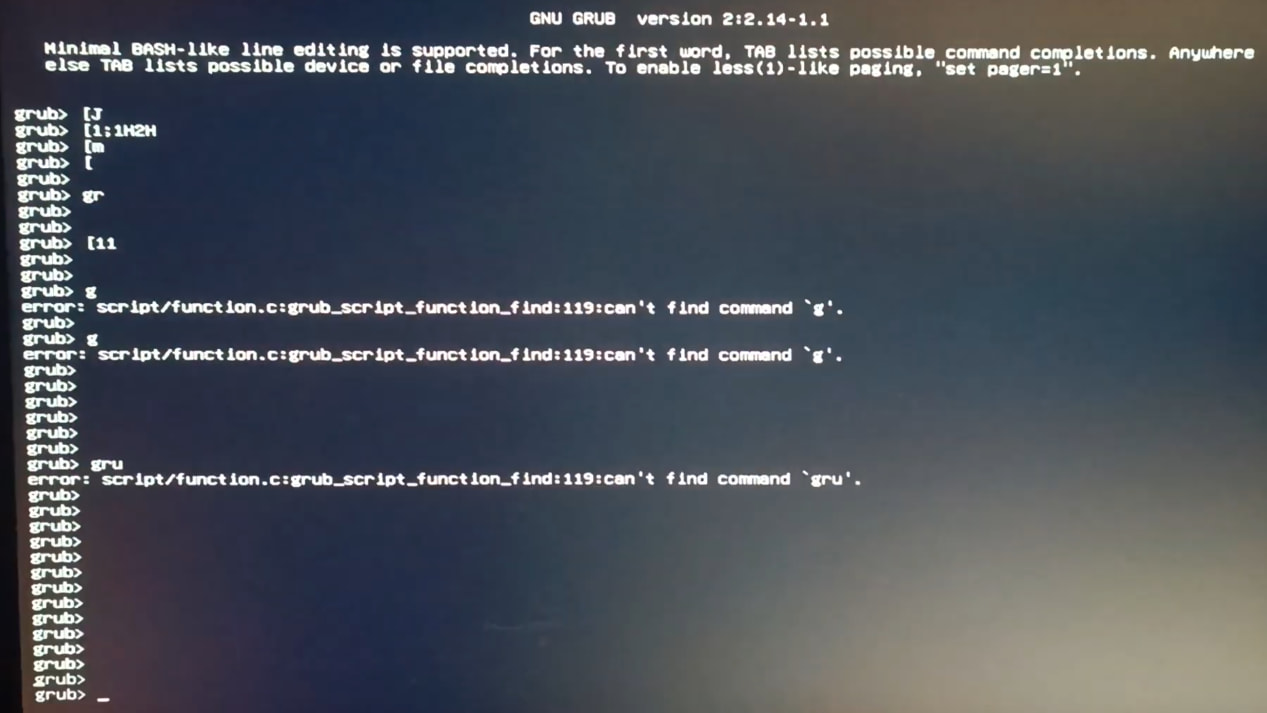
Hello I’m having trouble installing CachyOS on my system I created a bootable USB using Rufus with the GPT partition scheme. However, the drive refuses to boot in UEFI mode boots perfectly fine in legacy mode.
What I’ve tried so far:
Disabled Secure Boot and cleared all Secure Boot keys.
Tried Ventoy (Normal mode fails; Grub2 mode gets me back to the Ventoy menu).
Tested the process across four different USB flash drives with the same result.
Tried with Media Writer, balenaEtcher no one of them worked.
Your installation screenshot look like its using GRUB. Maybe you could try Limine (the default option during installation)?
Also excuse me for pointing it out, but the photo looks absolutely horrible. Was it moving really fast IRL? It seems like the whole thing has an offset overlay of itself. Could be shutter thing.
I checked it out, thanks for the extra effort of uploading a video, appreciate it.
This also cleared a misunderstanding I had: I thought you installed it already and then it refused to boot after a restart. I filled that in for myself partly because I did not read everything.
I’m going to suggest Fedora Media Writer for flashing your media. It’s what I always use and it’s cross-platform with Windows and is on Flathub. Also perhaps re-check whether you have picked the right boot entry in your BIOS when trying to launch from USB without ventoy. It might look different than you think.