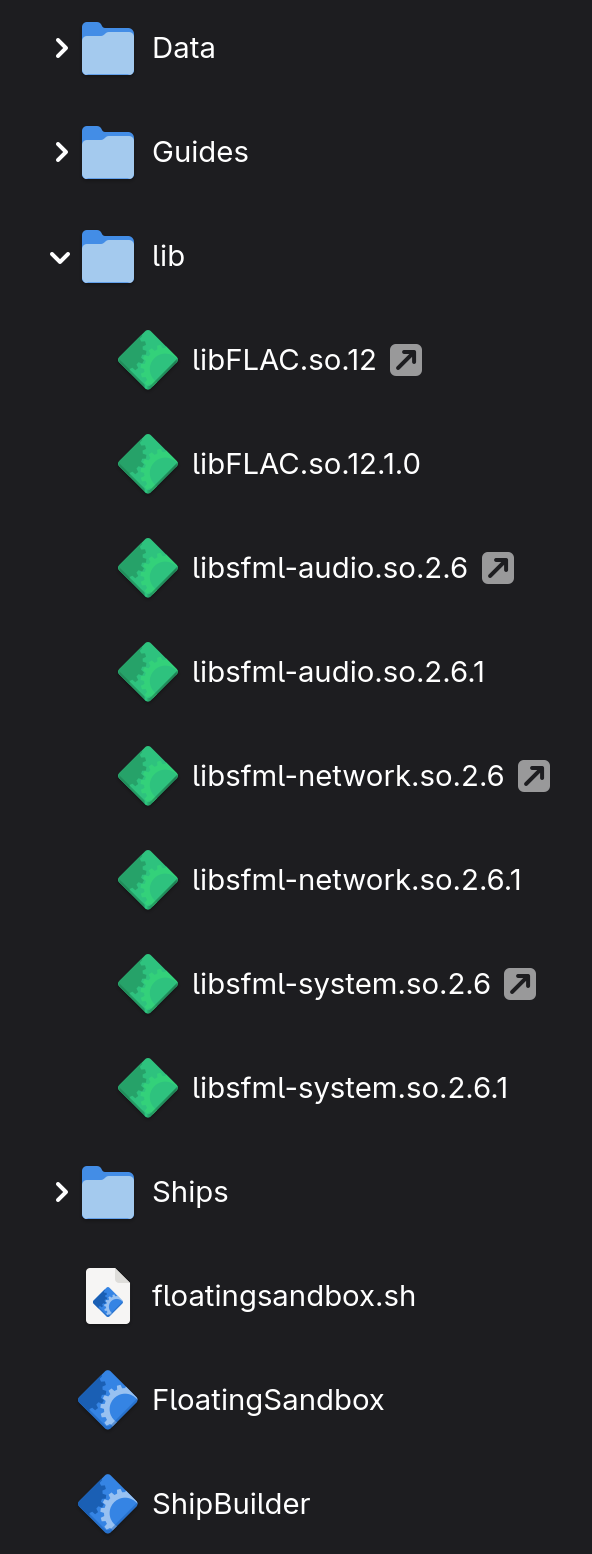
Good afternoon: I’m having trouble with the game Floating Sandbox. I could previously run it on Mint or Debian without any problems, but I haven’t found a way to get it to run natively with Cachy. While there is a Linux version, it seems to use libraries like libsfml-audio.so.2.6 and others from the same branch, such as network.so.2.6, while Cachy uses version 3. Regards.
The only alternative I found was to run the Windows version with Proton.
Sounds like they developed with only debian/ubuntu in mind.
Not the greatest but not entirely unheard of.
Proton is probably the best option here .. and might even be more performant than their crusty linux version anyways.
Alternatively there are packages like sfml2 in the AUR.
But that seems like a lot of extra packages/work just to have a bunch of deprecated and third-party software just to run what might be an inferior version of one game.
Use LD_LIBRARY_PATH to tell the binary where the requisite SOs are. I do this for some native games from GOG.
I use https://pkgs.org/ to find and download old Debian packages for the required SOs, then I extract them and place in a local lib directory inside the game directory and launch with a shell script using LD_LIBRARY_PATH=./lib to direct the game binary to the required SOs. You can make a .desktop file that targets the shell script and add an icon so it integrates seamlessly with your app launcher / desktop environment.
Sounds complicated, but this is very simple to do. And makes the game portable too.
Most Linux binaries are compatible between distros, but there is always some random SO that might not be the correct version or just not available in the default repositories. But this isn’t a big deal if you know how to get the right files and direct the game/app to use them.
Extract required libs and symlinks to a new lib directory (I used file-roller with dpkg to open and extract .deb files), copy into game directory and make a new text file called floatingsandbox.sh.
We know old versions of sfml are particularly vulnerable to some basic exploits, even if we do not consider the entire endeavor too messy or too much of a burden.
Though maybe what is most important to some .. have you tested performance using that vs proton?
I’m not sure performance is a big deal with this game, since my Intel iGPU worked fine at 4k resolution… So not sure where you are going with that.
As for vulnerabilities, that’s on the game dev. not me. They built it with those deps, I just showed that you can, in fact, get the game to work in CachyOS. And almost ALL Linux native games will require what I did to work on Arch Linux based OSes, since they update their repositories faster than any other distro (aside from Gentoo, of course). If you can build from source, that’s obviously the best way to go, but not every binary has that option.
Linux native games from GOG also require doing this, as do ancient games like Unreal Tournament 2004’s Linux native 64bit binary. I really don’t see what the issue is, aside from ideological purism getting in the way.
I dont know about that. I have access to a library containing hundreds of titles that go at least as far back as the original Baldurs Gate and Space Cadet pinball and I dont have any such thing (untracked files for some deprecated library).
And pointing out that using an unmaintained and unsupported version of software might not be the best .. and not wanting to unpack some third party archive to get those things, from outside the package manager, and especially software with known vulnerabilities .. does not seem to me ideological purity for the sake of it.
Such maneuvers may be necessary in a pinch.
But this does not seem to be a critical scenario.
Not to mention that given what devs have done with the native linux version of the software we might even expect it was not given due attention.
If the game runs well with proton then that is going to be less headache with less possibility for pitfalls.
Thank you so much for explaining how to run it natively; however, when I think about it, I see that it’s better to continue emulating it with Faugus Launcher. Thanks.