I’ve been running into a recurring issue and I’m not sure if I’m doing something wrong or if I’m just hitting the mirrors at the wrong time.
Almost every week, when I try to update or install a package via terminal, I get the following error: error: cachyos-extra-v3: signature from "CachyOS <admin@cachyos.org>" is invaliderror: failed to synchronize all databases (unexpected error)
I have tried the standard troubleshooting steps, including:
Running --init and --populate for the keys.
Using cachyos-rate-mirrors.
Reinstalling cachyos-keyring.
Using the button inside the CachyOS Hello.
In some cases, the error persists even after these steps. Am I missing a specific step in the process, or is it possible I’m trying to sync while the repositories are undergoing updates?
Also, if this happens when I’m in a rush to download a specific package, is there a recommended way to bypass or properly force a fix?
Any guidance would be much appreciated! Thanks in advance for the help.
Can confirm. I’m also currently experiencing the same issue.
Already tried:
From CachyOS Hello: Reset keyrings
From CachyOS Hello: Rank mirrors
Error:
❯ update
error: cachyos-v3: signature from "CachyOS <admin@cachyos.org>" is invalid
error: cachyos-core-v3: signature from "CachyOS <admin@cachyos.org>" is invalid
error: cachyos-extra-v3: signature from "CachyOS <admin@cachyos.org>" is invalid
error: cachyos: signature from "CachyOS <admin@cachyos.org>" is invalid
:: Synchronizing package databases...
 cachyos-v3                                                          124.3 KiB  1172 KiB/s 00:00 [--------------------------------------------------------] 100%
 cachyos-core-v3                                                     111.3 KiB   976 KiB/s 00:00 [--------------------------------------------------------] 100%
 cachyos-extra-v3                                                      4.0 MiB  30.7 MiB/s 00:00 [--------------------------------------------------------] 100%
 cachyos                                                             524.4 KiB  5.28 MiB/s 00:00 [--------------------------------------------------------] 100%
 core is up to date
 extra is up to date
 multilib is up to date
error: cachyos-v3: signature from "CachyOS <admin@cachyos.org>" is invalid
error: cachyos-core-v3: signature from "CachyOS <admin@cachyos.org>" is invalid
error: cachyos-extra-v3: signature from "CachyOS <admin@cachyos.org>" is invalid
error: cachyos: signature from "CachyOS <admin@cachyos.org>" is invalid
error: failed to synchronize all databases (unexpected error)
It may be the mirrors, I see in that thread you’ve just shared that it “magically fixes” after people either wait it out or rate their mirrors a few times.
I just ran an Syu and it’s working(?) even though it’s still giving the admin error. Maybe I’ll email the admin at that address just to be safe?
I cancelled the update though, just in case (IF) it means that the CachyOS servers were hacked by a MITM or something(?) Probably the admin gets a new signature every year or so and we just have to wait a day or whatnot. But really I’m just guessing.
Initially, whenever this happened, I assumed the devs were making some changes to the repositories and I just happened to run the update at a bad time. However, since it started occurring more frequently, I began to wonder if I was doing something wrong on my end.
I followed what @spinualexandru mentioned and everything is back to normal now. Interestingly, I had tried those same commands earlier today without success. I suspect there might have been some maintenance going on with the repos, but things seem to have stabilized now. Thanks guys.
i have to admit, since this happens at least once a week for me, I’m starting to feel a bit skeptical about those past reports regarding ‘repo hacking.’ I’m not entirely sure if it’s just a server connection hiccup or if the keys are actually being rotated that frequently. I’m a curious user and I like to poke around, but I’m definitely not a power user yet! haha
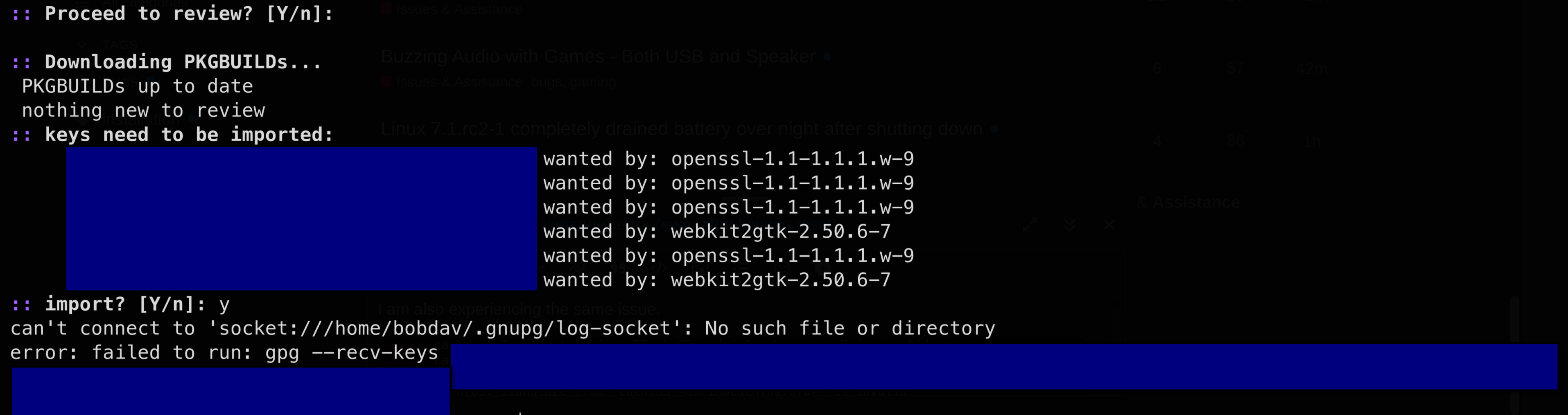
@bob_davis, I actually already had a tab open with this Gemini chat. I usually consult it to see if it aligns with what I know. I shared what you said, and the info seems pretty valid to me…
How to fix the GPG “log-socket” error
The error happens because GPG is trying to send logs to a socket file that doesn’t exist or is misconfigured. Follow these steps:
1. Restart the GPG Agent (The “Quick Fix”) Kill all running GPG processes and restart the daemon to refresh the sockets:
Bash
gpgconf --kill all
gpg-agent --daemon
2. Check for Config Errors Check if there is a line forcing the log to a socket in your config files:
Check ~/.gnupg/gpg-agent.conf or ~/.gnupg/gpg.conf.
If you find a line starting with log-file socket://..., delete it or comment it out by adding a # at the beginning.
3. Fix Folder Permissions GPG is very strict with permissions. Run these to ensure everything is correct:
4. Manual Key Import If the AUR helper (paru/yay) still fails to import the keys automatically, try doing it manually using the key ID from your error message:
Summary of the issue: Your system is looking for a log file path that doesn’t exist. Cleaning the config or restarting the agent usually solves it instantly.
I’m not sure if I did the right thing or not, but I got the signature error to go away: (or it was fixed by the admin/server)
i tried a bunch of things which didn’t work but didn’t harm anything.
then i tried this: (step one normally takes a long time)
sudo pacman-key --refresh keys
waited a long time
sudo pacman -Sy --needed archlinux-keyring
sudo pacman -Syu
logout, and shutdown, and reboot
I might have chosen the wrong cachyos syntax at step 3, but the errors went away LOL. Hopefully I didn’t accidentally switch my cachyos repos to arch.
UPDATE:
I initiated another ‘sudo pacman -Sy’ followed by another ‘sudo pacman -Syu’ after I rebooted and everything seems to be back to normal and working just fine. For me, this problem seems solved. I’m not getting any weird problems and pacman seems to be connected to the right servers, thank goodness.
Problem seems to have fixed itself automatically for me now without doing anything. So the problem probably was from the servers and not a configuration / local issue.
Just out of curiosity, which DE are you using? I feel like Hello in Hypr doesn’t do anything for me; I have to enter a KDE/Gnome session for it to have any effect.