Eteos
November 10, 2025, 10:34am
1
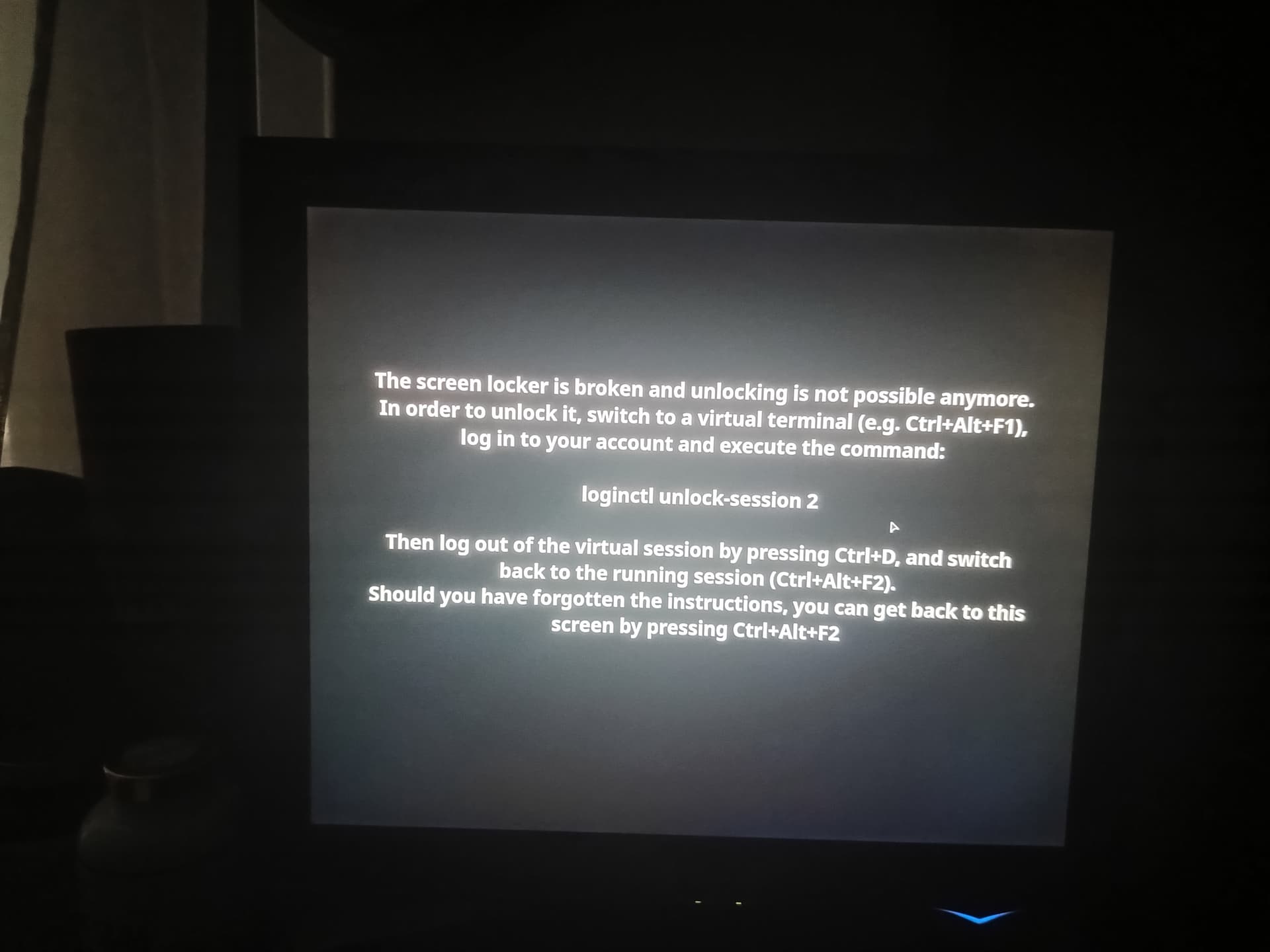
Hi to everyone. Today after updating I delayed to reboot due to a phonecall. When returning to my keyboard I was confronted by the following screen
I tried to follow the instructions, but after pressing ctrl+alt+f1 the screen went black with a cursor blinking and I couldn’t type anything. I waited but nothing happened, so I hard rebooted. Unfortunately the procedure is stuck and I am unable to boot into Cachy. The cachy logo appears and then everything stops in this screen
Please HELP…
cscs
November 10, 2025, 10:42am
2
This was an example - you were to use other F# keys to get a TTY.
Now .. Either or both of the following guides may help;
ArchWiki :
Which is to say it is not a system-critical component.*
It also has a nasty habit of breaking boot under various circumstances.
In those cases, or simply to avoid the bloat, you can temporarily disable plymouth, permanently disable it, or remove it entirely.
* - Some systems use Plymouth to forward decryption prompts. This may be especially useful in cases where the language and input devices might differ.…
Eteos
November 10, 2025, 10:51am
3
Thank you! I will try and see…
Eteos
November 10, 2025, 11:10am
4
So following the first tutorial, pressing ctrl+alt+F2, I was asked to login which I did and got a terminal screen.
But… now what do I do to get the graphical environment? Sorry, but I have very small terminal experience.
cscs
November 10, 2025, 11:13am
5
It was just to be the first step to doing something or other.
Like finishing updates, ex;
sudo pacman -Syu
Different DE/WM/DMs can be started differently.startplasma-wayland and startplasma-x11.
Eteos
November 10, 2025, 11:38am
6
So I did a sudo pacman -Syu. It updated some packages. It now boots as usual. Everything seems to be working just fine!
Thank you, thank you and once again thank you!!!