Hello everyone, I’m having an issue where after setting the sound file and setting notification volume to max, none of my notifications on KDE Plasma are playing any sound at all.
I’ve even tried sample notifications such as notify-send "Hello world!" "This is an example notification." --icon=dialog-information
Any ideas on what might be the issue? I can still hear sound when I click the play button in the notification section to sample what audio I would like for each component. However, it’s just when I receive a notification tile that there is no sound at all.
I believe to my knowledge, the notification daemon is called freedesktop, and these notifications are silent by default, with no option to change them. Is this true?
Note that I can hear other actions (e.g., emptying the trash) just fine.
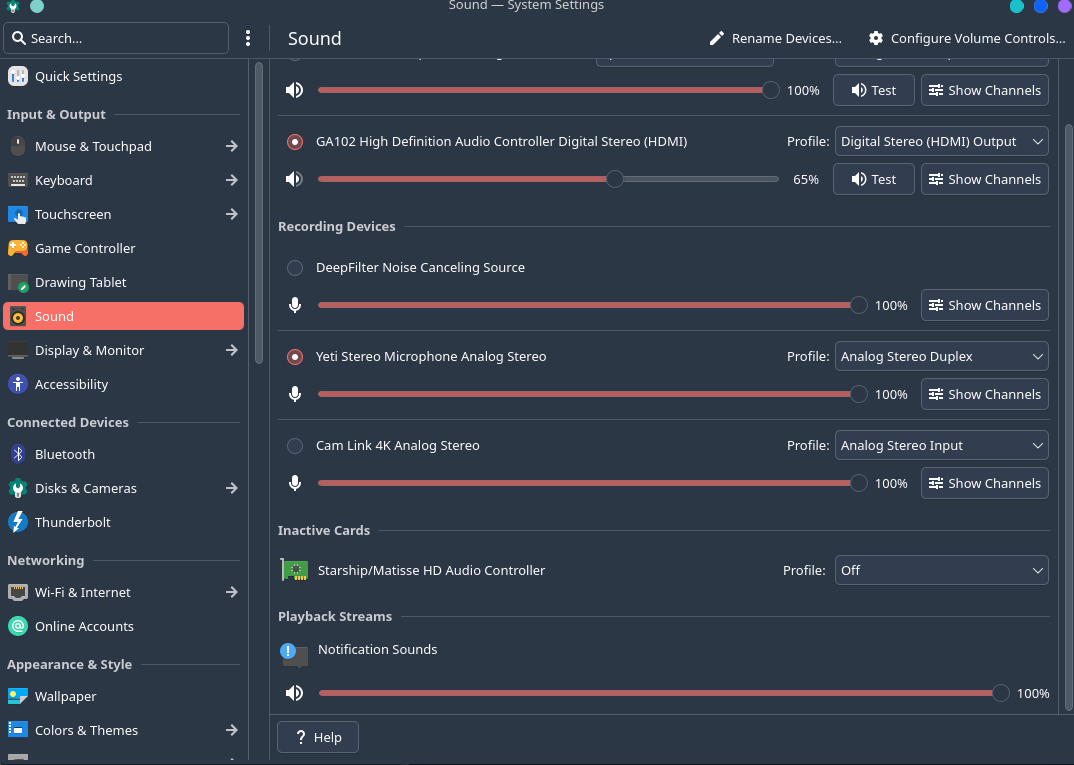
If you go to the Sound part of System Settings (System Settings > Input & Output > Sound), or by right clicking on the applet for “Configure Audio Devices..” can you verify that the Playback Stream Notification Sounds is not muted?
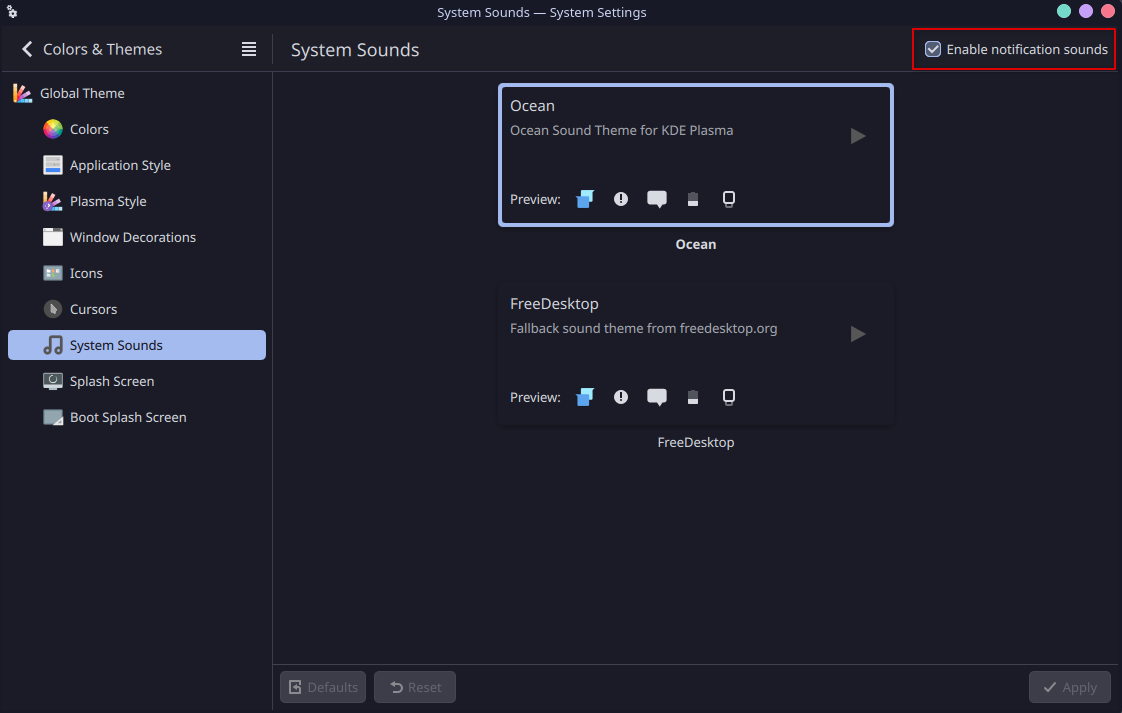
Have you tried changing that ( System Settings > Appearnace & Style > Colors & Themes > System Sounds )?
You may also go to System Settings > Apps & Windows > Notifications then in the top-right are secondary menus for System Notifications and Application Settings. Investigate both areas.
Hello Everyone,
I’ve been facing this issue and the non-adjustable brightness on the monitor after a fresh install.
it is simply toggle the UI off click apply then toggle it on then reapply (off > apply > on > apply).
I think the UI is out of sync with the actual value by doing so you will be forcing it to sync or initialize the value if wasn’t set. System Settings > Color and Themes > System Sounds.
I hope that will help.
bonus:
As I said if your monitor brightness is not showing on the brightness widget or moving the slider do nothing for you. Do the same under Display Settings, find the toggle near the brightness and the said something about enabling the brightness on this display and do the same for it (off > apply > on > apply). You may have this toggle depend on the setup and distro/plasma version I specifcally find it on my vanilla arch desktop and fix my issue this way.