I recently removed Windows from my PC and I am now running CachyOS as my single operating system. Previously, I had a dual-boot setup.
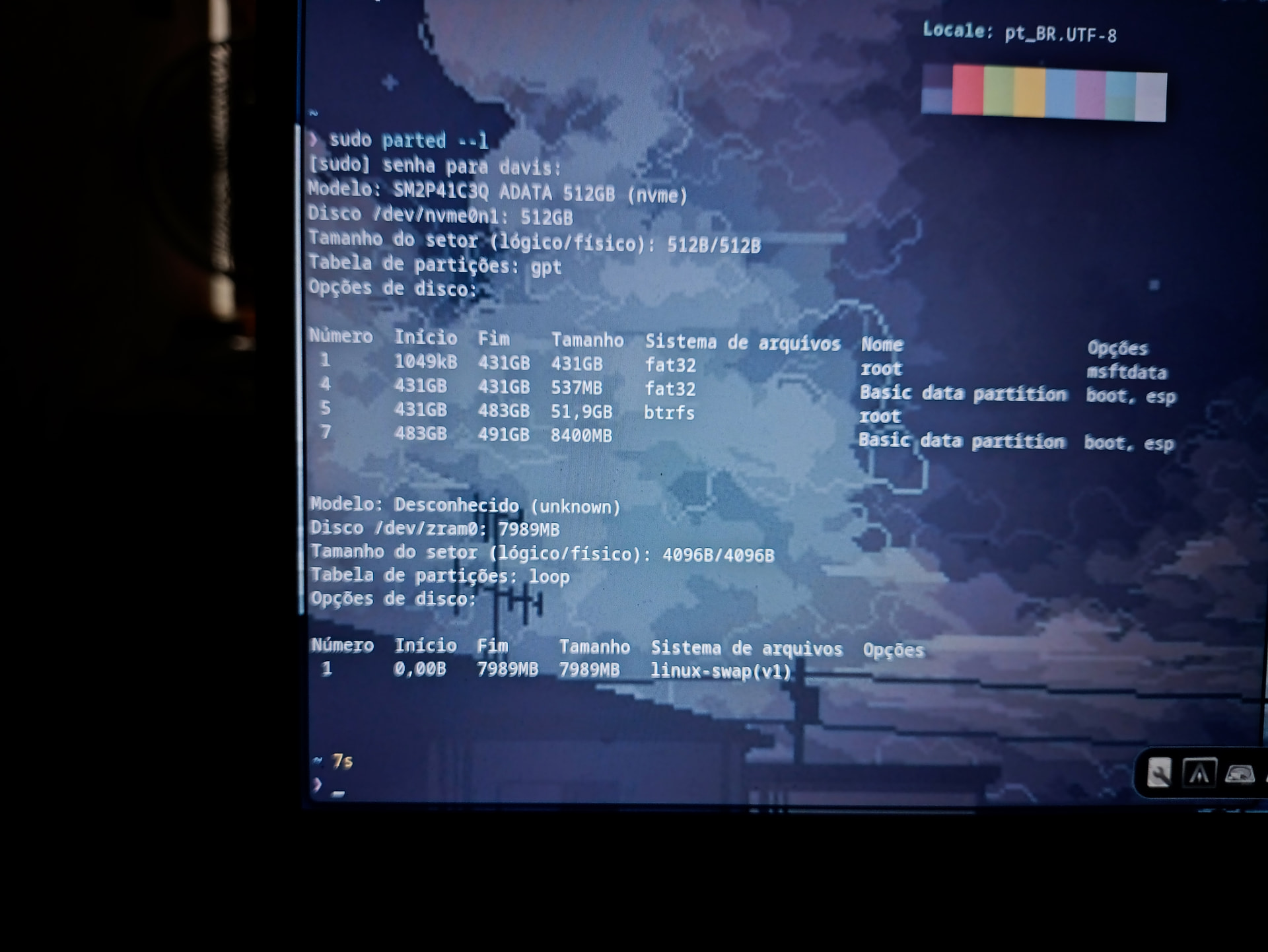
My goal is to make CachyOS use 100% of my SSD (or at least reclaim all the space left behind by Windows for my Linux files/games), but I am having trouble doing so from within the running system.
Here are my constraints and what I’ve found so far:
1. I do NOT have a USB flash drive (pen drive) at home, so I cannot do a clean reinstall from a Live ISO. I need to fix this directly from my current CachyOS installation.
2. I tried unmounting a FAT32 partition to format it, but the system says it’s busy (I assume it’s my current EFI boot partition, so I didn’t force it).
3. I can still see the old Windows partition space (what used to be the C: drive).
Since CachyOS uses Btrfs by default, I would like to know the safest way to either delete the old Windows partition and expand my current CachyOS partition online, or properly format that leftover space to Btrfs/Ext4 and mount it automatically for my games/files
so for better understanding
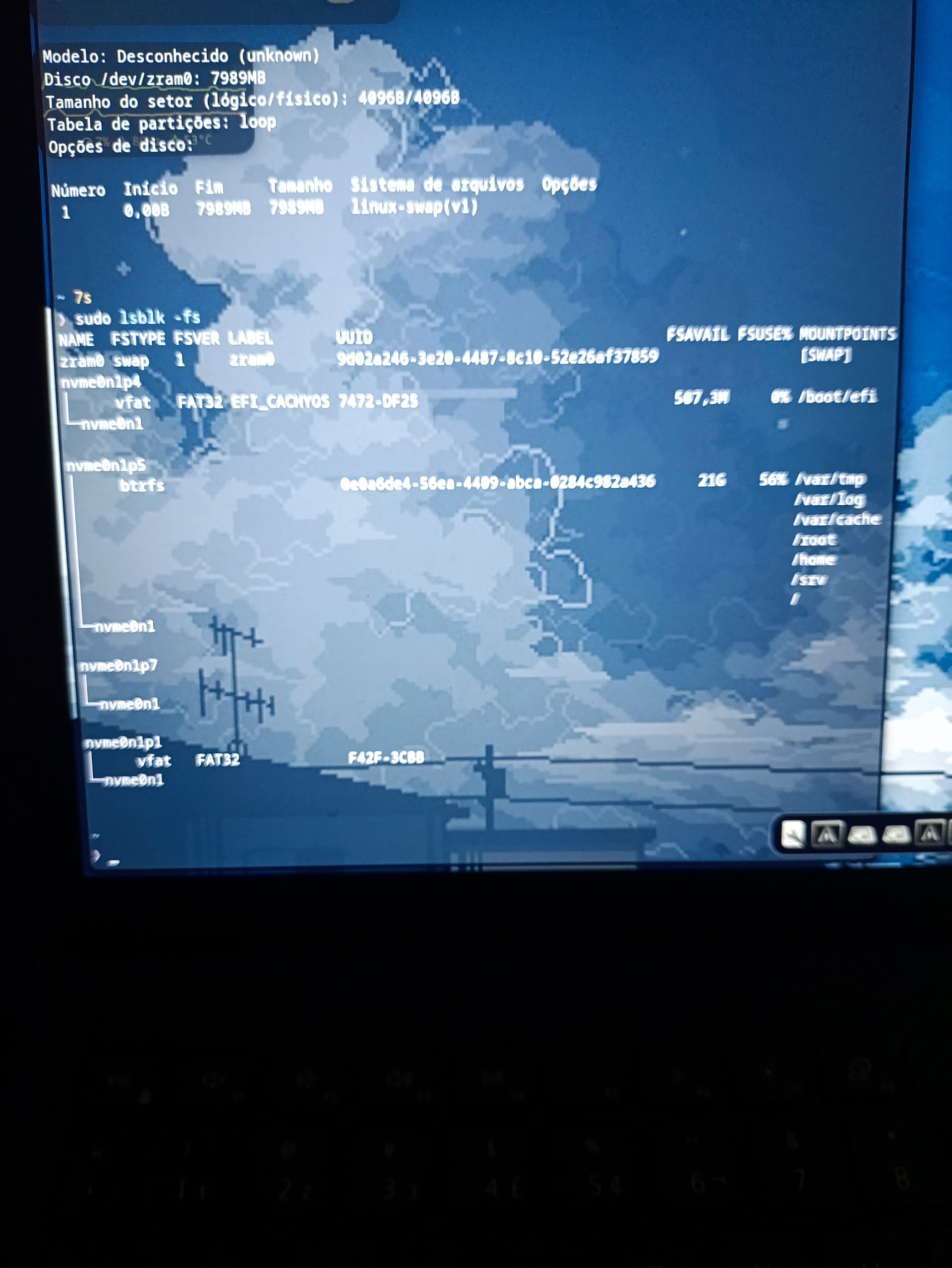
your boot Efi cachyos is nvme0n1p4 ( 1 disk nvme - partition 4 )
your partition root ( and all others including /home is on nvme0n1p5 ( 1 disk nvme - partition 4 )
so partitions 1 and 7 can be reuse.
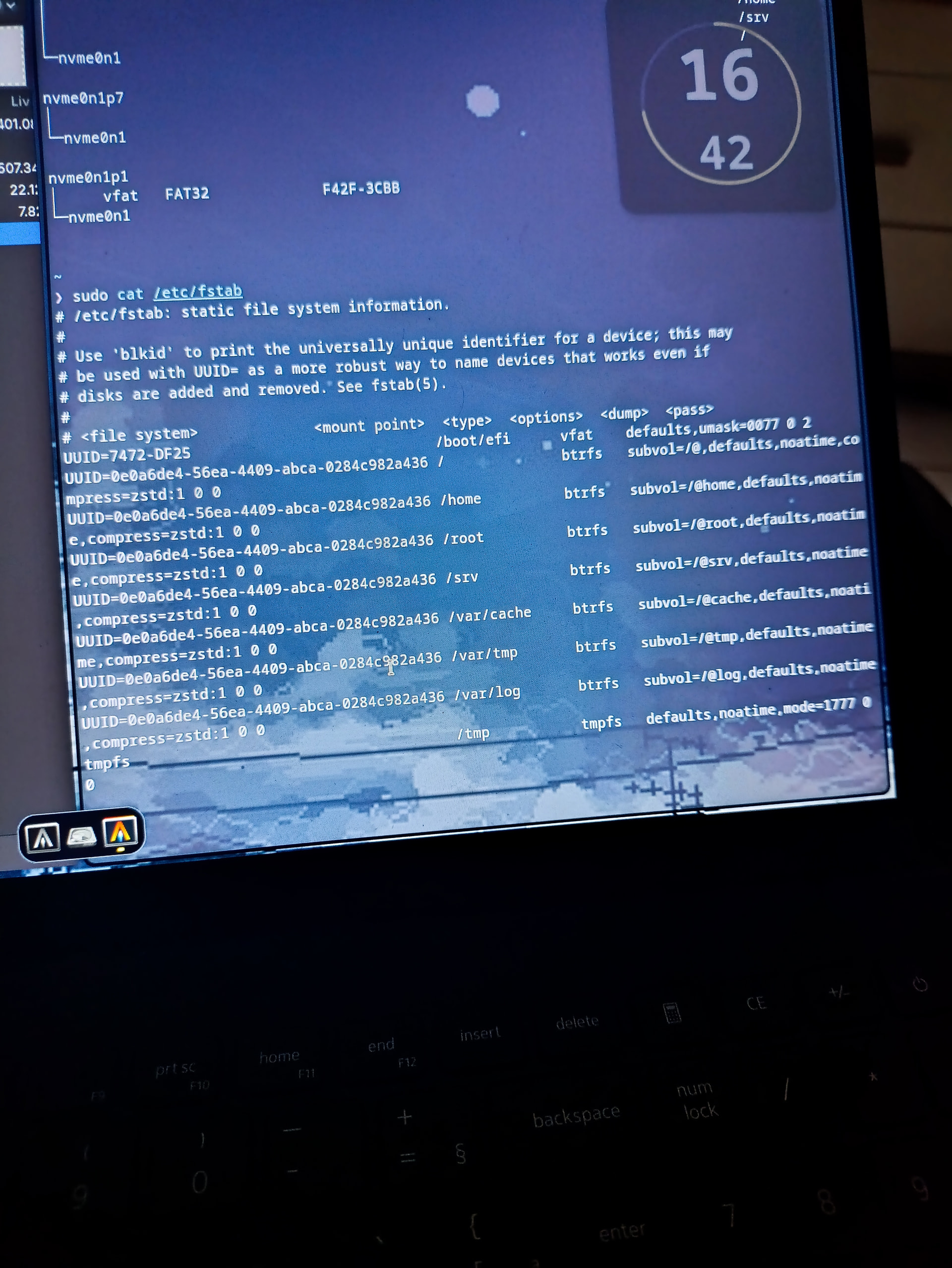
be careful btrfs is working on sub volume , not partition
this will not be easy :
you should reformat nvme0n1p1 and nvme0n1p7 in btrfs/ext4 , but be careful in choose name mountpoint , that will create new UUID , note them
sudo lsblk -fs
the live ISO USB is very useful in case of trouble / recover