Tested with Same and different refresh rate, same and different resolution. The picture shows the duplicated login Windows, but not the flickering of all four.
After login the desktop is okay and if I lock, the login screen works also fine.
But if I log out, the same duplicated flickering mess.
I had similar issues when first installed a few weeks back. But updated drivers have sorted it out for me. I am using an NVIDIA GTX 1080 BTW, so an old card, but still works just fine.
Have you tried updating drivers? What video card and drivers are you currently using. Would need that info if you want anyone to actually try to help you…
How are the monitors connected? DP, HDMI, DVI?
Any usb in the monitors connected?
The only anomaly I get is during boot, is sometimes between splash screen and the login screen the monitors get scrambled for a second then the login screen comes up fine. Does not always happen or happen the same way sometimes the entire screen sometimes just a portion of the screen.
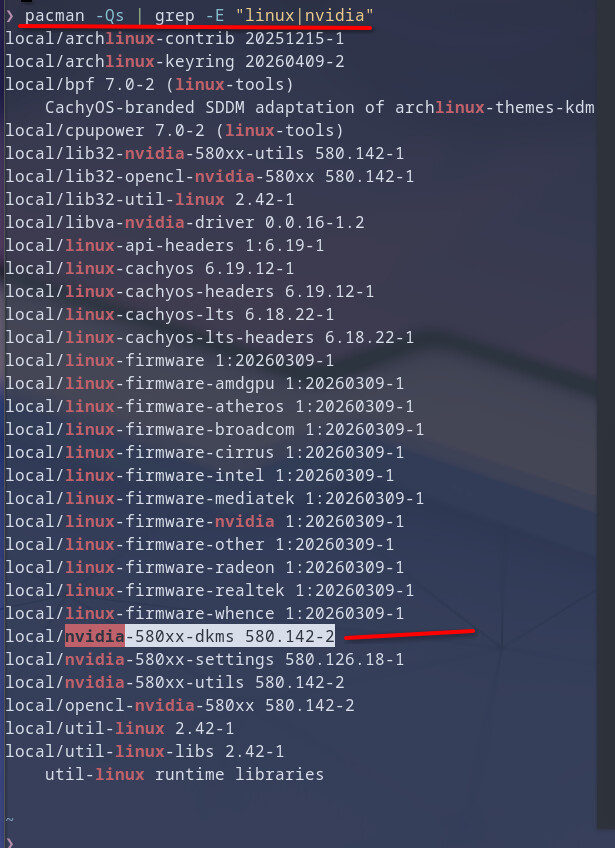
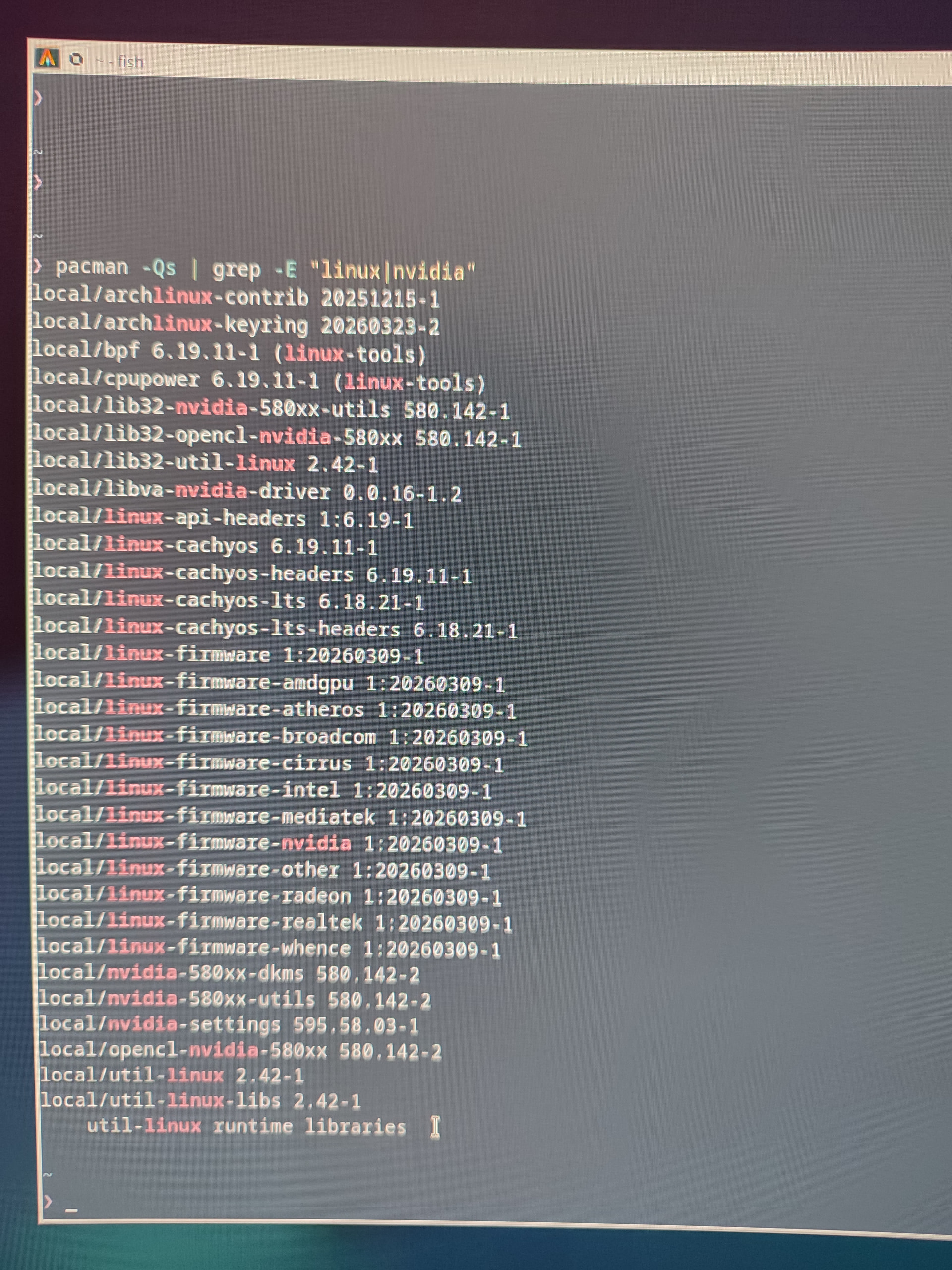
here’s a grep of what is installed for Nvidia on my system (is that helps?):
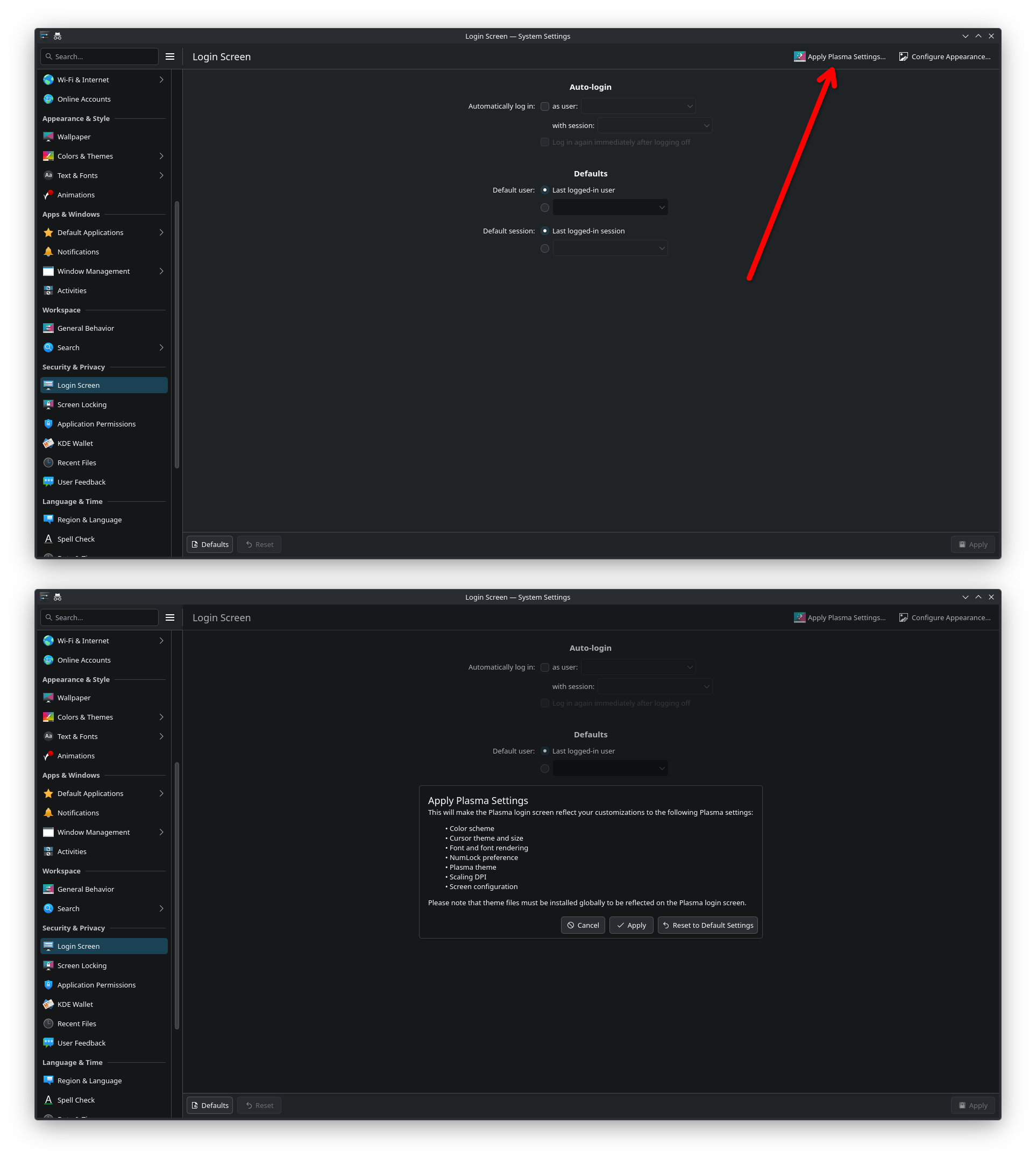
tl;dr go to the login screen settings and click “Apply Plasma Settings…” in the top right corner.
I was having the same issue, and I’d like to give a bit more context and thoughts about what I think is happening:
I’m using three monitors, 1080p60, 1440p144, 1440p60 (from left to right). The issue is happening on the left two monitors.
On the login screen, the clock (incl. date and password field) is following the mouse to whatever monitor it is on. But the display config doesn’t seem to be correct on that screen - it’s overlapping the screens for some reason. In my case, it seems like it puts the left screen into the top left corner of the middle screen, as seen by the positioning of the clock.
Only when I move the mouse further to the right, it kinda fixes itself, stopping the flickering but not the duplication of the clock.
The latest version of KDE uses the Plasma Login Manager and doesn’t seem to have SDDM installed anymore, so no switching to that. But then I found that if you simply click “Apply Plasma Settings…” in the login screen settings, it syncs the login screen after booting with the settings used for the login screen after logging out.