I encrypted my hard drives with luks. Now when I start my computer, it asks for the password. That’s fine so far. If I’m seeing correctly, the keyboard layout is noted below the input field. Unfortunately, the field is somehow cut off and I can only see ma*. I assume that’s supposed to mean “mac”. I would have thought it would say “DE” there, since I use a German layout. Where can I change what is displayed there?
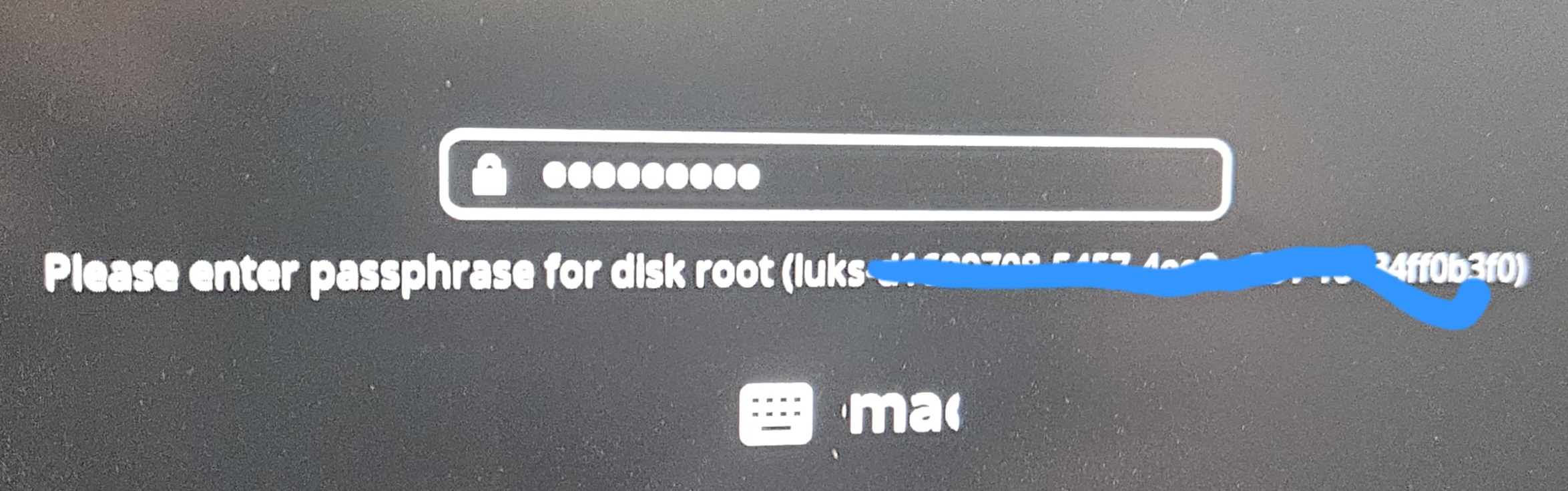
The program responsible for that screen is plymouth.
It has a config file here: /etc/plymouth/plymouthd.conf
The default theme for Cachy is called cachyos-bootanimation and is provided by the cachyos-plymouth-bootanimation package. Source: GitHub - CachyOS/plymouth-theme: New Bootanimation for CachyOS
You’d probably need to modify the theme, or use a different one, to fix this. But I’ve never messed with this, so this is as far as I can help you along.
Looks like it’s “emacs”.
The different keymaps can be found in /usr/share/plymouth/themes/cachyos-bootanimation/keymap-render.png
Why it automatically set yours to this, I haven’t a clue. I suppose it’s possible that whatever is determining what part of the png to render is just wrong, and it is the DE layout.

Unfortunately, I’m not having any luck finding out how to manually set the keymap. My last resort, if I was inclined to fix the display and as long as you’re able to input your password correctly with your keyboard, would be to just edit the png and put whatever you want in the place that’s being rendered. Which in this case is somewhere in the middle of the word emacs. 
Alternatively, you could try a different Plymouth theme. Might have better luck with the keymap that way.
/usr/share/plymouth/themes
❯ ls
drwxr-xr-x - root 7 Jan 16:40 bgrt
drwxr-xr-x - root 7 Jan 16:38 cachyos-bootanimation
drwxr-xr-x - root 7 Jan 16:40 details
drwxr-xr-x - root 7 Jan 16:40 fade-in
drwxr-xr-x - root 7 Jan 16:40 glow
drwxr-xr-x - root 7 Jan 16:40 script
drwxr-xr-x - root 7 Jan 16:40 solar
drwxr-xr-x - root 7 Jan 16:40 spinfinity
drwxr-xr-x - root 7 Jan 16:40 spinner
drwxr-xr-x - root 7 Jan 16:40 text
drwxr-xr-x - root 7 Jan 16:40 tribar
and just change the theme in your /etc/plymouth/plymouthd.conf to whichever one you choose.
[Daemon]
Theme=cachyos-bootanimation
# Administrator customizations go in this file
#[Daemon]
#Theme=fade-in
Regardless, I’d say this is an issue that should be reported for the cachyos-bootanimation theme.
Switching to bgrt, solved the issue for me. (plymouth-set-default-theme -R bgrt). Many thx. SO this seems to be a issue with the theme itself. Unfortunatly i cant open an issue on GitHub. Issues seems to be disabled there.
Thank you so much, this has bothered me for weeks.
If you want to keep using CachyOS theme boot animation for Plymouth i had explained how to do that in following thread with similar issue: