The post title mostly tells the whole story. I am currently using sublime-text-4 from the AUR, and while that package is perfectly safe the recent AUR troubles has me reevaluating how much I really need to be using the AUR even if my footprint is probably already much lower than most peoples’. jamesdsp, python-pywalfox, and xdg-terminal-exec are my other 3 and none have a satisfactory native replacement so I’m here stuck staring at Sublime Text and wondering if I can squeeze it out.
The problem is, I love it. I think it’s the best text editor I’ve ever used. But I also don’t think there’s any harm in starting a discussion on the crazy chance that I find something either better or good enough to make it worth switching back to a native package.
A couple notes though:
I have no Flatpaks and have no intention on starting to use them. Really only interested in software found in our pacman repos.
I use no AI agents and have no intention on starting to use them, so features pertaining to that have no value to me.
I have no GUI toolkit requirements but do draw the line at tightly integrated DE specific software(like KDE Plasma’s Kate, an otherwise solid editor).
Also, keep it civil and on-topic. I know people can get pretty rah rah rah about their favorite software but I’m just going to roll my eyes at stuff that veers off from being objective.
Good point. I actually do like Kate but since I use Hyprland now I actively try to stay away from Plasma software due to all of the dependency baggage that comes with it. Which clearly wouldn’t have been a problem if I was still using Dolphin or something since it’d all be installed anyway.
As for toolkit specifically, I’m not married to either GTK or QT so anything is fine on that front. I suppose I lean more toward GTK since I use a few pieces from the Xfce software suite, but that’s just happenstance rather than an intentional leaning.
I do find kate mostly sits happily where I need it to be - not an annoying cumbersome IDE for the most part but extensible enough to be that should one desire it .. with syntax highlighting and scripting and so on. I added my shfmt invocation to mine for example. But you can incorporate git or diagnostics or filters. Or just use it mostly as a smart-enough text editor.
I would probably still use kwrite that its built off of but I got comfortable back when kate was considered “the kde text editor”.
Looking now .. it seems I am a little ahead of myself. Currently kwrite is not even its own package but still comes with kate.
I expect if/when the push back to kwrite as the default Plasma text editor happens it might end up in its own package and might have less of the kbookmark, kcolorscheme, kconfig .. etc deps.
In the past on openbox or xfce systems I have used so many .. mousepad and leafpad come to mind as well as gedit and now there is also pluma and xed.
That’s a solution I hadn’t even considered and is definitely now the front runner for me. Thanks for the suggestion.
zed was the last editor I tried out before coming over here to make the post. Just too many bells and whistles that I wouldn’t end up using and it kind of soiled the UX for me because of it. Looks pretty interesting for coding agent integration though.
Since I use a lot of xfce’s native applications, mousepad was one of the first I tried but it was a bit too simple for me after using kate for so long when I was on KDE Plasma. It did help me establish what I was and wasn’t looking for.
I do! Looking into good TUI editors is on my to-do list once I get this squared away, so I’ll include that in the list of stuff to test. I’m currently just using micro as my quick and dirty system file editor but have wanted to explore the idea of using a terminal editor for more complex tasks.
I have not much to add to that. I was very positively surprised by Kate from the very first day of my Cachy-experience and despite installing vscodium, I never actually needed it yet.
Professionally, I work with Visual Studio and Eclipse and should probably take a closer look into JetBrains, whereas Notepad++ is still my number #1 editor in Windows for everything that does not need to be compliled.
But on the Linux side, as I said, Kate does basically everything for me and just 3 days ago I discovered on a Cinnamon Desktop that xed is actually also pretty neat for simple things.
I’m currently working on a Windows static and dynamic disassembler. Give me another 3 months and it should be in a very usable state. After that I’ll port it to Linux (easy port), then I’m building a full Visual Studio 2022 clone. It’ll be open source, use ImGui with OpenGL/Vulkan, and be built around how I like to work.
The goal is simple: create a project, pick a language, done.
From there you just write code. Create .h and .cpp files, select a compiler (or install one from a list), tweak project settings if needed, and hit play. No messing with build scripts, makefiles, terminal commands, or any of that.
Coming from Windows, the only tool I really miss is Visual Studio 2022. For C and C++, nothing on Linux comes close for me. After 20+ years of C/C++ development on Windows, Linux IDEs feel like they require more setup than actual coding.
I want something that just works out of the box. Start a new project in 2 seconds, write code, press play, done.
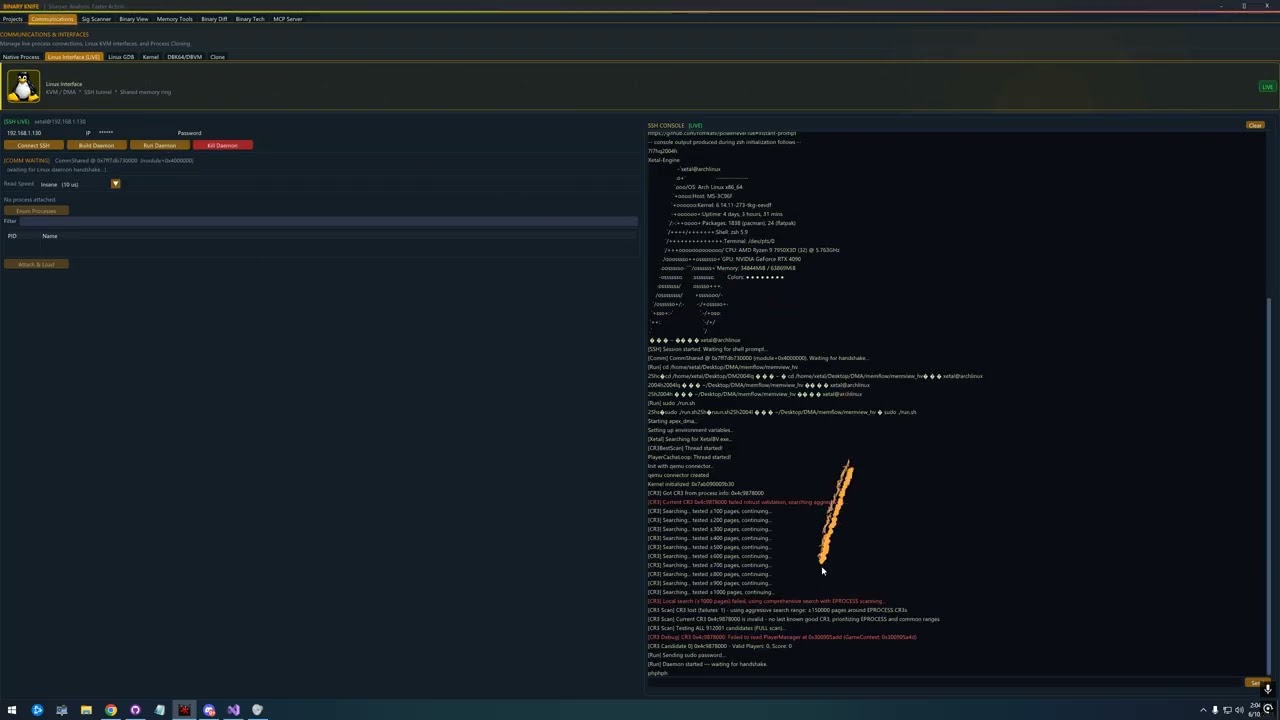
A little teaser of my Private Ollydbg clone. Has usermode, hybrid, kernelmode, KVM,DBVM, PClone communication methods already working for live debugging.
Just need to polish a bit and finish the AMD Hypervisor and its done.

 love that it’s so trivial to hit F4 to pull up a terminal pane.