I recently decided i would give looking glass a go, so i decided to install windows using virt manager.
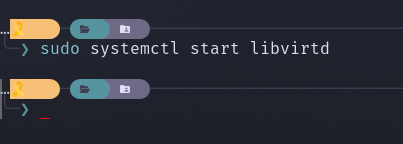
But kvm was not starting, so when i checked that status of libvirtd is showed it was dead. So i tried starting it and it immediately died with no error. I have checked systemctl and the journal and they both say the same thing.
libvirtd.service - libvirt legacy monolithic daemon
Loaded: loaded (/usr/lib/systemd/system/libvirtd.service; enabled; preset: disabled)
Active: inactive (dead) since Fri 2025-10-10 08:34:18 ACDT; 1s ago
Duration: 191ms
Invocation: 866177be02af4998b4034f15d4f92911
TriggeredBy: ● libvirtd-admin.socket
● libvirtd.socket
● libvirtd-ro.socket
Docs: man:libvirtd(8)
https://libvirt.org/
Process: 12595 ExecStart=/usr/bin/libvirtd $LIBVIRTD_ARGS (code=exited, status=0/SUCCESS)
Main PID: 12595 (code=exited, status=0/SUCCESS)
Tasks: 2 (limit: 32768)
Memory: 11.3M (peak: 34.2M)
CPU: 59ms
CGroup: /system.slice/libvirtd.service
├─1091 /usr/bin/dnsmasq --conf-file=/var/lib/libvirt/dnsmasq/network.conf --leasefile-ro --dhcp-script=/usr/lib/libvirt/libvirt_leaseshelper
└─1092 /usr/bin/dnsmasq --conf-file=/var/lib/libvirt/dnsmasq/network.conf --leasefile-ro --dhcp-script=/usr/lib/libvirt/libvirt_leaseshelper

Oct 10 08:34:18 MINDA-MACHINE systemd[1]: Starting libvirt legacy monolithic daemon...
Oct 10 08:34:18 MINDA-MACHINE systemd[1]: Started libvirt legacy monolithic daemon.
Oct 10 08:34:18 MINDA-MACHINE dnsmasq[1091]: read /etc/hosts - 14 names
Oct 10 08:34:18 MINDA-MACHINE dnsmasq[1091]: read /var/lib/libvirt/dnsmasq/network.addnhosts - 0 names
Oct 10 08:34:18 MINDA-MACHINE dnsmasq-dhcp[1091]: read /var/lib/libvirt/dnsmasq/network.hostsfile
Oct 10 08:34:18 MINDA-MACHINE systemd[1]: libvirtd.service: Deactivated successfully.
Oct 10 08:34:18 MINDA-MACHINE systemd[1]: libvirtd.service: Unit process 1091 (dnsmasq) remains running after unit stopped.
Oct 10 08:34:18 MINDA-MACHINE systemd[1]: libvirtd.service: Unit process 1092 (dnsmasq) remains running after unit stopped.
I have deleted both the host files just in case something was going wrong but no luck.
Anyone have any clue as to why this would happen?
If sudo systemctl start libvirtd fails the messages will tell exactly where to look (it explicitly shows two commands) . There is no need to go through the journal.
He already posted the start message, it deactivates immediately. That’s why I think it could be something else, unless he modified/deleted something else too, probably while trying to install looking glass something was changed.
He posted the output of systemctl status, not the starting procedure itself.
libvirt/kvm normally stores the config files and containers above /home. So accidentially deleting stuff without elevated rights is close to impossible. This is the reason why the user needs to add the group membership accordingly. Without these rights there would be no access.
Oct 11 00:23:07 MINDA-MACHINE sudo[8225]: mitchell : TTY=pts/0 ; PWD=/home/mitchell ; USER=root ; COMMAND=/usr/bin/systemctl start libvirtd
Oct 11 00:23:07 MINDA-MACHINE sudo[8225]: pam_unix(sudo:session): session opened for user root(uid=0) by mitchell(uid=1000)
Oct 11 00:23:07 MINDA-MACHINE systemd[1]: libvirtd.service: Found left-over process 1096 (dnsmasq) in control group while starting unit. Ignoring.
Oct 11 00:23:07 MINDA-MACHINE systemd[1]: libvirtd.service: This usually indicates unclean termination of a previous run, or service implementation deficiencies.
Oct 11 00:23:07 MINDA-MACHINE systemd[1]: libvirtd.service: Found left-over process 1097 (dnsmasq) in control group while starting unit. Ignoring.
Oct 11 00:23:07 MINDA-MACHINE systemd[1]: libvirtd.service: This usually indicates unclean termination of a previous run, or service implementation deficiencies.
Oct 11 00:23:07 MINDA-MACHINE systemd[1]: Starting libvirt legacy monolithic daemon...
Oct 11 00:23:07 MINDA-MACHINE systemd[1]: Started libvirt legacy monolithic daemon.
Oct 11 00:23:07 MINDA-MACHINE sudo[8225]: pam_unix(sudo:session): session closed for user root
Oct 11 00:23:07 MINDA-MACHINE dnsmasq[1096]: read /etc/hosts - 14 names
Oct 11 00:23:07 MINDA-MACHINE dnsmasq[1096]: read /var/lib/libvirt/dnsmasq/network.addnhosts - 0 names
Oct 11 00:23:07 MINDA-MACHINE dnsmasq-dhcp[1096]: read /var/lib/libvirt/dnsmasq/network.hostsfile
Oct 11 00:23:07 MINDA-MACHINE systemd[1]: libvirtd.service: Deactivated successfully.
Oct 11 00:23:07 MINDA-MACHINE systemd[1]: libvirtd.service: Unit process 1096 (dnsmasq) remains running after unit stopped.
Oct 11 00:23:07 MINDA-MACHINE systemd[1]: libvirtd.service: Unit process 1097 (dnsmasq) remains running after unit stopped.
Looks like dnsmasq is running already which could be the problem:
  # systemctl status dnsmasq
  dnsmasq.service - dnsmasq - A lightweight DHCP and caching DNS server
     Loaded: loaded (/usr/lib/systemd/system/dnsmasq.service; enabled; preset: disabled)
Oct 11 13:04:14 MINDA-MACHINE systemd[1]: Starting libvirt legacy monolithic daemon...
░░ Subject: A start job for unit libvirtd.service has begun execution
░░ Defined-By: systemd
░░ Support: https://lists.freedesktop.org/mailman/listinfo/systemd-devel
░░
░░ A start job for unit libvirtd.service has begun execution.
░░
░░ The job identifier is 173.
Oct 11 13:04:14 MINDA-MACHINE systemd[1]: Started libvirt legacy monolithic daemon.
░░ Subject: A start job for unit libvirtd.service has finished successfully
░░ Defined-By: systemd
░░ Support: https://lists.freedesktop.org/mailman/listinfo/systemd-devel
░░
░░ A start job for unit libvirtd.service has finished successfully.
░░
░░ The job identifier is 173.
Oct 11 13:04:15 MINDA-MACHINE dnsmasq[1081]: started, version 2.91 cachesize 150
Oct 11 13:04:15 MINDA-MACHINE dnsmasq[1081]: compile time options: IPv6 GNU-getopt DBus no-UBus i18n IDN2 DHCP DHCPv6 no-Lua TFTP conntrack ipset nftset auth DNSSEC loop-detect inotify dumpfile
Oct 11 13:04:15 MINDA-MACHINE dnsmasq-dhcp[1081]: DHCP, IP range 192.168.100.128 -- 192.168.100.254, lease time 1h
Oct 11 13:04:15 MINDA-MACHINE dnsmasq-dhcp[1081]: DHCP, sockets bound exclusively to interface virbr1
Oct 11 13:04:15 MINDA-MACHINE dnsmasq[1081]: reading /etc/resolv.conf
Oct 11 13:04:15 MINDA-MACHINE dnsmasq[1081]: using nameserver 127.0.0.53#53
Oct 11 13:04:15 MINDA-MACHINE dnsmasq[1081]: read /etc/hosts - 14 names
Oct 11 13:04:15 MINDA-MACHINE dnsmasq[1081]: read /var/lib/libvirt/dnsmasq/network.addnhosts - 0 names
Oct 11 13:04:15 MINDA-MACHINE dnsmasq-dhcp[1081]: read /var/lib/libvirt/dnsmasq/network.hostsfile
Oct 11 13:04:15 MINDA-MACHINE systemd[1]: libvirtd.service: Deactivated successfully.
░░ Subject: Unit succeeded
░░ Defined-By: systemd
░░ Support: https://lists.freedesktop.org/mailman/listinfo/systemd-devel
░░
░░ The unit libvirtd.service has successfully entered the 'dead' state.
Oct 11 13:04:15 MINDA-MACHINE systemd[1]: libvirtd.service: Unit process 1081 (dnsmasq) remains running after unit stopped.
Oct 11 13:04:15 MINDA-MACHINE systemd[1]: libvirtd.service: Unit process 1082 (dnsmasq) remains running after unit stopped.
Oct 11 13:04:20 MINDA-MACHINE dnsmasq[1081]: reading /etc/resolv.conf
Oct 11 13:04:20 MINDA-MACHINE dnsmasq[1081]: using nameserver 127.0.0.53#53
And this is from systemctl
libvirtd.service - libvirt legacy monolithic daemon
Loaded: loaded (/usr/lib/systemd/system/libvirtd.service; enabled; preset: disabled)
Active: inactive (dead) since Sat 2025-10-11 13:07:18 ACDT; 6s ago
Duration: 187ms
Invocation: 4d3c1cf20c2747f896589b545fe9925b
TriggeredBy: ● libvirtd-admin.socket
● libvirtd-ro.socket
● libvirtd.socket
Docs: man:libvirtd(8)
https://libvirt.org/
Process: 7729 ExecStart=/usr/bin/libvirtd $LIBVIRTD_ARGS (code=exited, status=0/SUCCESS)
Main PID: 7729 (code=exited, status=0/SUCCESS)
Tasks: 2 (limit: 32768)
Memory: 20.2M (peak: 34.1M)
CPU: 58ms
CGroup: /system.slice/libvirtd.service
├─1081 /usr/bin/dnsmasq --conf-file=/var/lib/libvirt/dnsmasq/network.conf --leasefile-ro --dhcp-script=/usr/lib/libvirt/libvirt_leaseshelper
└─1082 /usr/bin/dnsmasq --conf-file=/var/lib/libvirt/dnsmasq/network.conf --leasefile-ro --dhcp-script=/usr/lib/libvirt/libvirt_leaseshelper

Oct 11 13:07:17 MINDA-MACHINE systemd[1]: Starting libvirt legacy monolithic daemon...
Oct 11 13:07:17 MINDA-MACHINE systemd[1]: Started libvirt legacy monolithic daemon.
Oct 11 13:07:18 MINDA-MACHINE dnsmasq[1081]: read /etc/hosts - 14 names
Oct 11 13:07:18 MINDA-MACHINE dnsmasq[1081]: read /var/lib/libvirt/dnsmasq/network.addnhosts - 0 names
Oct 11 13:07:18 MINDA-MACHINE dnsmasq-dhcp[1081]: read /var/lib/libvirt/dnsmasq/network.hostsfile
Oct 11 13:07:18 MINDA-MACHINE systemd[1]: libvirtd.service: Deactivated successfully.
Oct 11 13:07:18 MINDA-MACHINE systemd[1]: libvirtd.service: Unit process 1081 (dnsmasq) remains running after unit stopped.
Oct 11 13:07:18 MINDA-MACHINE systemd[1]: libvirtd.service: Unit process 1082 (dnsmasq) remains running after unit stopped.
Seems like it got further but then still dies without explanation.
Dnsmasq is running and libvirtd still gives no error when manually started.
Does virt-manager start and shows QEMU/KVM - Not Connected?
If: doubleclick to connect.
If not: File->Add Connection…->Hypervisor: QEMU/KVM and '“Connect”.
This should activate libvirtd via libvirt-socket.
$ sudo systemctl status libvirtd.socket
Unfavourable for you, I switched to modular libvirt daemons some time ago.
Also I’m doing without dnsmasq and configured bridged networking.
(So I cannot reproduce the issue).
Unable to connect to libvirt qemu:///system.

Verify that an appropriate libvirt daemon is running.

Libvirt URI is: qemu:///system

Traceback (most recent call last):
  File "/usr/share/virt-manager/virtManager/connection.py", line 940, in _do_open
    self._backend.open(cb, data)
    ~~~~~~~~~~~~~~~~~~^^^^^^^^^^
  File "/usr/share/virt-manager/virtinst/connection.py", line 173, in open
    conn = libvirt.openAuth(self._open_uri, [valid_auth_options, authcb, cbdata], open_flags)
  File "/usr/lib/python3.13/site-packages/libvirt.py", line 147, in openAuth
    raise libvirtError('virConnectOpenAuth() failed')
libvirt.libvirtError: Failed to connect socket to '/var/run/libvirt/virtqemud-sock': No such file or directory
# Generated by NetworkManager
nameserver 127.0.0.53
options edns0 trust-ad
/etc/systemd/resolved.conf
#  This file is part of systemd.
#
#  systemd is free software; you can redistribute it and/or modify it under the
#  terms of the GNU Lesser General Public License as published by the Free
#  Software Foundation; either version 2.1 of the License, or (at your option)
#  any later version.
#
# Entries in this file show the compile time defaults. Local configuration
# should be created by either modifying this file (or a copy of it placed in
# /etc/ if the original file is shipped in /usr/), or by creating "drop-ins" in
# the /etc/systemd/resolved.conf.d/ directory. The latter is generally
# recommended. Defaults can be restored by simply deleting the main
# configuration file and all drop-ins located in /etc/.
#
# Use 'systemd-analyze cat-config systemd/resolved.conf' to display the full config.
#
# See resolved.conf(5) for details.

[Resolve]
# Some examples of DNS servers which may be used for DNS= and FallbackDNS=:
# Cloudflare: 1.1.1.1#cloudflare-dns.com 1.0.0.1#cloudflare-dns.com 2606:4700:4700::1111#cloudflare-dns.com 2606:4700:4700::1001#cloudflare-dns.com
# Google:     8.8.8.8#dns.google 8.8.4.4#dns.google 2001:4860:4860::8888#dns.google 2001:4860:4860::8844#dns.google
# Quad9:      9.9.9.9#dns.quad9.net 149.112.112.112#dns.quad9.net 2620:fe::fe#dns.quad9.net 2620:fe::9#dns.quad9.net
# DNS0:       193.110.81.0#dns0.eu 185.253.5.0#dns0.eu 2a0f:fc80::#dns0.eu 2a0f:fc81::#dns0.eu
#
# Using DNS= configures global DNS servers and does not suppress link-specific
# configuration. Parallel requests will be sent to per-link DNS servers
# configured automatically by systemd-networkd.service(8), NetworkManager(8), or
# similar management services, or configured manually via resolvectl(1). See
# resolved.conf(5) and systemd-resolved(8) for more details.
#DNS=
#FallbackDNS=9.9.9.9#dns.quad9.net 2620:fe::9#dns.quad9.net 1.1.1.1#cloudflare-dns.com 2606:4700:4700::1111#cloudflare-dns.com 8.8.8.8#dns.google 2001:4860:4860::8888#dns.google
#Domains=
#DNSSEC=no
#DNSOverTLS=no
#MulticastDNS=yes
#LLMNR=yes
#Cache=yes
#CacheFromLocalhost=no
#DNSStubListener=yes
#DNSStubListenerExtra=
#ReadEtcHosts=yes
#ResolveUnicastSingleLabel=no
#StaleRetentionSec=0
#RefuseRecordTypes=
How did you do it exactly? It’s no info. I purged it and install again after reboot. It has the same legacy service. Then what’s the modern one. No info on wiki.