Latest KERNEL breaks SOUND

My Creative Labs EMU20k2 Soundblaster Xi-Fi Titanium pci sound card is not recognized by the new kernel and does not appear anywhere in the Volume Control. However, it is listed when I type inxi -A. I suspect the kernel has broken the driver for the sound card. When I boot up the LTS kernel, all is well: the device appears back in the Volume Control (if anyone out there is also having sound issues this might be your solution). This is really not on! I am using cachyOS for its compatibility with Steam for gaming. It is excellent for this, thank you! But breaking peoples sound with kernel updates is not acceptable. I will use cachyOS as long as the LTS continues to cooperate with my sound card. If the LTS stops cooperating with my sound card or is no longer available, then I am happy to overwrite the drive with a different OS.

While I’m ranting, I might as well say that I greatly dislike “fish” as a shell and was overjoyed to employ “chsh -s /usr/bin/bash" to return to some semblance of sanity with regard to my terminal.

IMO, you don’t deserve help after this post. You are not the center of the world. I wish you to be more humble in life.

Even if you ran, all Linux distros you the same kernel (kinda). This will haunt you forever. Just take note of the kernel version and rollback to that once sound stops working. Also if you can sacrifice a baby or two and pray the tech wizards fix your problem (and mine) it will be a big help. I myself am using the LTS kernel because the mainline one hangs whenever I update my system since September 2025

Which Volume Control? KDE? Try a different desktop environment. could be kde issue again Sound card disappeared/not detected - #8 by Routhinator - Help - KDE Discuss

did your run lspci to see if the card is detected? also try journalctl -xe | grep snd_ctxfi also see the output from pactl list

I don’t own this sound card, took me 2 minutes of searching to find some troubleshooting info. Certainly less time than this rant took from you.

did you try the kernel from the arch repos? maybe it’s not a cachyos issue and something is wrong with the arch kernel too

Why do you assume a different distro will work better with the same kernel version? Could be a general issue with the current kernel.

Cachy doesn’t write the linux kernel. They apply a few minor patches, set some configurations, and optimize/compile it. They can’t test on every possible piece of hardware for regression with every kernel release. The foundational premise of cachy (and arch which it is based on) is integrating new software as it’s released - including kernels. This is part of why it’s good for your use.

can you post the link generated from running
cachyos-bugreport.sh

EDIT : I REBOOTED AND IT WORKS … !

Hello i have the same issue too.

Ive rode this Sound card disappeared/not detected - #9 by Routhinator - Help - KDE Discuss but no fix for me in there.

lspci doesnt show my audio card - i think- (neither the external i got , or the one from the motherboard) :

00:00.0 Host bridge: Intel Corporation Xeon E3-1200 v3 Processor DRAM Controller (rev 06)
00:01.0 PCI bridge: Intel Corporation Xeon E3-1200 v3/4th Gen Core Processor PCI Express x16 Controller (rev 06)
00:14.0 USB controller: Intel Corporation 9 Series Chipset Family USB xHCI Controller
00:16.0 Communication controller: Intel Corporation 9 Series Chipset Family ME Interface
#1*
00:19.0 Ethernet controller: Intel Corporation Ethernet Connection I217-V
00:1a.0 USB controller: Intel Corporation 9 Series Chipset Family USB EHCI Controller* #2*
00:1b.0 Audio device: Intel Corporation 9 Series Chipset Family HD Audio Controller
00:1c.0 PCI bridge: Intel Corporation 9 Series Chipset Family PCI Express Root Port 1 (rev d0)
00:1c.3 PCI bridge: Intel Corporation 9 Series Chipset Family PCI Express Root Port 4 (rev d0)
00:1c.4 PCI bridge: Intel Corporation 9 Series Chipset Family PCI Express Root Port 5 (rev d0)
00:1d.0 USB controller: Intel Corporation 9 Series Chipset Family USB EHCI Controller* #1*
00:1f.0 ISA bridge: Intel Corporation H97 Chipset LPC Controller
00:1f.2 SATA controller: Intel Corporation 9 Series Chipset Family SATA Controller [AHCI Mode]
00:1f.3 SMBus: Intel Corporation 9 Series Chipset Family SMBus Controller
01:00.0 VGA compatible controller: NVIDIA Corporation GM206 [GeForce GTX 960] (rev a1)
01:00.1 Audio device: NVIDIA Corporation GM206 High Definition Audio Controller (rev a1)
03:00.0 Ethernet controller: Qualcomm Atheros AR8161 Gigabit Ethernet (rev 10)
04:00.0 Network controller: Intel Corporation Wireless 7260 (rev 73)*

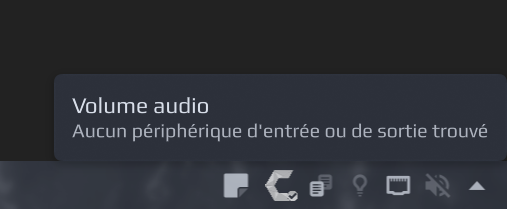
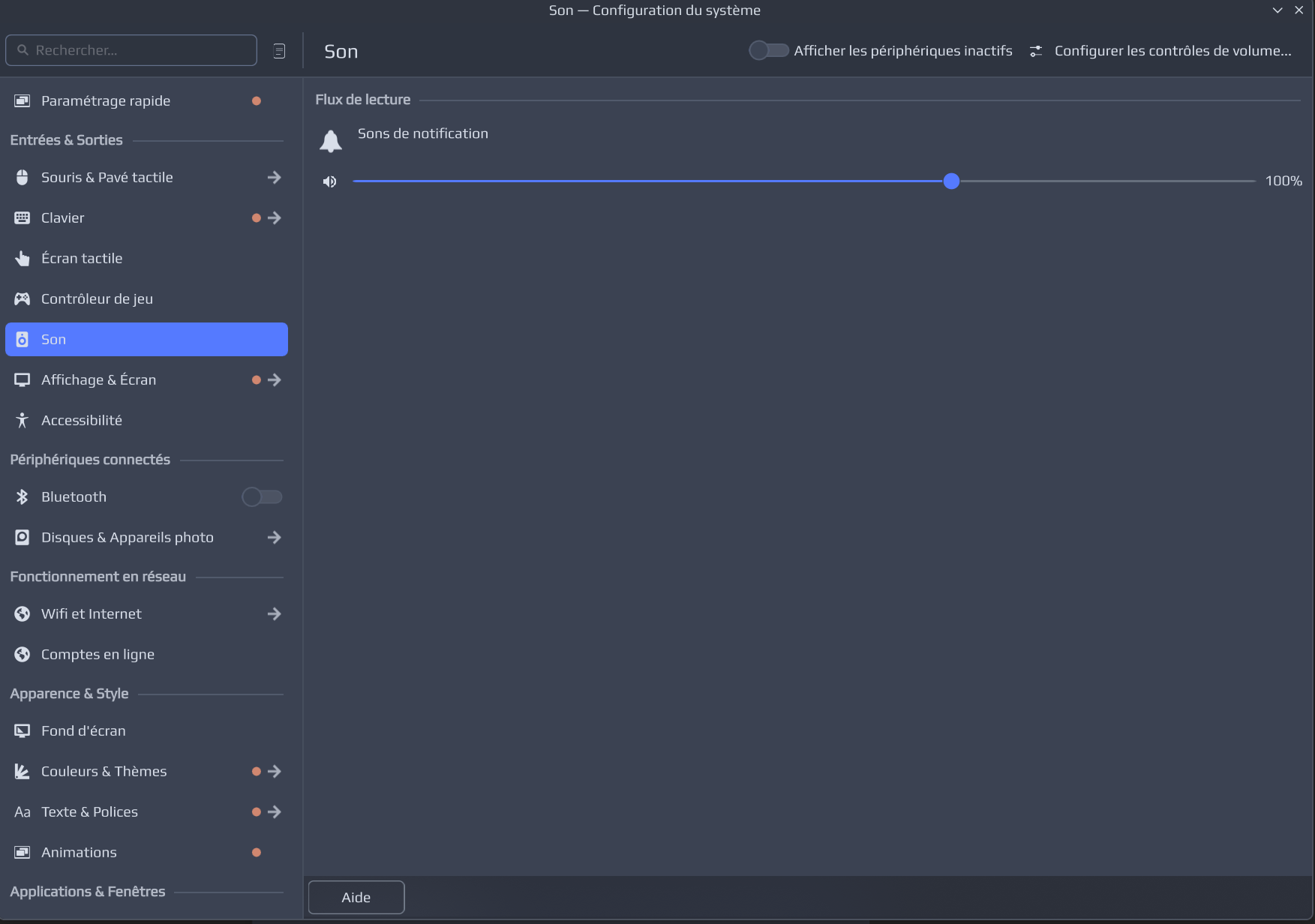
here some screenshots

translation : no input or output devices found

The control settings :

BUGREPORT : edited

i’m gonna rollback and edit with the updates that were inside (of the top of my head i remember about a lot of kde updates and one with “audio” in it)

Sry for the toxicity of the guy who oppen that topic , but i dont know him, i’m not a techy guy and i need some help :3

So no more help needed?

As to OP .. I would kindly remind everyone that even from just a pragmatic perspective you will get better results when folks want to engage with you. You catch more flies with honey than with vinegar as the saying goes.

And as per usual with these kinds we might not even expect them to come back any time soon. So in that event, and recognizing there is nothing else useful here, we might just end up removing/hiding this thread as simple nuisance clutter.

Also…if something BIG breaks for you, an update doesn’t fix it, and it’s not widely discussed…it’s something specific to your configuration and not an “unacceptable” regression.

I had the same when booting up my PC for the 1st time today, none of my sound system was working (motherboard ALC1220, AMD RX580 HDMI output), so checked if there was some updates to sound packages, and yes there was, updated and rebooted, all fixed.
indeed !

yes i guess this topic can be closed