Been using the OS for half a year now! However as of recent ive been running into an issue and I hope someone could help me.
At the bottom ive attached regular errors i get when I restart and what not. And after a while the pc just refuses to work. Not opening any apps or nothing. When I type commands into the terminal it tells me
“Unable to create temporary file /home/matthew/.local/share/fish/fish_historyxGBlBEoAsh” os error 30. Any help on fixing this would be appreciated!
Ive not been messing around with anything on the ssd or permissions. It just randomly started doing this one day after an update. The only other thing I can think of is I made a windows dual boot to make a debloated ISO for a family member but deleted it from boot and the entire partition shortly after.
Having a read-only system is very much pointing to a failing hard drive. Are you using btrfs filesystem? Because that automatically sets everything to read-only as soon as the checksums don’t add up anymore.
PS: yep. Your screenshots say “BTRFS error” right there. I have to get some sleep now, but someone else might guide you further. If you ask me: DON’T TOUCH THAT MACHINE ANY FURTHER RIGHT NOW!
I agree, this is screaming corruption of some kind. You might be able to use the live ISO to check the SMART info in Partition Manager, but if this came out of nowhere I REALLY suspect the drive is dying and BTRFS locked itself to prevent further damage.
I echo not touching that drive further if at all possible besides just peeking at diagnostic data. Even if it is relatively new duds happen (I’ve had an NVME die within a year) you may be lucky if it is under warranty.
Took the rig to work and am booting off a ISO at the moment to check if its a NVME issue or i fucked something up removing my windows partition.
The NVME is a couple years old so failure isnt out the window but it only started doing this after i installed the windows partition so i susupect it might be that. I had cachy first then made the windows partition on a separate drive
SMART is only particularly reliable when it says there’s a problem. It misses lots of problems that checksums catch. Someone had a thermal issue here recently, for example, that woukd cause checksum errors downloading large files but had a healthy SMART.
this can’t be right, it’s either faulty or your device is not well supported by smartmontools
I would suggest you save important data and reinstall with a simple filesystem. I don’t know how to make sure that it’s not a failing device. Could be just that you borked something when you removed windows.
While I agree the drive is still suspect, I’ve not seen a failing drive myself report junk like that so it is likely a good ol Linux issue (it can’t read my 870 sensors properly either and give me junk).
Update: Had some time after work, scrubbed the SSD, found corruption still, so ran MemTest. It was a RAM stick going bad at the same time of the update. Just great with RAM prices nowadays…
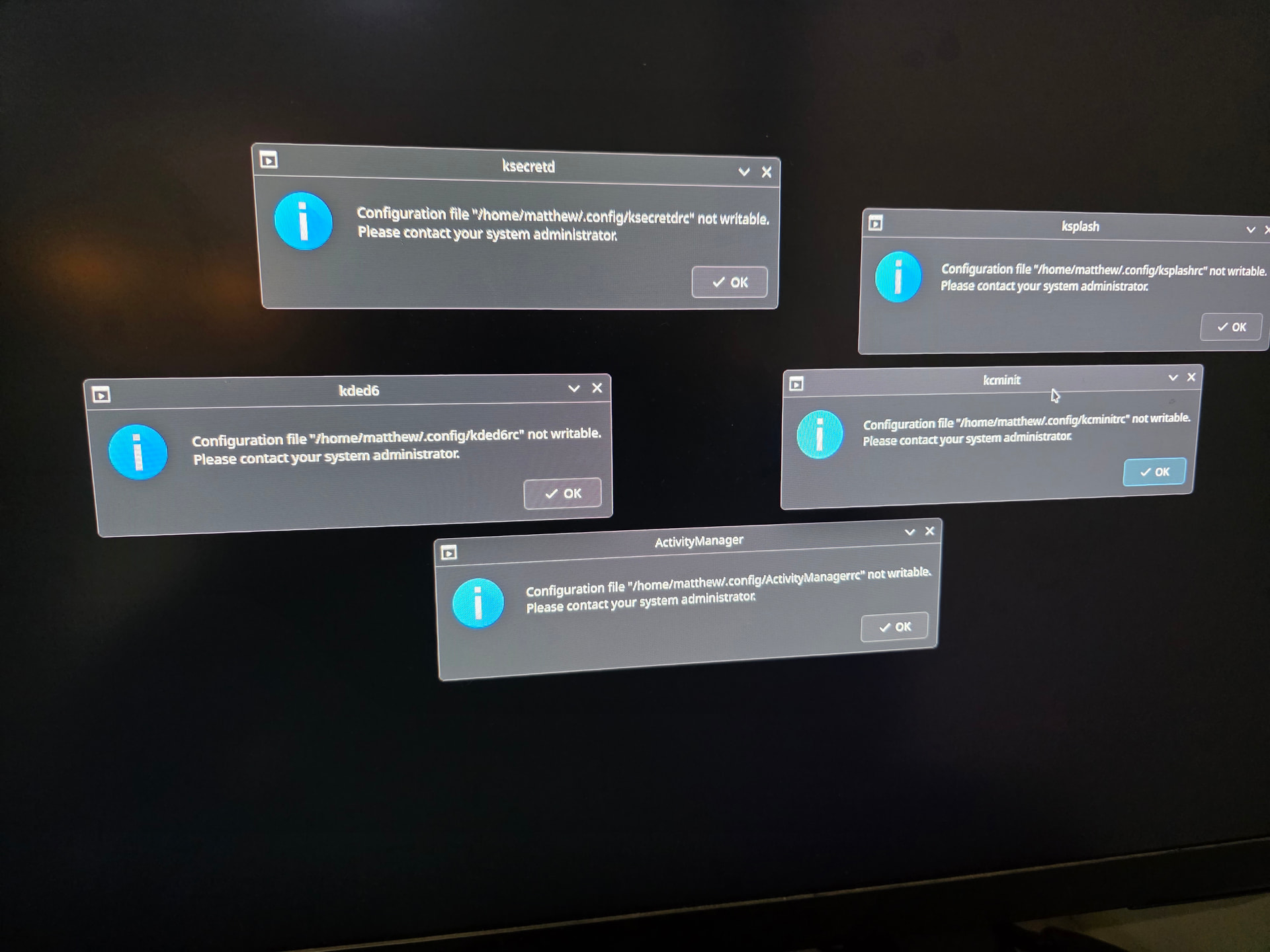
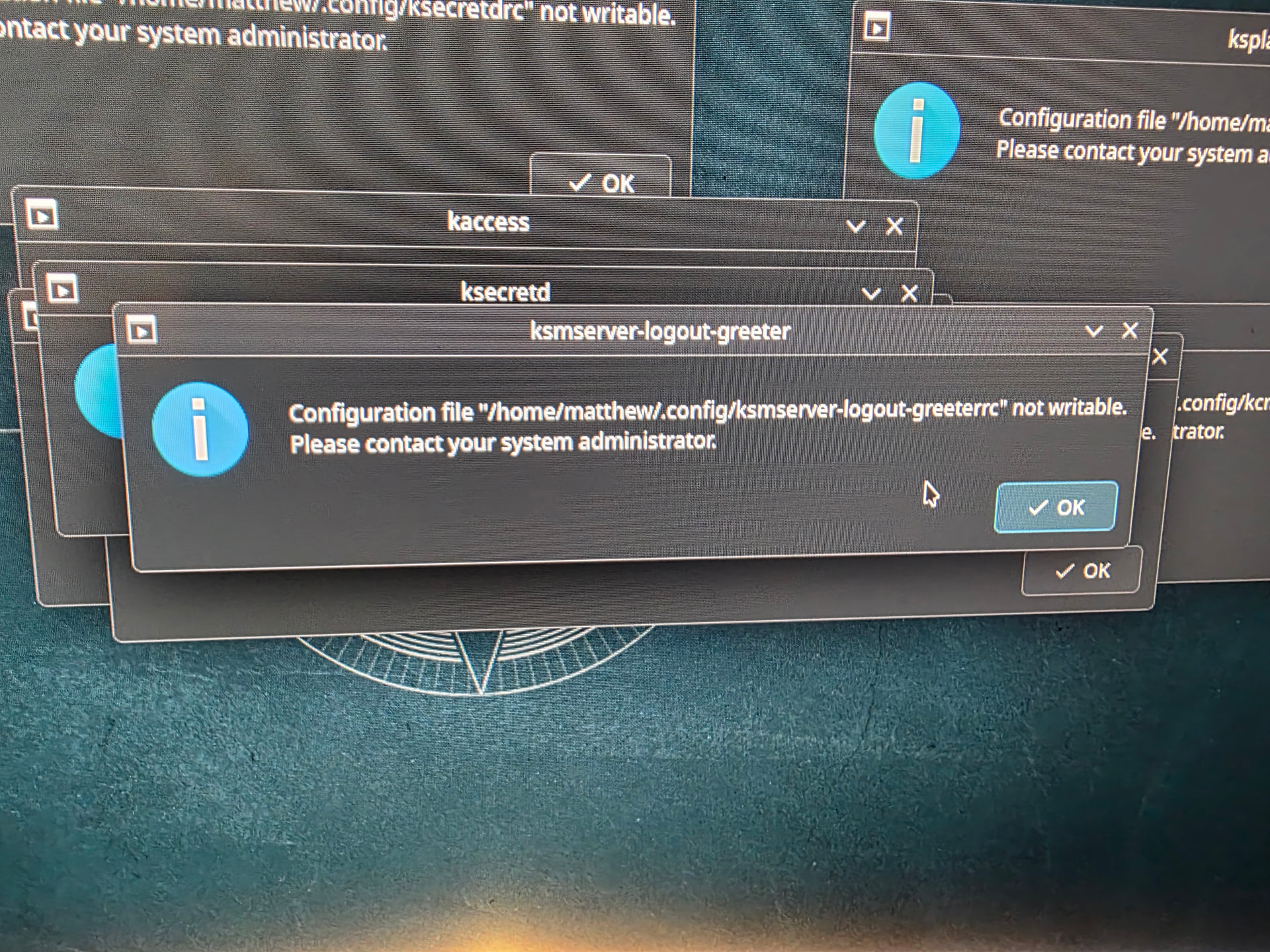
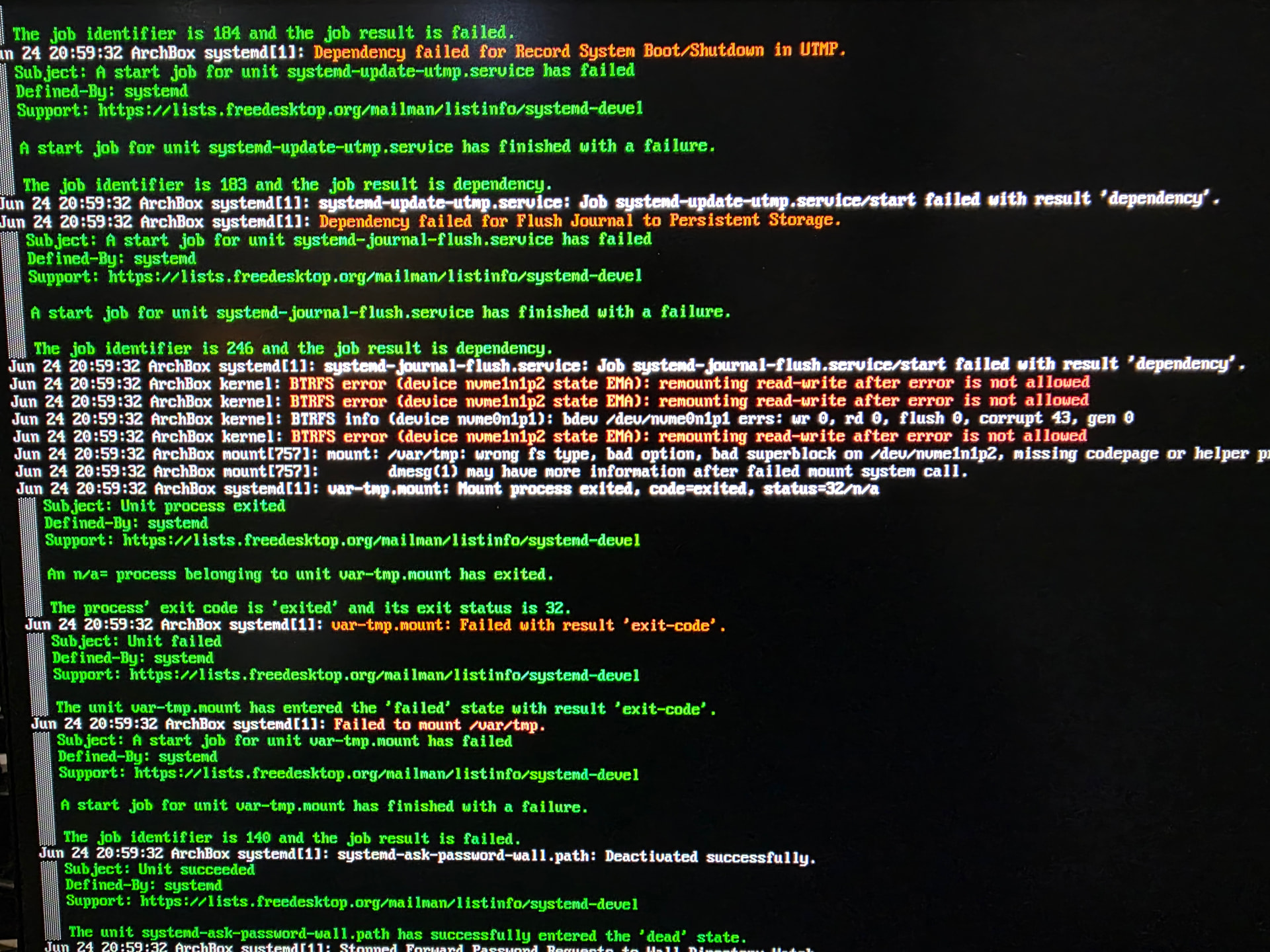
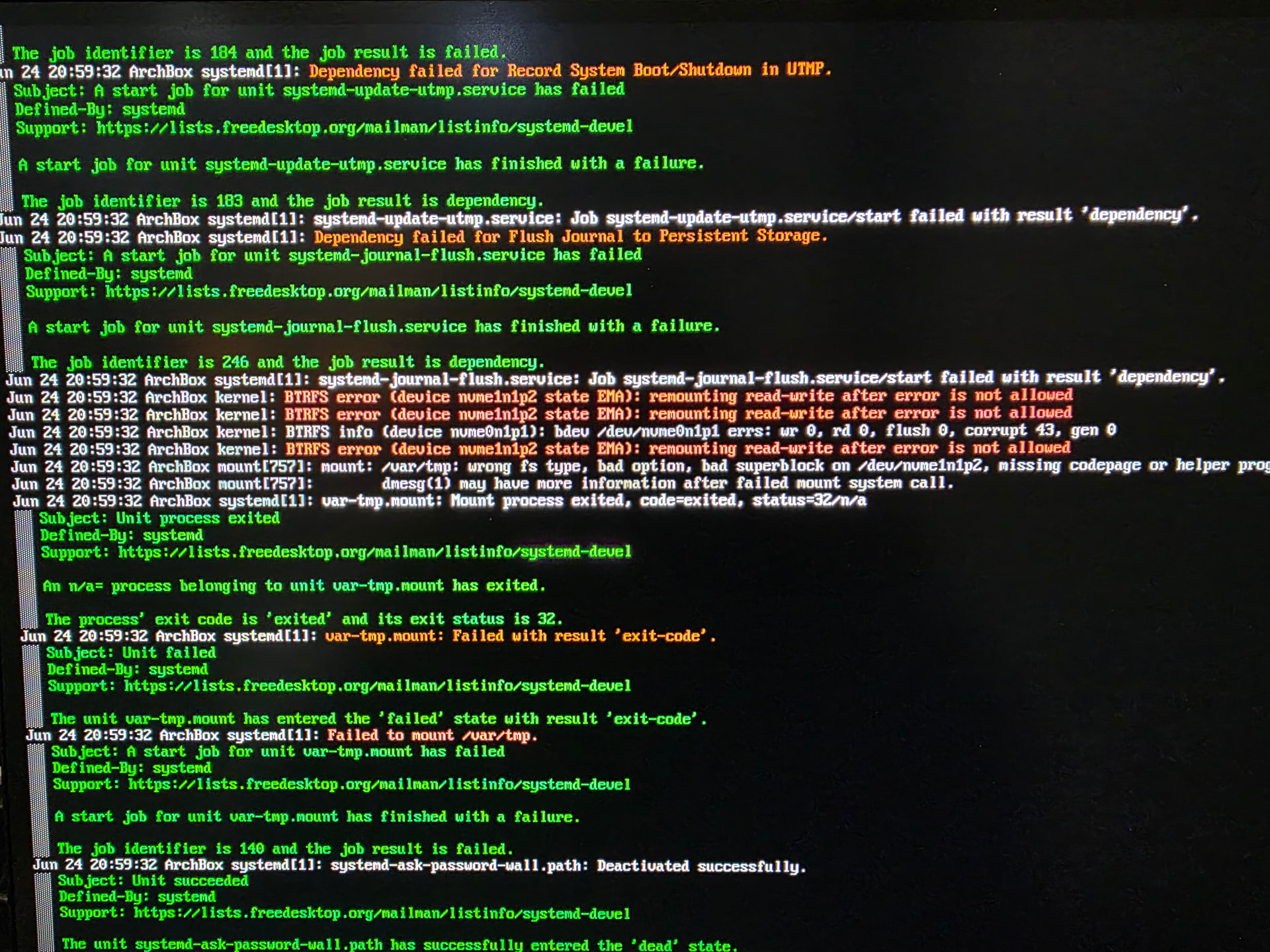
 ).
).