I’ve been trying to get this fixed for a while, and troubleshooting led me here. I forget how I got down this rabbit hole, all I remember is the following. Basically, I found myself on the Arch Wiki because I can’t get Qemu to run. According to the wiki article, I should use lsmod to check if it will work. It instructs me if kvm returns text while kvm-amd does not, it is either a hardware issue that can be fixed in BIOS (which I was able to do with the help of a vir/g/in, the following response from the command line was after this fix) or an issue with modloading which must be done manually. Here is the response to modprobing kvm:
I already checked if Qemu will work despite not getting a response from kvm-amd; It does not so I have reason to believe if I can get kvm-amd to respond then it will actually work. The reason I am not using a simpler VM software like VirtualBox is because I need the customization Qemu offers so I can run an old computerized sewing machine through software only compatible with Windows 7 (Wine is unable to run the program). I am not a computer person by any means and I’m too lazy to distrohop since Cachy has treated me pretty well as far as transitioning to a new OS goes. Lord knows if I had a somewhat similar issue with Windoze I would never get the sort of help I’ve gotten so far using an Arch fork. Thank you all in advance for the help and thank you to the dev team for such a great OS.
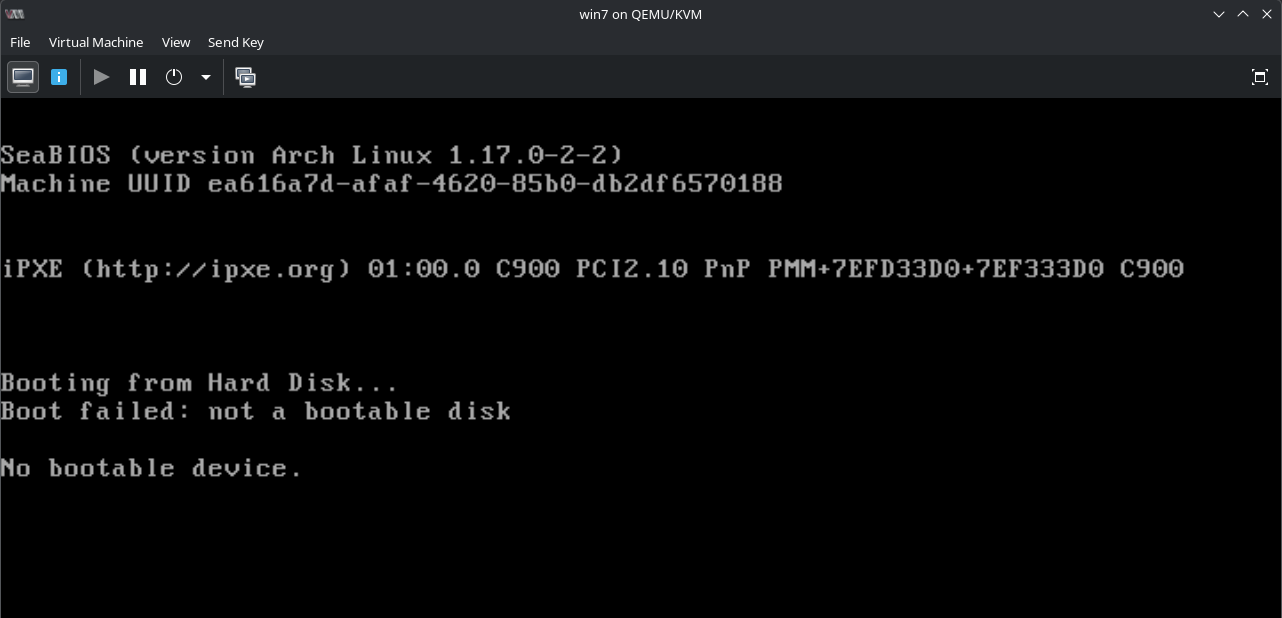
It still does not want to work. Even with your advice, I’m getting the same error when trying to run VirtManager (see attached). Modprobing kvm-amd still returns nothing. Maybe it’s something else, I don’t know. Could be the wrong iso or I failed setup in some other way.
I was using this video as a guide to get Windows 7 running. I also looked at other guides on YT to no avail, they all seem to be able to get this running with no hint as to what I did wrong while setting it up.
That is exactly what I did. The ISO I found was from the website listed on the video, “fedorapeople.org” which, at first glance, appears to be a vetted repository.
Upon further examination, the ISO I used is the “virtio drivers”. That’s probably been the issue the whole time since I thought that was the OS itself. I’ll have to figure out how to find a copy of Windows 7 in the Year of our Lord 2026. Thank you for the assistance; however, this process just got a whole lot harder.
I think the only remaining issue is getting the VM connected to the internet. I am able to get the license working so now I’m parsing through guides to set up a TAP through a switch.
 ) ;
) ;