I have a Dell Latitude 5531 i5-12600H so apparently with Hardened still should only take 2.5 hours for a Gen 8 laptop, this is a 12th Gen and an H model not a U CPU. This is a only a 1.5 month old install so not tons and tons of stuff on here, it does have the newest BIOS from Jan 2026 though (well I guess there is one from April 17 that I need to update). I have a fast NVMe with 32 GB of RAM. Overall usage of CPU is usually 10% to 15% with all CPU’s C0-C15 being used up but seems like 6 or 10% to 20% or 30% __not __like 70%.
Ok I chose CachyOS-v3/Linux-CachyOS-Hardened 6.19.12-12 Last Night from the Kernel Manager. I left everything default. Then it got to the newest kernel update Linux 7.0.3-1 and then it gave an error. It was very, very late like 2:15am and since it gave an error it appeared it could go no further. So after it appeared to just hang, I just shut it down for the night.
I took a screenshot of when I resumed this afternoon 050326 at 327pm, it only had like 8.3 MB left to download. One thing I noticed; WARNING: Skipping verification of source file checksums.
Is this normal?
Doesn’t seem like it, but I would not know.
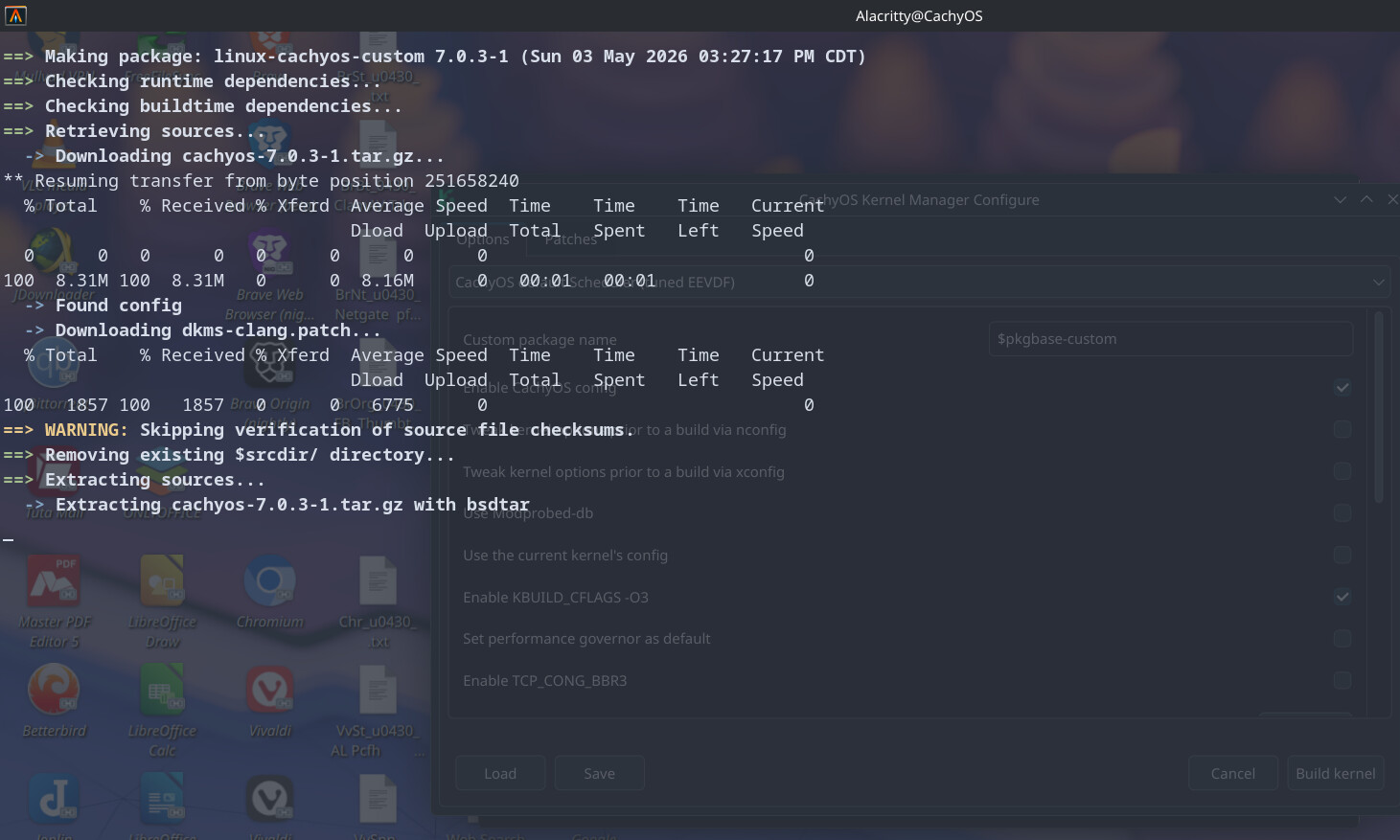
I have walked away from it for most of the time. Just used browsing here and there since I thought it would of been done in 45 minutes to 1 hour from what I have read.
I then started to look up notes and started LibreOffice and copied and pasted from DuckDuckGo AI within regular browser searching. LibreOffice fully locked up and had to do a hard kill.
So after that, walked away for another like 45 min. to 1.5 hours? I’ve walked away numerous times before.
What am I missing?
I have a 12th i9 Gen Asus ROG with nVidia that I want to do this with and don’t want to run into the same mistake. Maybe download the pacman linux-tools (never used) and make sure performance is on but other than that? That too is a only 1.5 month old install with even less things on it. I got back from visiting my mom a few weeks ago and haven’t even had time to use it yet and I took the much lighter Latitude 15" 5531 12th Gen with me.
Ok, now I was Just going to grab a few lines of code from it, Ctrl + C and I accidentally Cancelled it.
N I C E !
I am Tired !
How should I proceed?
Should I install those linux-tools now on this Latitude 5531 and then Resume.
Or just go to the install File Location & Fully Uninstall since it seems to be taking Way Too Long for my CPU and system.
I see it is stored in this path:
~/.cache/cachyos-km/
Can I Just Deleted The Hardened Folder & It will Rebuild It Again & Start Over? Well after a reboot that is and restart the CachyOS Kernel Manager.
I only have the standard CachyOS kernel and the CachyOS-LTS kernel builds that I setup during install and ran the LTS one twice, once under the 6x version and once under the 7x version IIRC.
But it looks like there are 10 builds that show up in this folder:
~/.cache/cachyos-km/
even the server one and deckify.
For now I am NOT going to touch it at all (well 98% sure, maybe just the linux-tools) other priorities until I hear from other people here or elsewhere.
Thanks for your time.