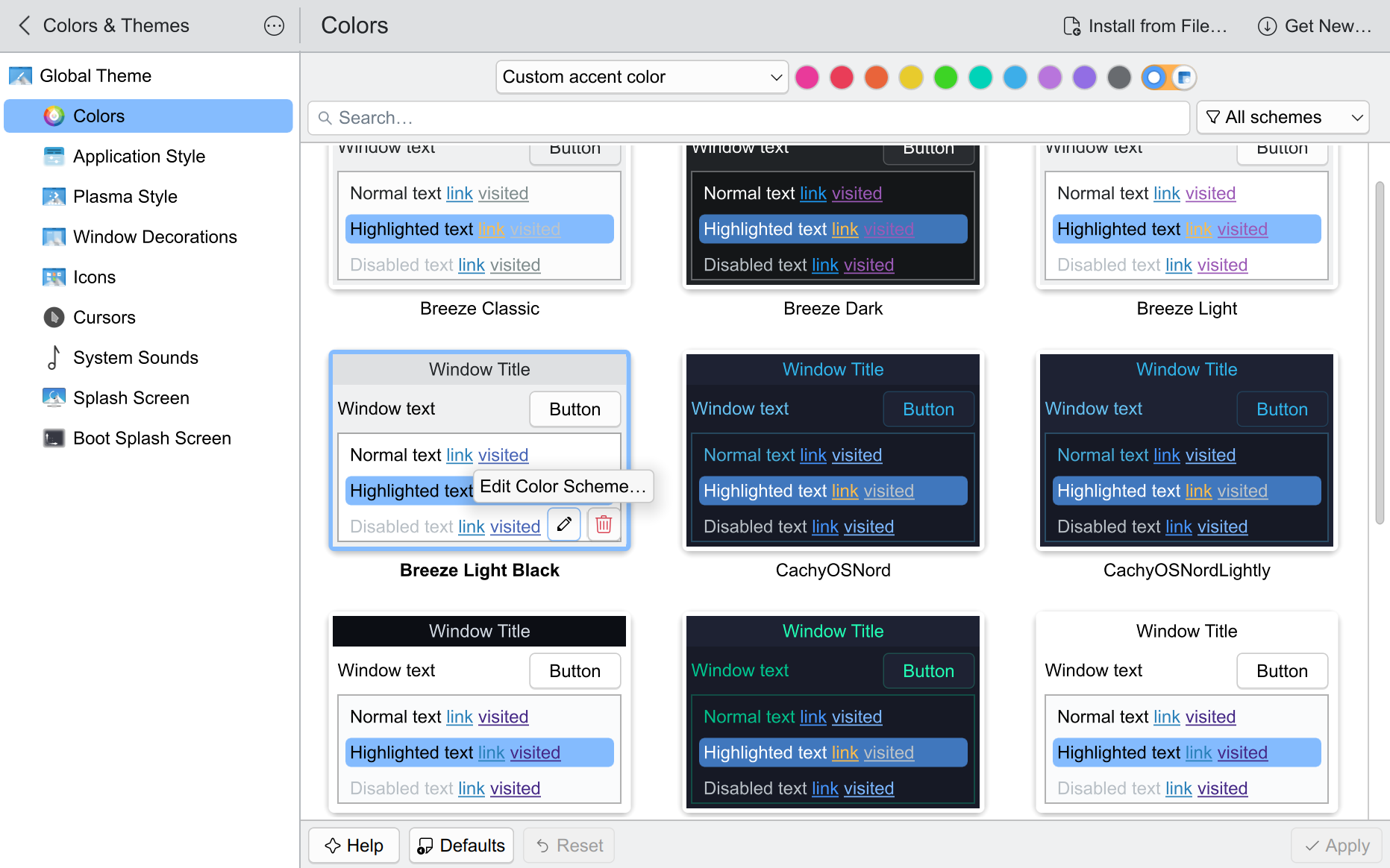
The Text looked blurry and grey to me and after some digging. I found out that the text color was set to dark grey. The Global Desktop Theme and Color Theme define the color of your Fonts. I use Breeze Light.
How to improve Text:
- Set the Sub-pixel rendering to your Monitors Pixel Matrix
- Change the Hinting to your liking
- If you want change the Font
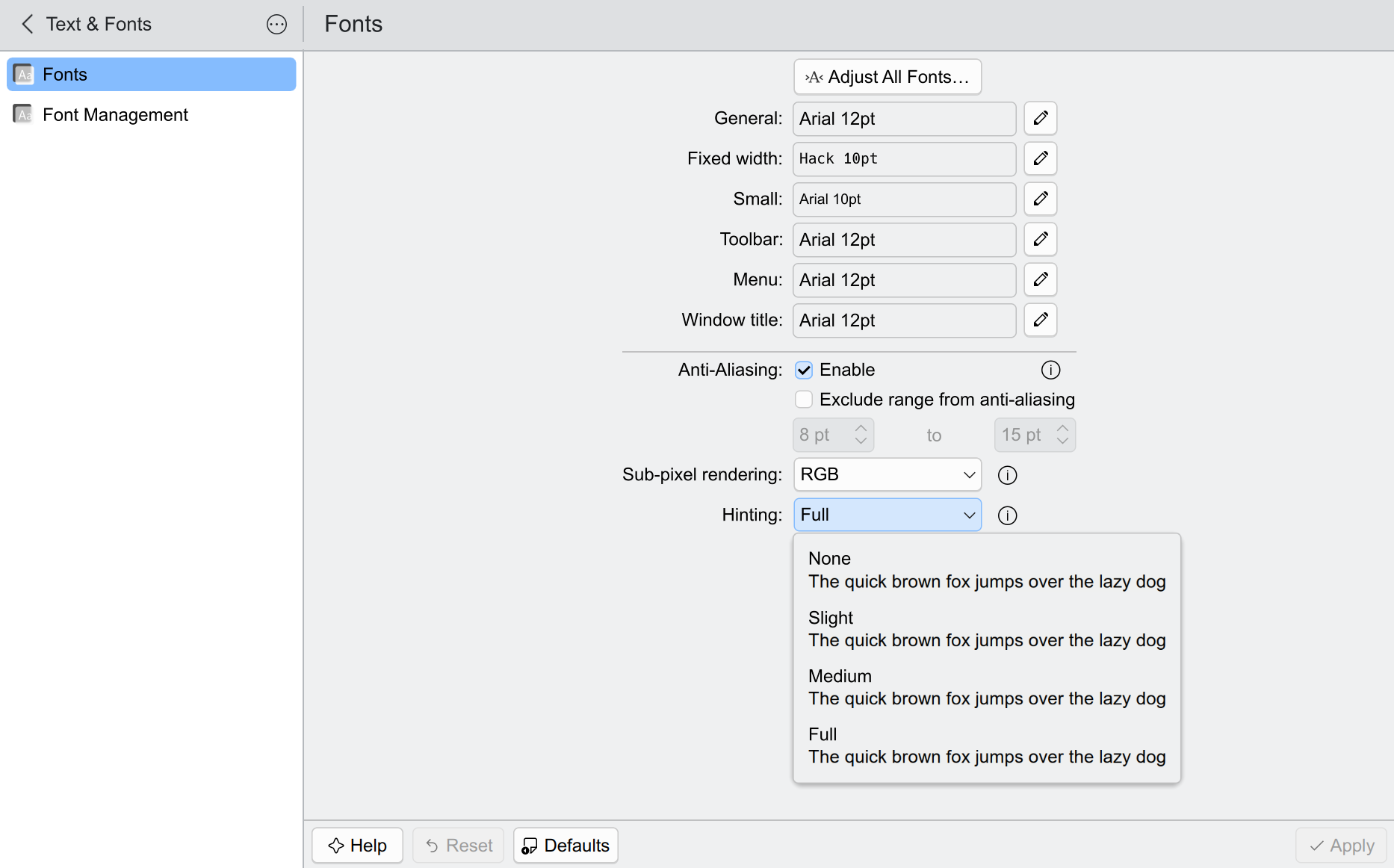
-
Go to the Colors and click on the Pen
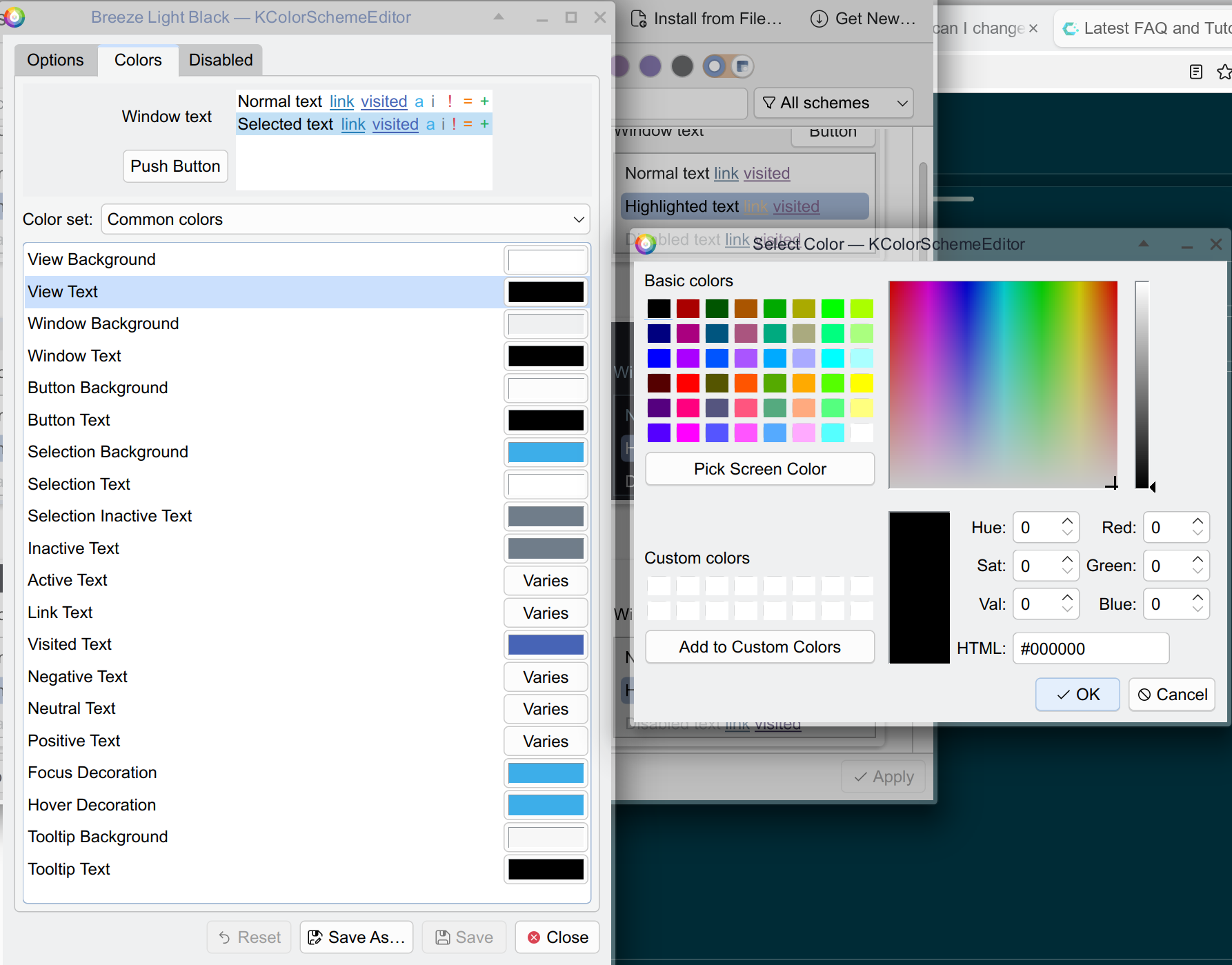
-
Change all the Text Colors to black: