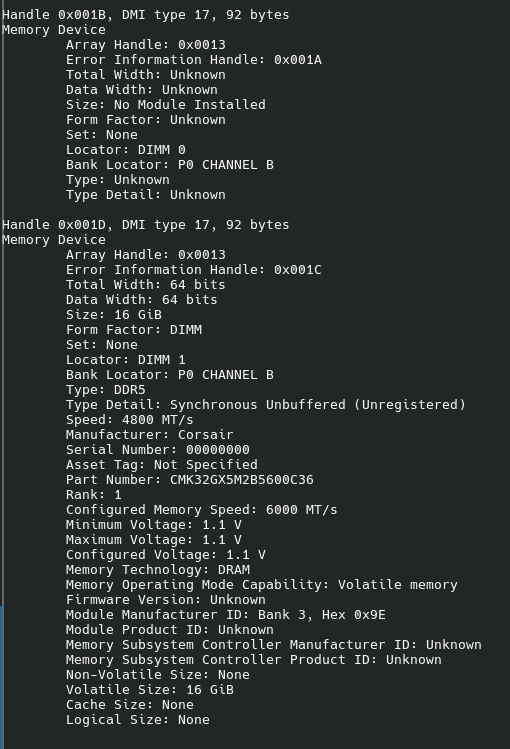
hey guys was wondering if this is correct, i set my XMP speeds in the bios and in linux it shows this…says speed and its 4000mt but my ram is clocked at 6000mt as per the sticks…i have my XMP set at 6000 in bios…does this show its at 6000mts?
When possible, please provide information as text in the future. Makes it easier to not only copy/paste if needed, but also makes it searchable for people looking for answers to problems.
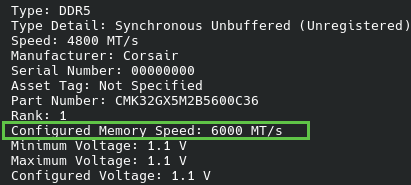
The 4800 speed is the default “safe” speed for DDR5, while the configured speed of 6000 is what your memory is actually running at.
yes, 4800 is a factory (JEDEC), 6000 is an overclock.. same as 6400 memory is actually 5200.. it’s like when you by 0.5L of beer may be 0.45L wanna be.
You probably used sudo dmidecode -t memory up there, which is fine. You could also use inxi -mxxx which returns a less verbose and easier to read output. Why your RAM is not running at the speed you set in the BIOS is beyond me, though 
@Scypheroth so, problem solved?