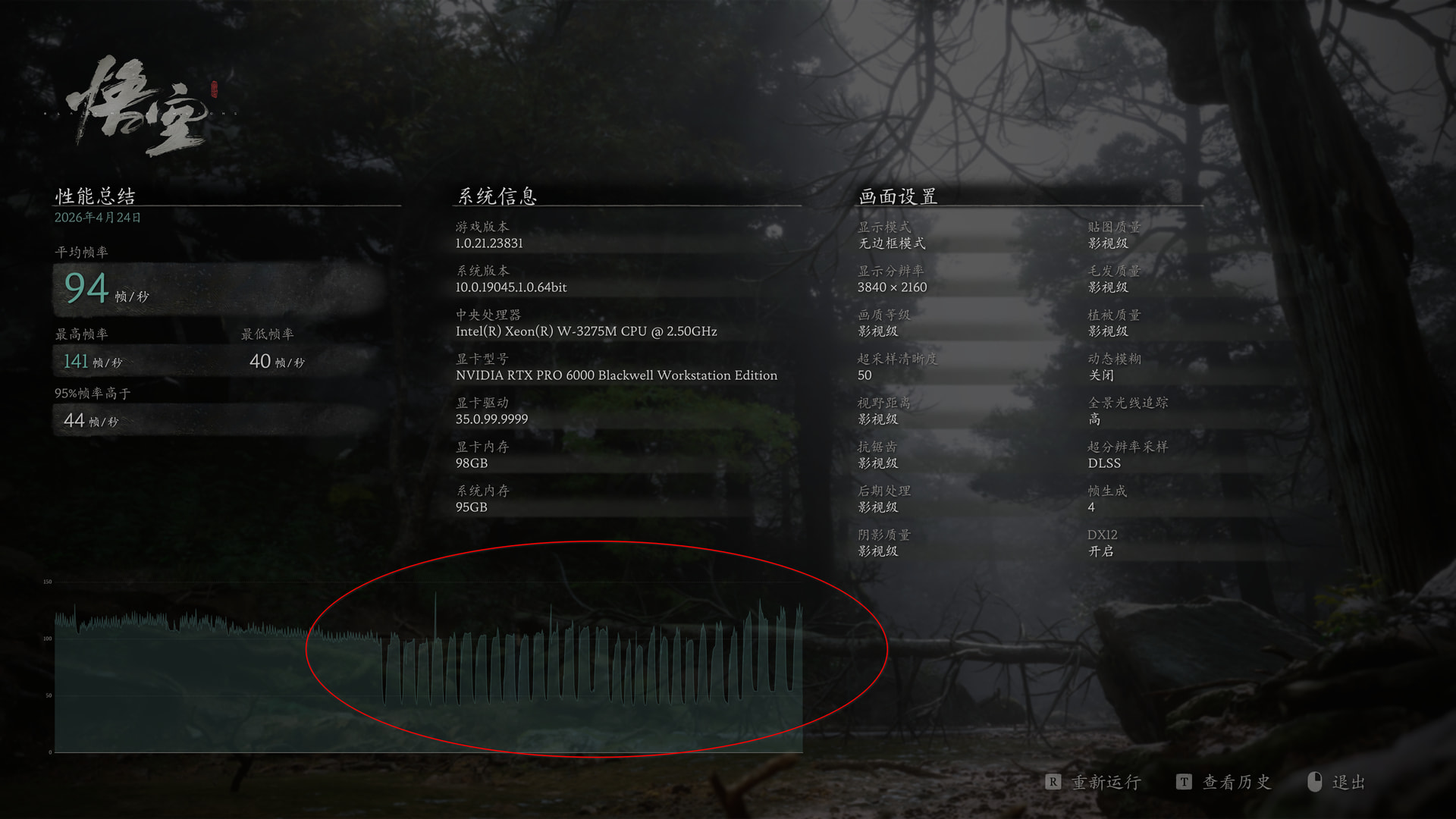
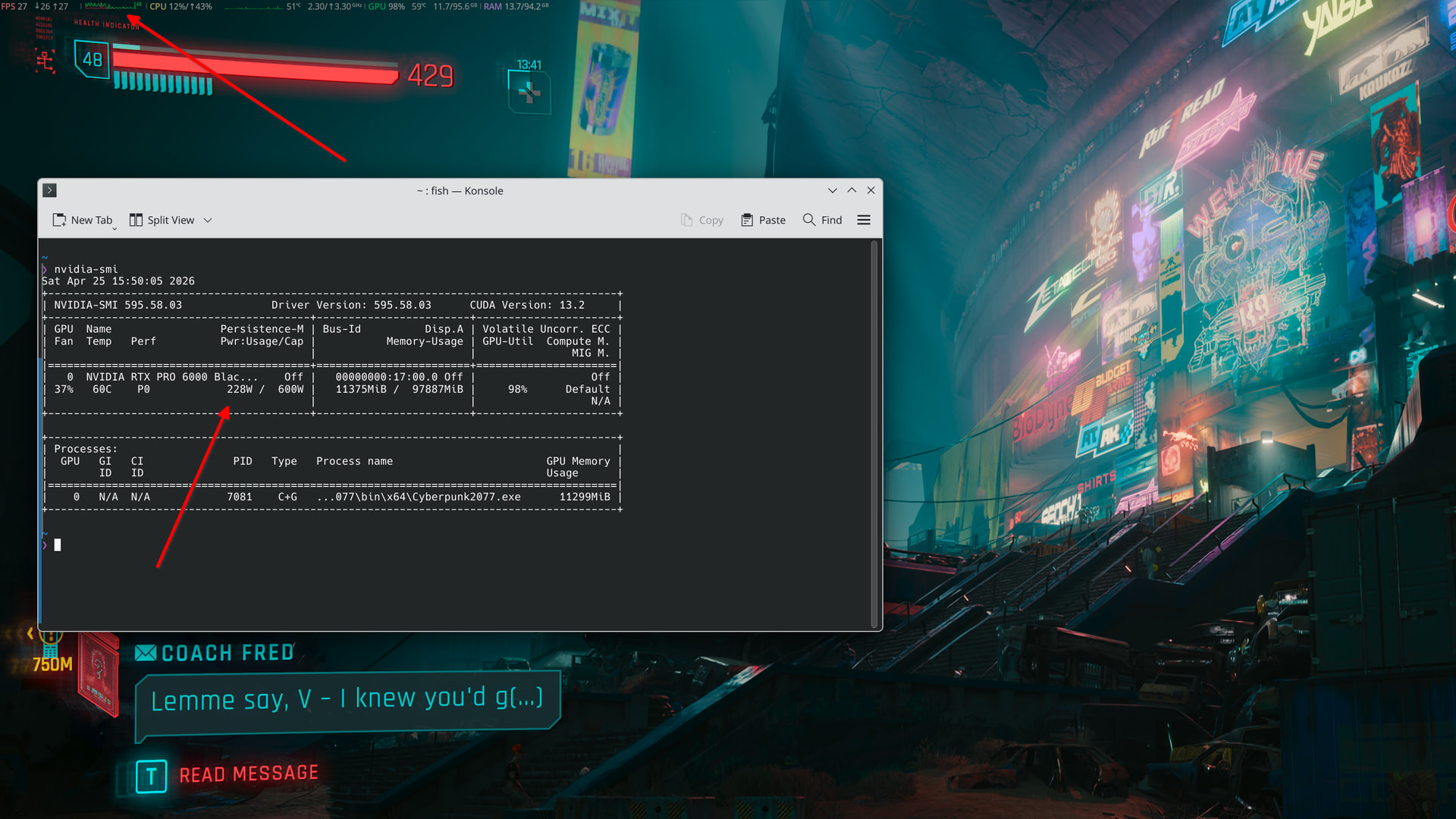
I have a Mac Pro workstation with an NVIDIA GPU installed, running CachyOS, and I casually play video games on it.
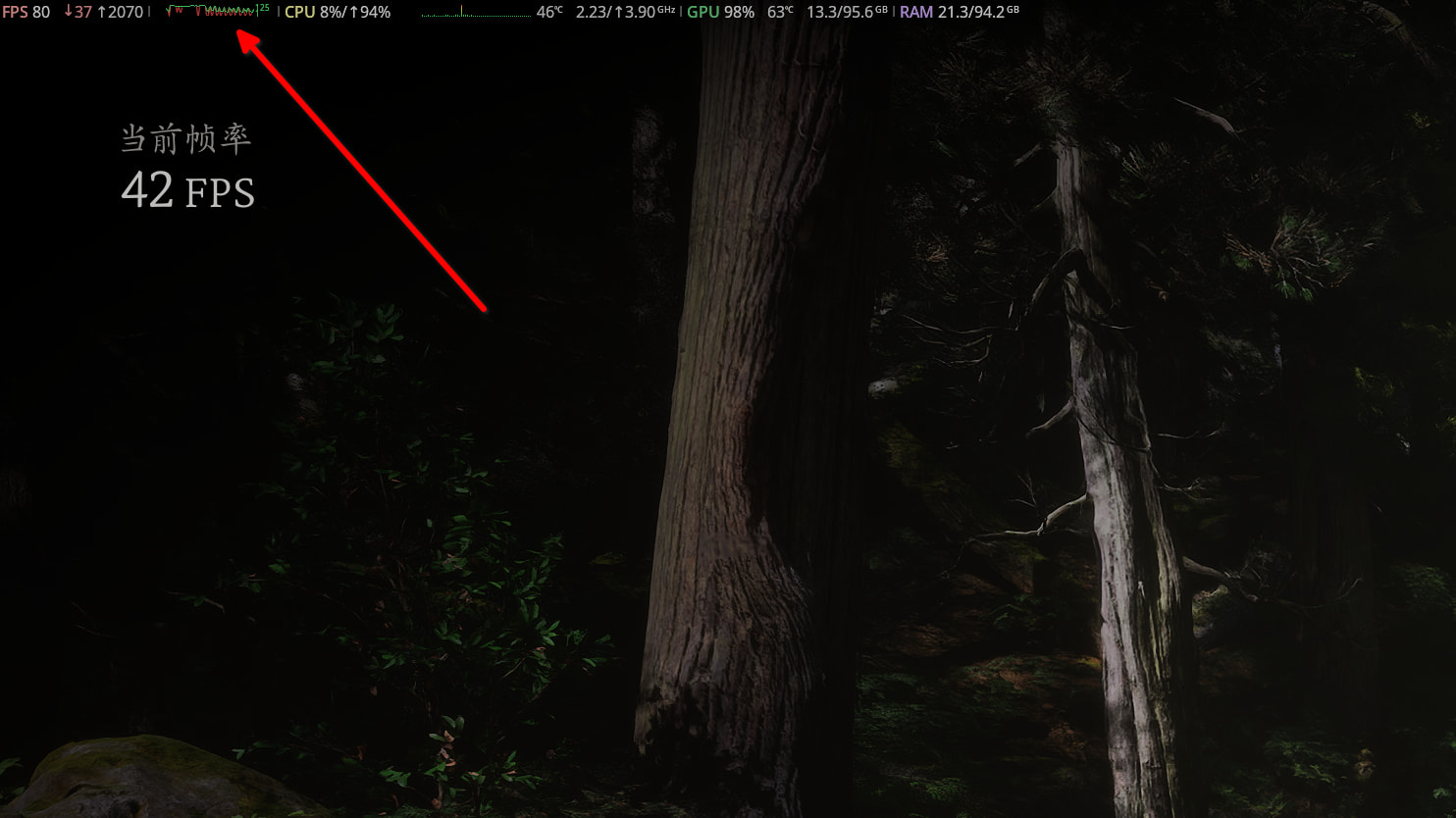
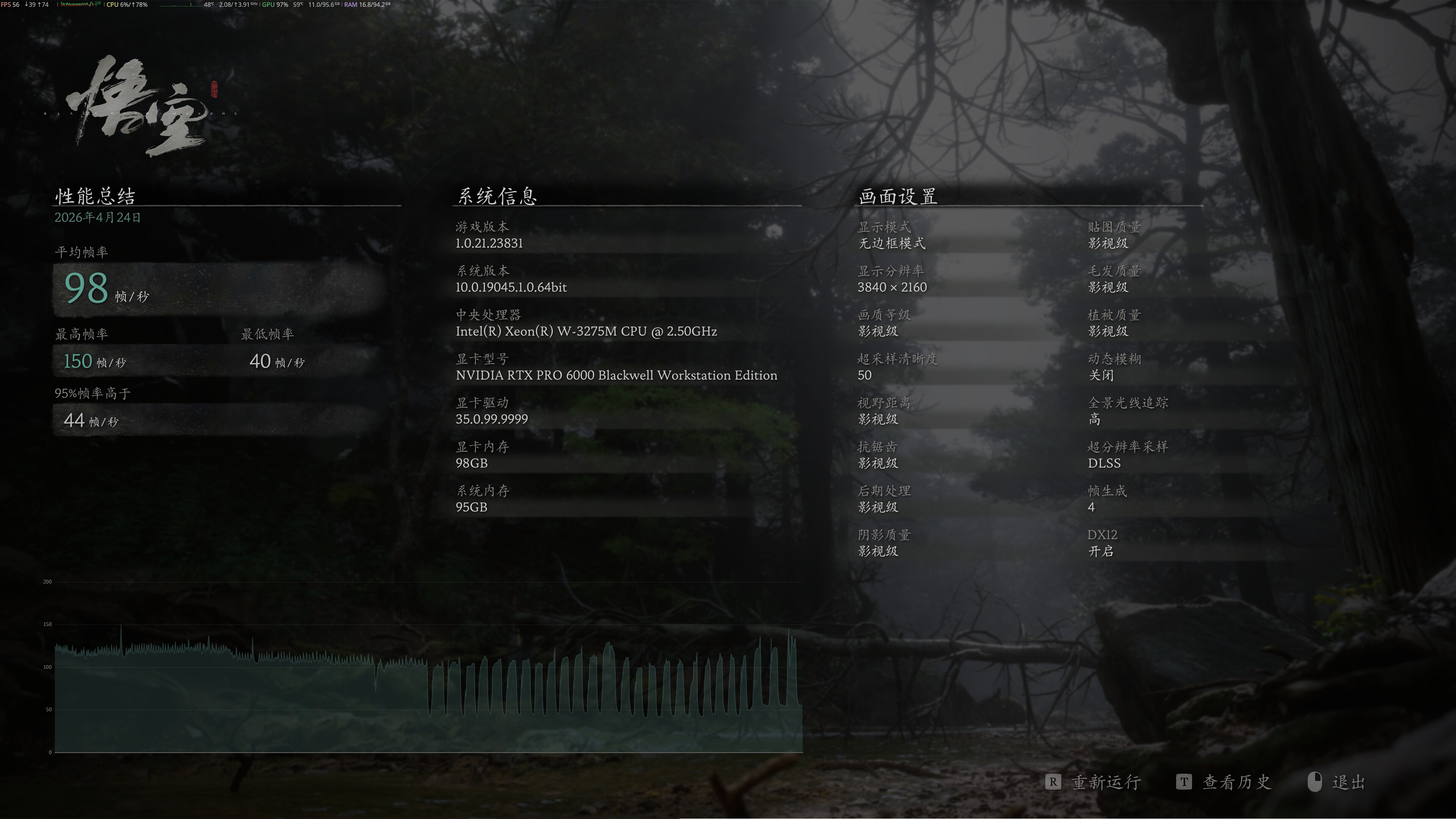
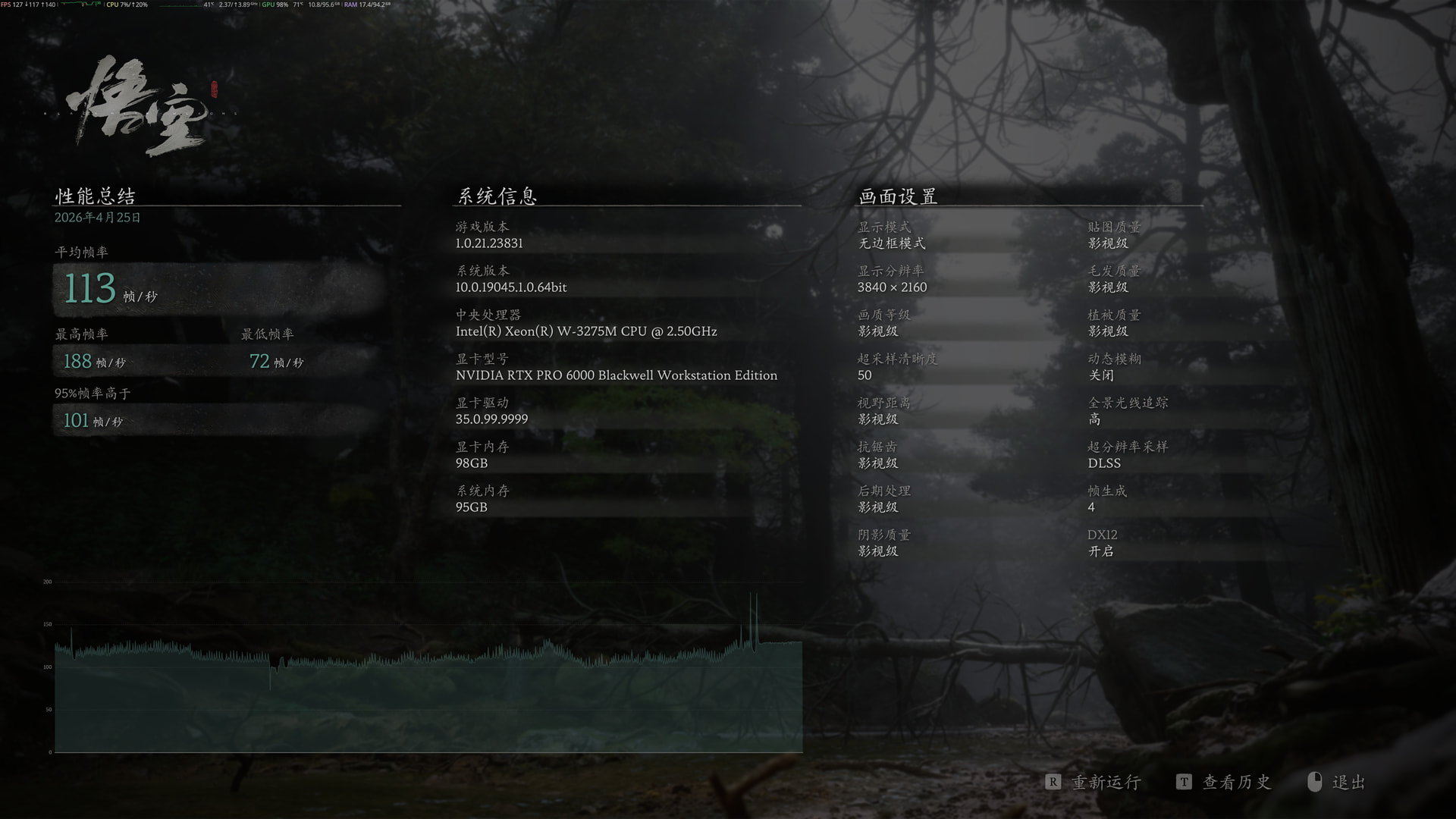
I have Cachy-Update enabled and perform rolling updates on a daily basis. In the past 1–2 days, I’ve noticed that games start dropping frames in a certain pattern after a few minutes of gameplay. I originally thought it might be related to proton-cachyos-20260420, so I downgraded to proton-cachyos-20260409, but the issue still persists. I used to have stable fps between 120-150.
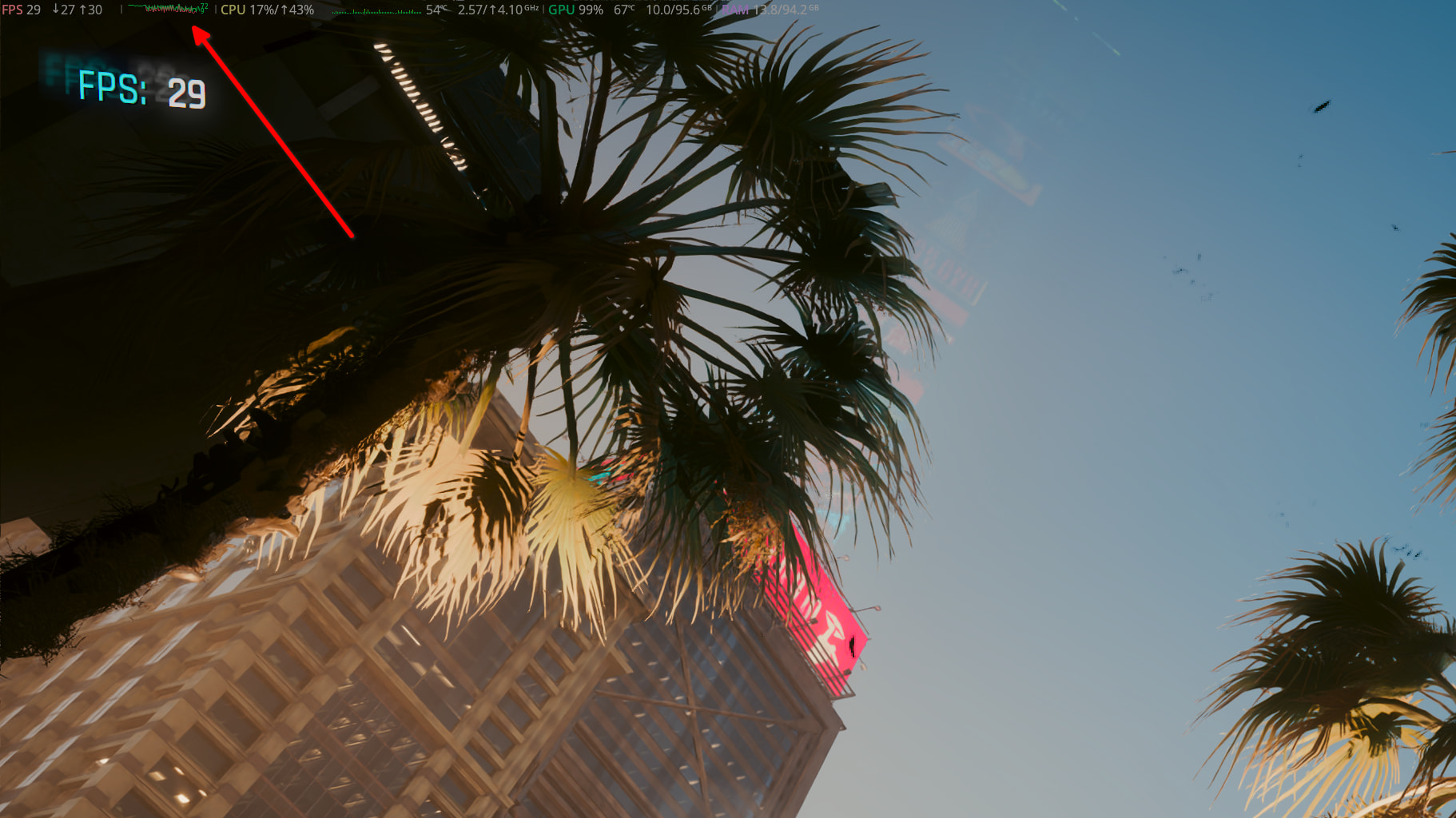
I used Black Myth: Wukong as an example, but the issue also occurs in other games like Cyberpunk. The issue is also reproducible using Wukong’s built-in benchmark.
Kernel: Linux 7.0.1-1-cachyos
CPU: Intel Xeon W-3275M
RAM: 96 GB DDR4 2933MHz ECC RDIMM
GPU: NVIDIA RTX PRO 6000 Blackwell (VRAM ECC disabled during gaming)
GPU Driver: 595.58.03
Black Myth: Wukong Settings: Cinematic, very high ray tracing, DLSS preset M (Performance mode), 4× frame generation
I rebooted the workstation with 6.18.24-1-cachyos-lts kernel and the issue is still happening. I think it may be related to other packages released in recent days.
I have another AMD GPU in my workstation for macOS, and I connect my monitor to the AMD GPU. The NVIDIA driver has a DSC issue with DisplayPort 1.4 cables, and I don’t have a DisplayPort 2.1 monitor. A common workaround for consumer GPUs is to use the HDMI port; however, the workstation edition only has DisplayPort outputs.
As a result, I use the AMD GPU for the KDE desktop and compositor, and the NVIDIA GPU for offload rendering, LLM compute, and gaming. The PCIe bus provides higher bandwidth, and I’ve personally observed that using the AMD GPU with prime-run delivers much better gaming performance than connecting directly to the NVIDIA GPU.
I tried again with frame generation disabled with very minimal launch options VK_DRIVER_FILES=/usr/share/vulkan/icd.d/nvidia_icd.json prime-run %command%. The issue is still happening in Cyberpunk. I disabled adaptive sync too. I also tried different sched-ext scheduler and BORE kernel.
I also tried VKD3D_CONFIG=descriptor_heap PROTON_VKD3D_HEAP=1, these options can cause Wukong to crash. But Cyberpunk still had the issue with these options.
I am clueless at this point. The issue started happening in recent few days. I didn’t have such issue before.
Yes! I also added enable_experimental_features to VKD3D_CONFIG=descriptor_heap,enable_experimental_features PROTON_VKD3D_HEAP=1 %command%, the issue was still happening.
One interesting observation is that the game never pulls more than 300W now. It used to pull 500W+ with no problem. I just ran a few LLM models, and my Mac Pro can sustain 600W with no issue. I wonder if the gaming driver profile has some problems. The PRO 6000 Blackwell has two variants: one is Max-Q, which is rated at 300W, and the other—the one I’m using—is rated at 600W.
I found the issue. Recently, I asked my local AI agent to integrate Rust’s nvml-wrapper into T2FanRD so that my NVIDIA GPU could get more fresh air from the Mac Pro’s front intake fans during high LLM inferencing workloads. I never imagined this would cause a gaming performance regression, since the fan program was working as expected, responding to GPU temperatures, and CUDA computation performance was still great. After I stopped the T2FanRD systemd service, the benchmarks looked great again, and my GPU can now pull over 500W of power. I need to review the AI-generated Rust code to see what might have gone wrong.
I have spent a lot of time digging into this. It’s not bug related to AI-generated Rust code. It’s a T2 SMC firmware issue. If I stop T2FanRD systemd service and put any >= 2 fans in manual mode, the issue would occur:
# In one terminal: put two fans in manual mode at min PWM
for i in 2 3; do
    BASE=$(echo /sys/devices/pci*/*/*/*/APP0001:00/fan${i}_input | sed 's/_input//')
    MIN=$(cat ${BASE}_min)
    echo $MIN | sudo tee ${BASE}_output
    echo 1   | sudo tee ${BASE}_manual
done

# Run Wukong benchmark
nvidia-smi shows HW_POWER_BRAKE flipping Active / Not Active continuously while ≥2 fans are manual.
I will file a bug shortly. I think it’s issue related to applesmc-t2 driver. Resetting SMC won’t help.