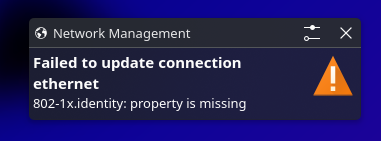
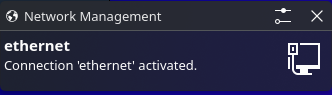
I have browsed a few forums at this point and nothing has seems to help thus far. I have attach a bug report system log: 4853646
Context: My WiFi works perfectly fine. A few weeks ago I decided to try ethernet for the first time. It work fine up until I restarted my computer. After that initial point my computer has failed to register it. I have messed around with the drivers and that had little to no effect. Although at first it seemed promising when I did the following: sudo pacman -S linux-firmware
My system registered the ethernet, but also recommended to reboot which put be right back at the beginning.
I am still messing about with these terminal commands some how I got my computer to register the ethernet. I am still scratching my head tho…
❯ ls -lh /lib/firmware/rtl_nic/rtl8126*
Permissions Size User Date Modified Name
.rw-r--r-- 7.9k root 11 Mar 13:07 /lib/firmware/rtl_nic/rtl8126a-2.fw.zst
.rw-r--r-- 4.4k root 11 Mar 13:07 /lib/firmware/rtl_nic/rtl8126a-3.fw.zst
~
❯ # 1. Load the driver
sudo modprobe r8169
# 2. Verify interface exists
ip link show
# Look for: enp14s0 with MAC 34:5a:60:be:61:bd
# 3. Check current status (should show "Link detected: no")
sudo ethtool enp14s0
[sudo] password for whobuddy:
1: lo: <LOOPBACK,UP,LOWER_UP> mtu 65536 qdisc noqueue state UNKNOWN mode DEFAULT group default qlen 1000
link/loopback 00:00:00:00:00:00 brd 00:00:00:00:00:00
2: wlan0: <BROADCAST,MULTICAST,UP,LOWER_UP> mtu 1500 qdisc noqueue state UP mode DORMANT group default qlen 1000
link/ether f4:28:9d:ad:af:cb brd ff:ff:ff:ff:ff:ff
3: enp10s0: <BROADCAST,MULTICAST> mtu 1500 qdisc noop state DOWN mode DEFAULT group default qlen 1000
link/ether fc:9d:05:04:9f:78 brd ff:ff:ff:ff:ff:ff
altname enxfc9d05049f78
netlink error: no device matches name (offset 24)
netlink error: No such device
netlink error: no device matches name (offset 24)
netlink error: No such device
netlink error: no device matches name (offset 24)
netlink error: No such device
netlink error: no device matches name (offset 24)
netlink error: No such device
netlink error: no device matches name (offset 24)
netlink error: No such device
netlink error: no device matches name (offset 24)
netlink error: No such device
netlink error: no device matches name (offset 24)
netlink error: No such device
No data available
After running #3 it suddenly connected! I am going to reboot to see if it persists.