I just got done installing CachyOS on a new PC after using it for a while on my old laptop, but on the fresh install I’m not being able to change my profile picture and save it. I’ve tried rebooting, updating the packages, and also reinstalled it again just in case but that didn’t help. I also tried seeing if it had something to do with file permisions/ownership but no luck either.
I’m still fairly new to using Linux so if this is a really easy to fix issue I apologize for making a topic on it.
I tried looking at the accounts-daemon.service file to check if PrivateTmp was set to false but it already was. I managed to fix it by downgrading accountsserviceto an older version and rebooting, or at least i think that’s what did the trick.
Downgrading packages is never a solution to anything, but a workaround at best. I guess you got that idea from this 4 year old reddit post? If I were you, I’d abandon the downgrading idea and get to the real root cause of that.
Yeah i think it was that reddit post i saw. I did also try the ~/.face method but that only partially worked, the only place where the change was reflected was the KDE System Settings but not the rest of places where the profile picture is displayed.
With the downgrade method at least it allowed me to change it, but i updated it right after anyway and it still keeps the one i set. I don’t change my profile picture that often for it to continue bothering me at least
I did some soul searching on this topic as I noticed this happened after I imported kde settings via konsave and thought it was konsave that messed things up. Doing the .face thing didn’t work but I found adding the picture into:
/var/lib/AccountsService/icons/
and renaming the picture to the user name worked for me.
I encountered the exact same issue on a fresh CachyOS install with KDE Plasma. When trying to change the profile picture or user color in the KDE System Settings, the “Apply” action failed with an error.
The Root Cause
By debugging with journalctl -f, I found the following critical error from systemsettings in the logs: "org.freedesktop.Accounts.Error.Failed" "creating temporary icon file failed: Das Dateisystem ist nur lesbar" (Read-only file system).
Checking the systemd unit with systemctl cat accounts-daemon.service revealed that the service has the following restriction enabled by default: ProtectSystem=strict
This strict sandbox setting prevents the accounts-daemon from creating the necessary temporary icon files in the system directories, causing the KDE user module to fail silently or throw permission errors.
The Permanent Solution / Fix
The cleanest way to fix this without modifying upstream package files is to create a small systemd drop-in override that loosens this specific restriction for the accounts service.
After applying this fix, changing the profile picture and user settings via KDE Plasma works flawlessly and instantly.
Hopefully, the developers can adjust the default ProtectSystem settings for the accountsservice package in an upcoming CachyOS update so it works out of the box!
echo -e “[Service]\nProtectSystem=true” | sudo tee /etc/systemd/system/accounts-daemon.service.d/override.conf
This does not completely disable service security and it still functions. “nProtectSystem=true”. You maintain security: Critical system folders (like /usr, where your program binaries are located, and /boot, which boots your computer) are once again protected by a “read-only” shield. If the daemon tries to do anything unusual there, the system immediately blocks it.
The daemon is controlled: You grant it only the strictly necessary access to /etc so it can manage configurations and user files as needed, which was precisely what was causing problems.
sudo systemctl daemon-reload
sudo systemctl restart accounts-daemon
This is how I solved it without having to downgrade.
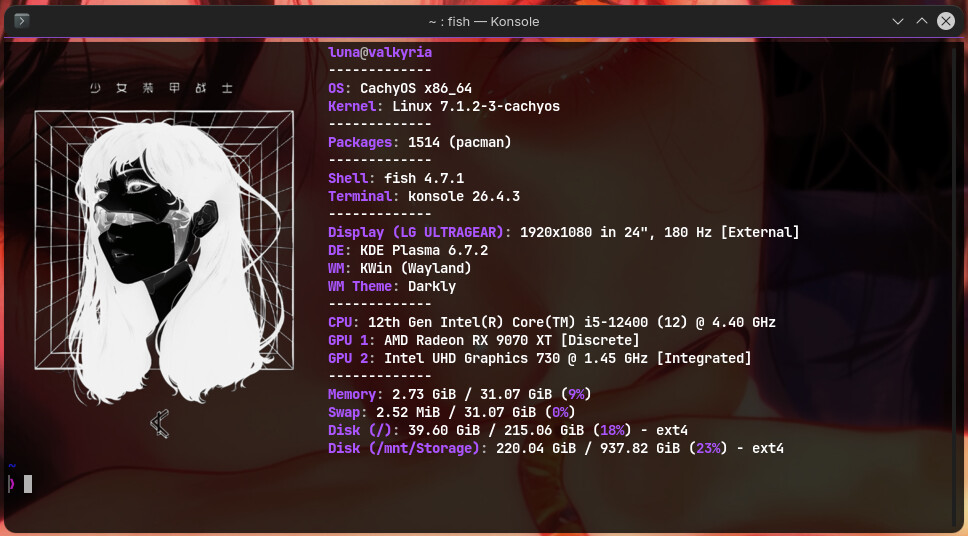
I hope it helps. Here are my PC specs; I’m using KDE 6.7.2:
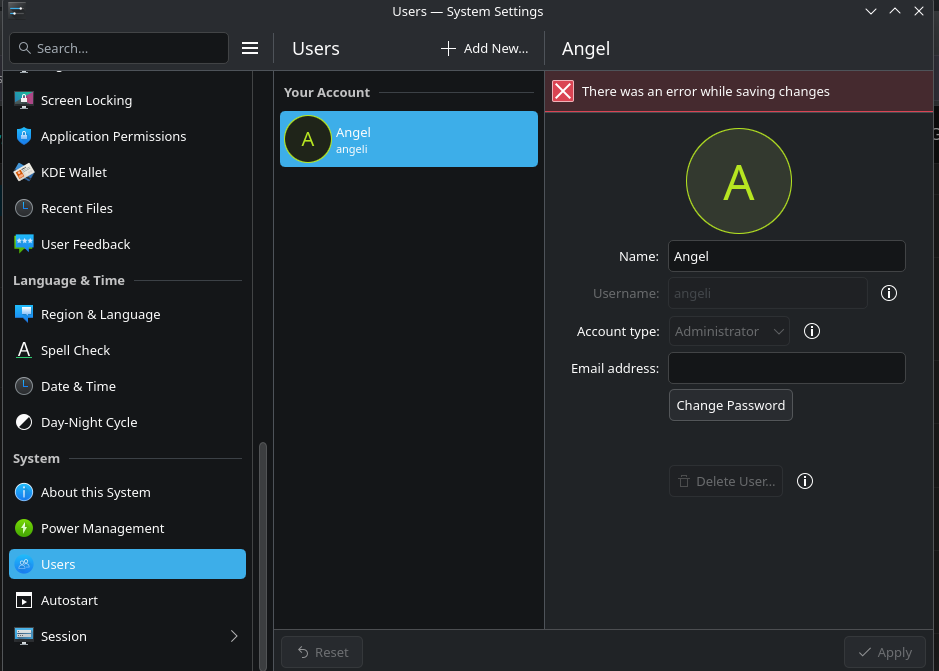

 and feels even more like a bug.