CachyOS Hello DNS Settings Disable

Hello,

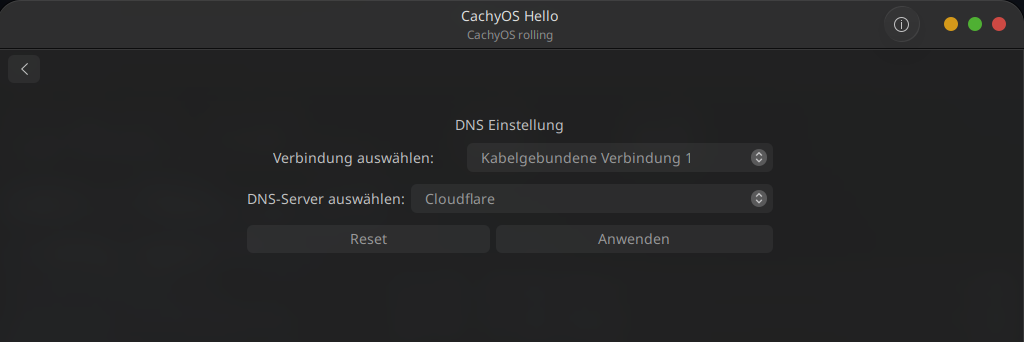
is there a way to disable the CachyOS DNS Settings here in Hello App?

I already use Pihole with Unbound and dont need this systemwide Cloudflare Settings on my System.

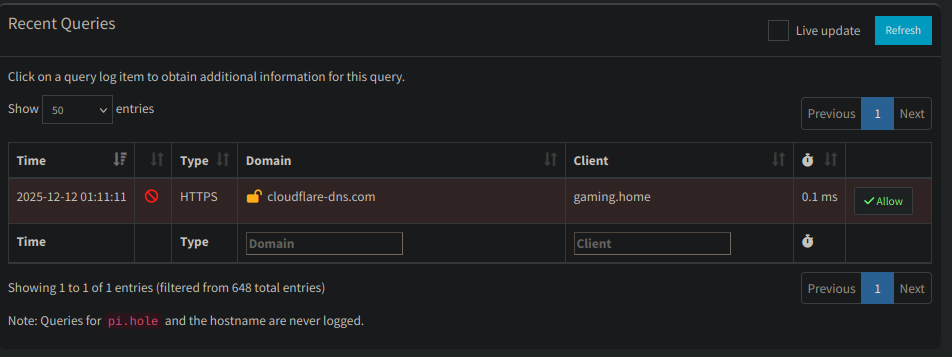
Through Pihole i noticed that Cloudflare DNS Server get pinged a lot by CachyOS. Can i just disable or uninstall this tool?

are you sure that is the dns you are using? check in network mananger and see what it set at. I just checked mine and i am using my pfsense router which is where my dhcp is located. When i bring that dns hello up, it says the same thing but isnt what i am using.

I dont think there are the kinds of buttons you are looking for there.

But if you want to disable systemd-resolved and/or the stub variant and/or configure the DNS then you will probably need to use the regular approach through config files.

I would probably first suggest something like this to disable the cache and set the the router as the DNS;

/etc/systemd/resolved.conf.d/zz-myconf.conf

[Resolve]
DNS=192.168.68.1
Domains=~.
DNSStubListener=no
Cache=no

Where DNS is your routers IP address.

Or maybe you just want to disable systemd-resolved altogether.

You are running a pihole and all .. so you should know how you want it to work.

PS.

If any of that is difficult then here is a command. Input your router IP in the first variable if different than 192.168.68.1 and then run;

ROUTIP=192.168.68.1; printf "[Resolve]\nDNS=$ROUTIP\nDomains=~.\nDNSStubListener=no\nCache=no\n" | sudo tee /etc/systemd/resolved.conf.d/zz-myconf.conf

PPS.

You may also need/want another option: FallbackDNS, which can similarly be added, ex;
/etc/systemd/resolved.conf.d/zz-myconf.conf

[Resolve]
DNS=192.168.68.1
FallbackDNS=192.168.68.1
Domains=~.
DNSStubListener=no
Cache=no

And could be affected through a command as well;

ROUTIP=192.168.68.1; printf "[Resolve]\nDNS=$ROUTIP\nFallbackDNS=$ROUTIP\nDomains=~.\nDNSStubListener=no\nCache=no\n" | sudo tee /etc/systemd/resolved.conf.d/zz-myconf.conf

( where again 192.168... could be replaced by any desired IP. )

In the Network Manager i have the Settings from Pihole and DNS Server points also to that:

But here you can see, that CachyOS still tries to contact Cloudflare DNS:

This is what I did:

Override systemd-resolved Config (Keep It Enabled, But Customize)

If you prefer keeping resolved active (for features like DNS caching):

Create a drop-in config:

sudo mkdir -p /etc/systemd/resolved.conf.d
sudo nano /etc/systemd/resolved.conf.d/dns.conf

Add this (replace 192.168.1.100 with your Pi-hole IP):

[Resolve]
DNS=192.168.1.100
#FallbackDNS=8.8.8.8 1.1.1.1  # Comment out or remove Cloudflare
Domains=~.

Restart resolved

sudo systemctl restart systemd-resolved

Verify with resolvectl status—it should show your Pi-hole as the DNS server

Hello App’s DNS section limits options to predefined providers (like Cloudflare, Google, etc.) and doesn’t have a direct “none” or custom entry, which is why you’re seeing pings to Cloudflare (1.1.1.1) via Pi-hole.

You don’t need to uninstall anything drastic like the Hello App itself (it’s just a frontend for common configs and harmless to keep). Instead, configure your DNS at the NetworkManager or systemd-resolved level to use your Pi-hole/Unbound setup. This will bypass the Hello App’s suggestions entirely

Thank you very much!

I did all the steps and it looks like the Cloudflare Pings are gone :slight_smile:

Cloudflare pings are just fallback but its just annoying seeing it in pi logs, I like it to be as clean as possible.

If you didnt include the parts I provided then you are still going to double the cache .. you will have a mini caching resolver running on your machine after/on-top of what the pihole already does.

Also, depending on what other packages/files are around the ‘dns.conf’ may not set the options reliably (get clobbered by something else).

ls -la /etc/systemd/resolved.conf.d/

Anyways .. this is also all still assuming you want to keep systemd-resolved which might be a little odd itself if you are using unbound (as unbound is itself a caching recursive dns resolver).

looked like i celebrated too early:

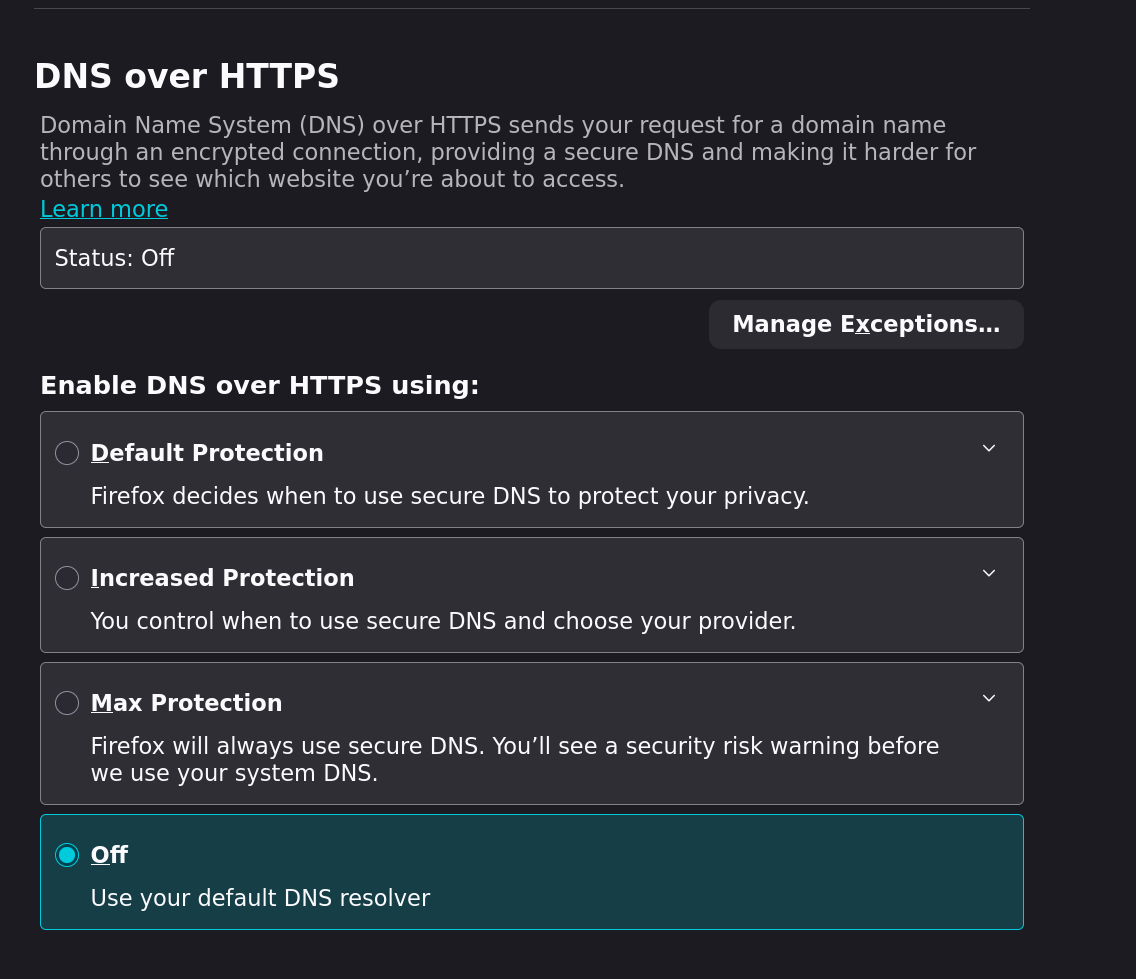
And this is also besides your browser .. most big browsers today implement their own DNS, bypassing the system configs, unless disabled.

Ex, part of firefox;

Imgur

Yes thats already turned off, thank you.

I also just edited the Config File and added your Parameters to it:

[Resolve]
DNS=192.168.0.5
FallbackDNS=192.168.0.5
Domains=~.
DNSStubListener=no
Cache=no

So i guess some of this Parameters here did the Trick now:

DNSStubListener=no
Cache=no

I hate to nag .. but in that case and in the interest of future users you might consider changing the solve tag to a more appropriate post.

Oh and this was your first thread.
Hello and welcome and all that. :slight_smile:

I’ll take yours then but the FallbackDNS Parameter is missing there, i added that to my Config to because i saw some Quad DNS as Fallback and i wanted to get rid of them too.
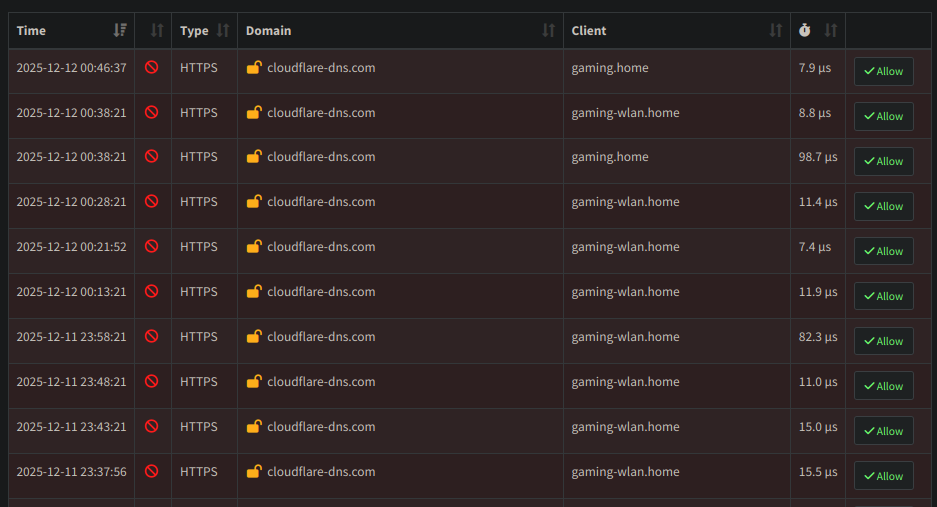
Thank you very much :slight_smile:

I actually make use of both as well but was unsure of including it initially.
Since we are going for the holistic solve I will add it there.

PS.

This was the thread that reminded me to look for dnsdig.
So here is that for anyone who might find it useful;