Hi guys I think I made a stupid mistake and have broken both my install and my live USB in trying to fix the install so if somebody could explain to me like I’m 11 that would be great because I guess my brain isn’t working today. Also apologies for formatting I am typing on a phone as I do not have access to a second computer (part of the problem).
- Had bash open running cachy-update
- Had another window open doing other stuff
- I think I hit control C a couple times trying to copy something when the terminal was focused and not the web browser
- I see notification to reboot after update, so I reboot.
- I think I Interrupted a process by mistake possibly during the update, it’s the only thing I can think of.
- I can boot into BIOS (ASUS) and I can get to the LUKS password prompt, but once the drive is unlocked I see:
Booting Cachyos Linux’
Loading Linux linux-cachyos
Loading initial ramdisk… errors
fs/btrfs.csfind_path:1890:file/4/boot/initramfs-linux-cachyos.ing" not found.
Press any key to continue…
And after that, it kernel panics.
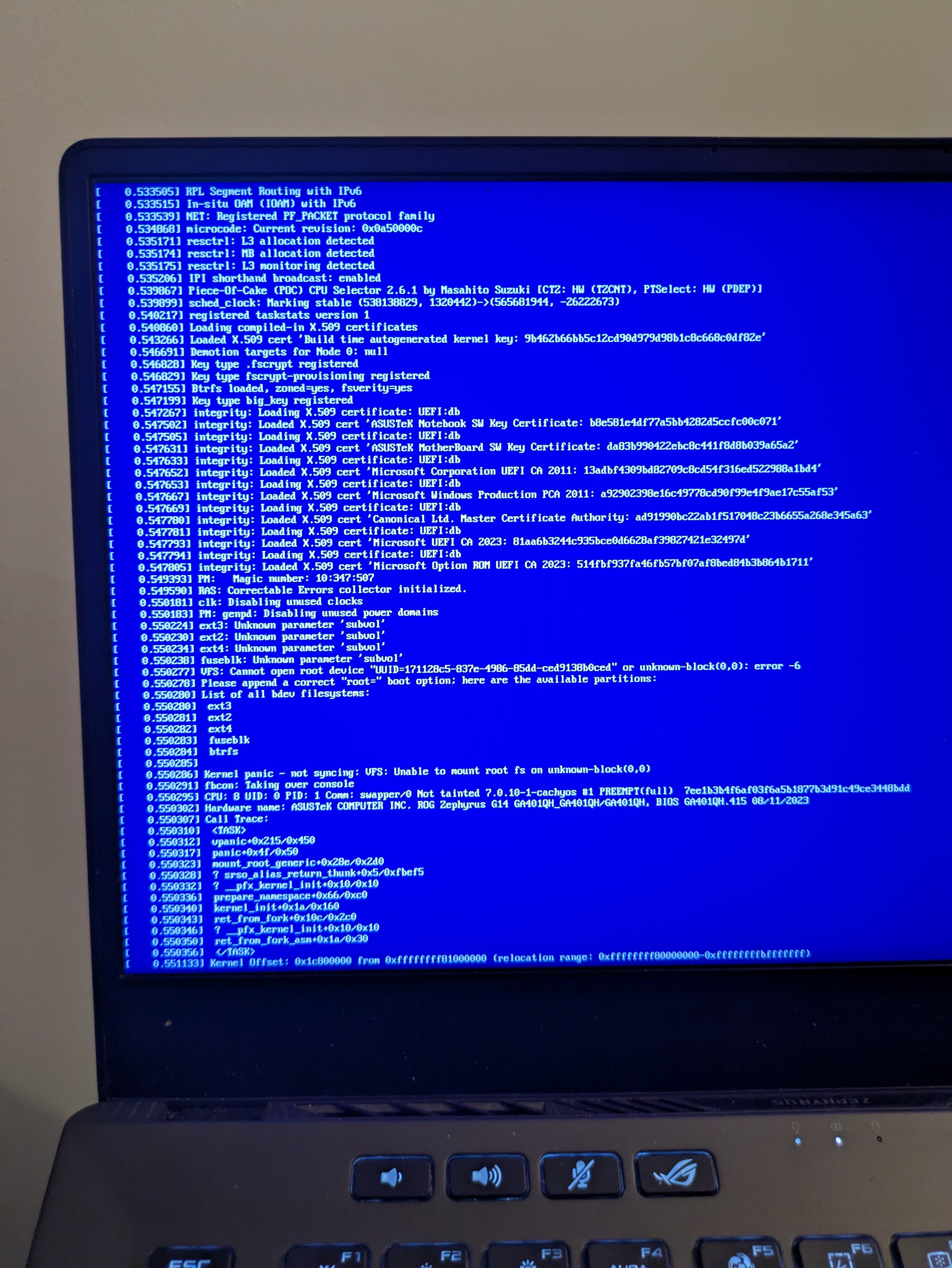
- I tried to look up how to boot into btrfs snapshots in GRUB but can’t seem to get to the GRUB menu (holding down esc goes to BIOS and idk what other hotkey to try)
- I remembered I have live cd on USB so I boot that up and try instructions on cachy wiki to use chroot: CachyOS chroot Helper | CachyOS
- Then reboot into Cachy… same error
- Then try to reboot back into live CD… now Ventoy is giving an error and won’t let me see anything there either
- Maybe I accidentally mounted and edited the wrong volume? I thought I had the right UUID though.

I also just discovered my roommate stole my charger for my old laptop so I can’t fire that up to reburn the live USB. I know I have had snapper running so I should be able to get back to a snapshot if somebody can just tell me exactly how.
Thanks in advance for your patience.
