I just run the cachy os updater today. After the update I end up with a black screen with just cursor. The system goes through the boot loader, displays the CachyOS splash screen and then instead of showing the login window ends up just showing black screen with cursor.
I did upgrade to plasma-login-manager when the initial announcement came in, so it looks like today’s update is breaking something in plasma. Any help or advice? Is this being tracked somewhere else that I can follow along.
I haven’t figured out a solution yet, but I did narrow it down to the plasma login manager, failing to load.. if you use Ctrl+Alt+F2 on that black screen it’ll open a terminal, login with username and password, and then type this to get to your desktop, /usr/lib/plasma-dbus-run-session-if-needed /usr/bin/startplasma-wayland which should get you to your desktop, and then you can figure things out. Not a fix, just a work around for now, I guess.
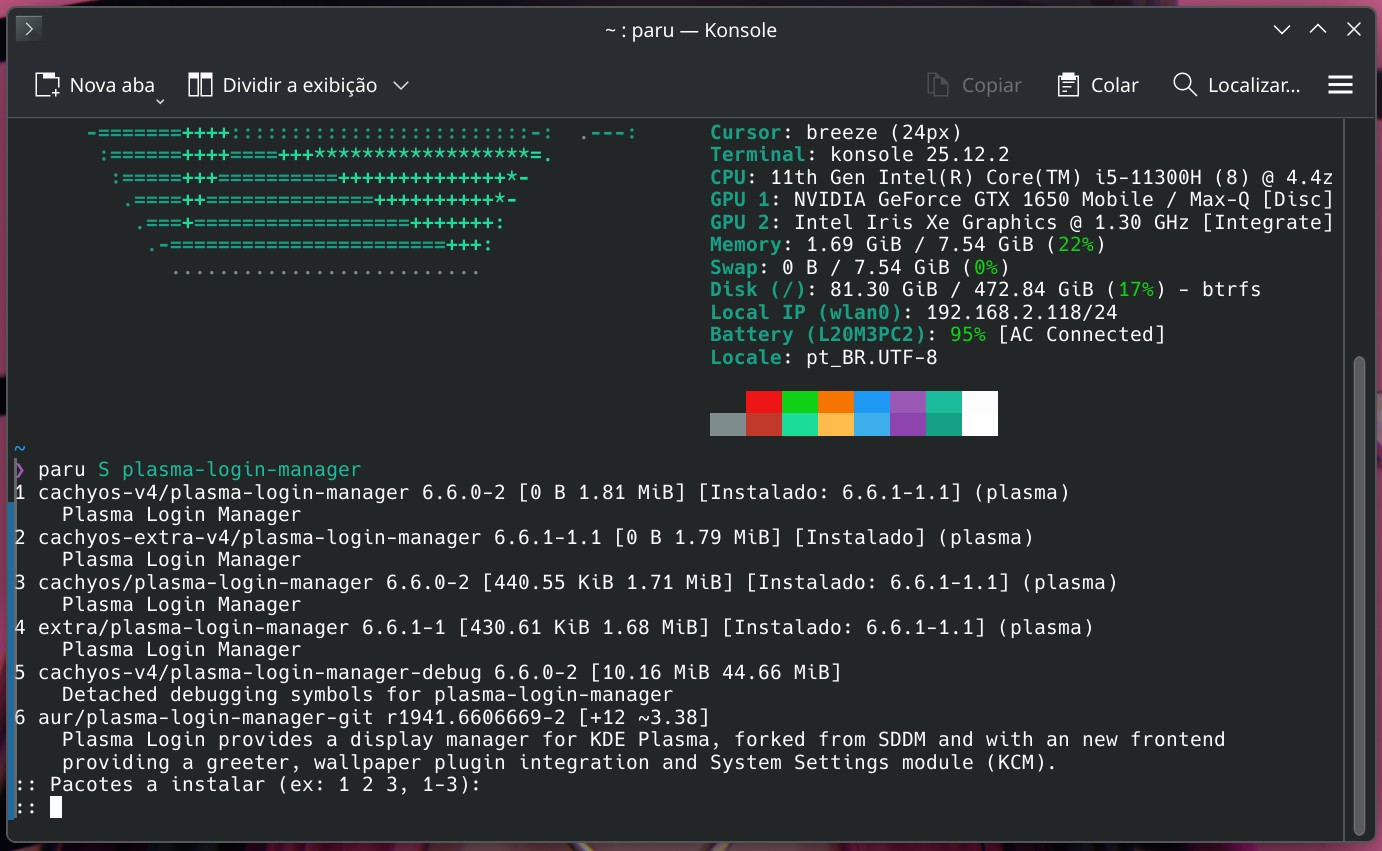
Seems to be that for some reason the plasma-login-manager update to 6.6.1 isn’t being detected and therefore not being offered automatically for those who have it explicitly installed… when you check the current version it shows there being a newer version available, but it doesn’t seem to want to install it alongside the rest of the Plasma 6.6.1 packages for whatever reason.
Ran the ‘update’ plus the suggest paru -S cachyos-extra-v3/plasma-login-manager in last stable snapshot before reboot and now everything is good to go!
for some reason pacman doesn’t have the upto date version of plasma-login-manager, after your update before reboot throw paru -S cachyos-extra-v3/plasma-login-manager into a konsole and it will get you the updated version.
You actually have a fully functioning system, just not a desktop manager. You can run from a terminal If you (ctrl atl f3) a terminal will launch…log in, then just type the name of the app you want to launch… steam for steam…. etc. It’s not a crashed system. It’s part of the fun?
i think this is quite common problem with rolling distro IMO
and it seems, the package (plasma-login-manager or something else) is not yet reached to your nearby mirror
my best advice for this (to prevent something like this again in near future) avoid update your cachy if you find this kind of package in the list (and kinda know it’s need another core package that need to be upgraded as well)
qt related
plasma related
python related
it’s better to wait until several days, until all mirror repo synced with the latest package,
and the solution that i can think of is, roll back to your working snapshot, then wait a bit until all the package (atleast the important ones) listed in your arch-update list
this is kinda happens to me when we’re moving from qt5 to qt6 few months ago, so yeah just my little bit advice