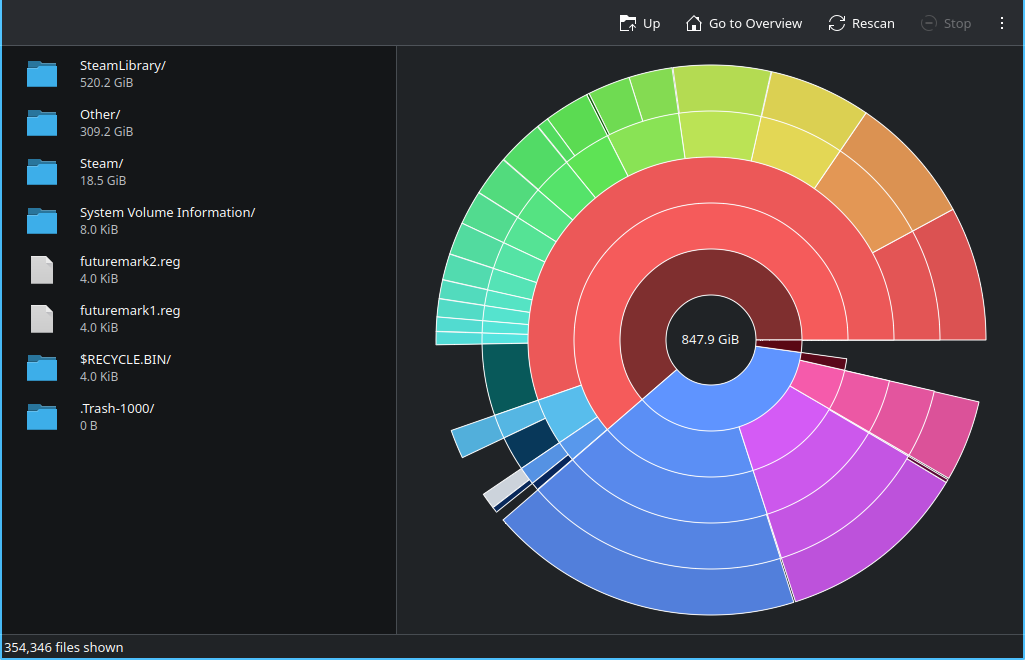
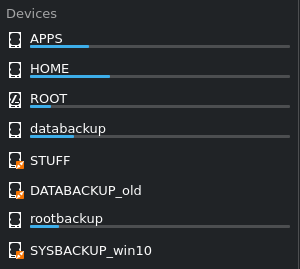
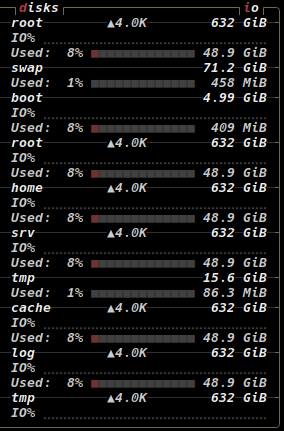
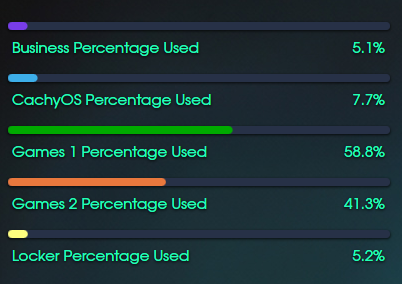
Probably. Well, I guess this is one of the things you will have to say goodbye to when leaving Windows.
Here is my fastfetch config, that might help OP out (albeit not in Dolphin, but sooner or later, everybody will welcome a terminal every now and again):
Looks like this (although much more colorful in real life):
╭ Keys ───────╮╭ Values ────────────────────────────────────────────────────╮
│ Machine     ││ MS-7E26 1.0                                                │
│ OS          ││ CachyOS [vrolling] [x86_64]                                │
│ Kernel      ││ Linux [v7.0.12-1-cachyos]                                  │
│ DE          ││ KDE Plasma [v6.6.5]                                        │
│ Running     ││ 1 year, 2 weeks and 2 days                                 │
│ Packages    ││ 1542                                                       │
│ CPU         ││ AMD Ryzen 7 8700G [C:] [4.20 GHz]                          │
│ GPU         ││ NVIDIA GeForce RTX 3060 [C:3584] [2.10 GHz] [Discrete]     │
│ GPU         ││ AMD Radeon 780M Graphics [C:12] [2.90 GHz] [Integrated]    │
│ Memory      ││ 5.77 GiB / 30.45 GiB (19%)                                 │
│ Boot        ││ 622M / 2.0G (31%)                                          │
│ Root        ││ 35.33 GiB / 500.00 GiB (7%)                                │
│ Home        ││ 184.85 GiB / 600.00 GiB (31%)                              │
│ Apps        ││ 158.95 GiB / 697.02 GiB (23%)                              │
│ Rootbackup  ││ 50.03 GiB / 500.00 GiB (10%)                               │
│ Databackup  ││ 159.94 GiB / 1.31 TiB (12%)                                │
│ Terminal    ││ konsole [26.4.2] [PID:8429]                                │
│ Shell       ││ zsh [v5.9.1] [PID:8444]                                    │
│ Font        ││ DejaVu Sans Mono [10]                                      │
│ Local IPv4  ││ enp12s0: xx.xx.xx.xx/xx [MTU:1500]                         │
╰─────────────╯╰────────────────────────────────────────────────────────────╯
works like this:
// Modified from: examples 26.jsonc
{
    "$schema": "https://github.com/fastfetch-cli/fastfetch/raw/dev/doc/json_schema.json",
// Show logo:
//    "logo": {
//      "padding": {
//        "top": 2
//      }
//    },

    "logo": {
      "source": "none"
    },

    "display": {
      "separator": "",
      "constants": [
        // CONSTANT {$1} - VERTICAL BARS AT START AND 75th CHARACTERS FORWARD AND BACKWARD
        "\u001b[90m│                                                            │\u001b[60D\u001b[39m"
      ]
    },
    "modules": [
      // CUSTOM - Top UI bar
      {
       //EMPTY ROW FIRST
        "type": "custom",
        "key": " ",
        "format": " "
      },
      {
        "type": "custom",
        "key": "{#90}╭ Keys ───────╮",
        "format": "{#90}╭ Values ────────────────────────────────────────────────────╮"
      },
//      {
//        "type": "title",
//        "key": "{#90}│ {#92}User        {#90}│",
//        "format": "{$1}{user-name}@{host-name}  {#2}[{home-dir}]"
//      },
//      {
//        "type": "title",
//        "key": "{#90}│ {#92}Host        {#90}│",
//        "format": "{$1}{host-name}"
//      },
      {
        "type": "host",
        "key": "{#90}│ {#92}Machine     {#90}│",
        "format": "{$1}{name} {#2}{version}"
      },
      {
        "type": "os",
        "key": "{#90}│ {#92}OS          {#90}│",
        "format": "{$1}{?pretty-name}{pretty-name}{?}{/pretty-name}{name}{/}{codename} {#2}[v{version}] [{arch}]"
      },
      {
        "type": "kernel",
        "key": "{#90}│ {#93}Kernel      {#90}│",
        "format": "{$1}{sysname} {#2}[v{release}]"
      },
      {
      "type": "de",
        "key": "{#90}│ {#93}DE       {#90}   │",
        "format": "{$1}{2} {#2}[v{3}]"
      },

//      {
//        "type": "uptime",
//        "key": "{#90}│ {#93}Uptime      {#90}│",
//        "format": "{$1}{?days}{days} Days + {?}{hours}:{minutes}:{seconds}"
//      },
      {
        "type": "command",
        "key": "{#90}│ {#91}Running     {#90}│",
        "text": "birth_install=$(stat -c %W /); current=$(date +%s); time_progression=$((current - birth_install)); days_difference=$((time_progression / 86400)); years=$((days_difference / 365)); rem_days=$((days_difference % 365)); months=$((rem_days / 30)); rem_days=$((rem_days % 30)); weeks=$((rem_days / 7)); days=$((rem_days % 7)); plural() { local n=$1; local word=$2; if [ \"$n\" -eq 1 ]; then echo \"$n $word\"; else echo \"$n ${word}s\"; fi; }; out=\"\"; [ \"$years\" -gt 0 ] && out=\"$(plural \"$years\" year)\"; [ \"$months\" -gt 0 ] && out=\"${out}${out:+, }$(plural \"$months\" month)\"; [ \"$weeks\" -gt 0 ] && out=\"${out}${out:+, }$(plural \"$weeks\" week)\"; [ \"$days\" -gt 0 ] && out=\"${out}${out:+ and }$(plural \"$days\" day)\"; echo \"$out\"",
        "format": "{$1}{1}"
      },
      {
        "type": "packages",
        "key": "{#90}│ {#91}Packages    {#90}│",
        "format": "{$1}{1}"
      },
      {
        "type": "cpu",
        "key": "{#90}│ {#96}CPU         {#90}│",
        "showPerCoreCount": true,
        "temp": true,
        "format": "{$1}{name} {#2}[C:{core-types}] [{freq-max}]"
      },
      {
        "type": "gpu",
        "key": "{#90}│ {#96}GPU         {#90}│",
        "detectionMethod": "auto",
        "driverSpecific": true,
        "format": "{$1}{name} {#2}[C:{core-count}]{?frequency} [{frequency}]{?} {#2}[{type}]"
      },
      {
        "type": "memory",
        "key": "{#90}│ {#97}Memory      {#90}│",
        "format": "{$1}{used} / {total} ({percentage})"
      },
      ////////////////////////////////////////////////////////////////////////////////////////////////////////////////
      // DISK hangs very often and completely freezes fastfetch, so bye bye disk, hello disk for single partitions:
      //      {
      //        "type": "disk",
      //        "key": "{#90}│ {#97}Disk        {#90}│",
      //        "format": "{$1}{size-used} / {size-total} ({size-percentage})"
      //      },

      // unfortunately, we need another workaround for the /boot partition
       {
        "type": "command",
        "key": "{#90}│ {#95}Boot        {#90}│",
        "text": "df -h /boot | awk 'NR==2 {used=$3; total=$2; pct=$5; gsub(/[%\\)]/, \"\", pct); print used \" / \" total \" (\" pct \"%)\"}'",
        "format": "{$1}{1}"
      },
      {
        "key": "{#90}│ {#95}Root        {#90}│",
        "type": "disk",
        "folders": "/",
        "format": "{$1}{size-used} / {size-total} ({size-percentage})"
      },
      {
        "key": "{#90}│ {#95}Home        {#90}│",
        "type": "disk",
        "folders": "/home",
        "format": "{$1}{size-used} / {size-total} ({size-percentage})"
      },
      {
        "key": "{#90}│ {#95}Apps        {#90}│",
        "type": "disk",
        "folders": "/apps",
        "format": "{$1}{size-used} / {size-total} ({size-percentage})"
      },
      {
        "key": "{#90}│ {#95}Rootbackup  {#90}│",
        "type": "disk",
        "folders": "/mnt/rootbackup",
        "format": "{$1}{size-used} / {size-total} ({size-percentage})"
      },
      {
        "key": "{#90}│ {#95}Databackup  {#90}│",
        "type": "disk",
        "folders": "/mnt/databackup",
        "format": "{$1}{size-used} / {size-total} ({size-percentage})"
      },
      ////////////////////////////////////////////////////////////////////////////////////////////////////////////////////

      {
        "type": "poweradapter",
        "key": "{#90}│ {#91}Power       {#90}│",
        "format": "{$1}{name}"
      },
      {
        "type": "terminal",
        "key": "{#90}│ {#94}Terminal    {#90}│",
        "format": "{$1}{pretty-name} {#2}[{version}] [PID:{pid}]"
      },
      {
        "type": "shell",
        "key": "{#90}│ {#94}Shell       {#90}│",
        "format": "{$1}{pretty-name} {#2}[v{version}] [PID:{pid}]"
      },
      {
        "type": "terminalfont",
        "key": "{#90}│ {#94}Font        {#90}│",
        "format": "{$1}{name} {#2}[{size}]"
      },
      {
        // localip IPv4
        "type": "localip",
        "key": "{#90}│ {#90}Local IPv4  {#90}│",
        "showPrefixLen": true,
        "showIpv4": true,
        "showIpv6": false,
        "showMtu": true,
        "format": "{$1}{ifname}: {ipv4} {#2}[MTU:{mtu}]"
      },
      {
        // localip IPv6
        "type": "localip",
        "key": "{#90}│ {#90}Local IPv6  {#90}│",
        "showPrefixLen": true,
        "showIpv4": false,
        "showIpv6": true,
        "showMtu": true,
        "format": "{$1}{ifname}: {ipv6} {#2}[MTU:{mtu}]"
      },
      // CUSTOM - Button UI bar

      {
        "type": "custom",
        "key": "{#90}╰─────────────╯",
        "format": "{#90}╰────────────────────────────────────────────────────────────╯",
      },
      /*
      "break",
      {
        "type": "custom",
        "key": " ",
        "format": "{#90}╭ Colors ───────────────────────────────────────────────────────────────────╮",
      },
      {
        "type": "custom",
        "format": "{#90}│ {#40}   {#41}   {#42}   {#43}   {#44}   {#45}   {#46}   {#47}   {#}                                                  {#90}│",
      },
      {
        "type": "custom",
        "format": "{#90}│ {#100}   {#101}   {#102}   {#103}   {#104}   {#105}   {#106}   {#107}   {#}                                                  {#90}│",
      },
      {
        "type": "custom",
        "format": "{#90}╰───────────────────────────────────────────────────────────────────────────╯",
      },
      */
    ]
  }
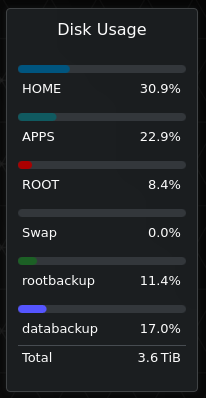
PS: you can also create your own little desktop widget for that:
You could easily show the used Gb in that, too.