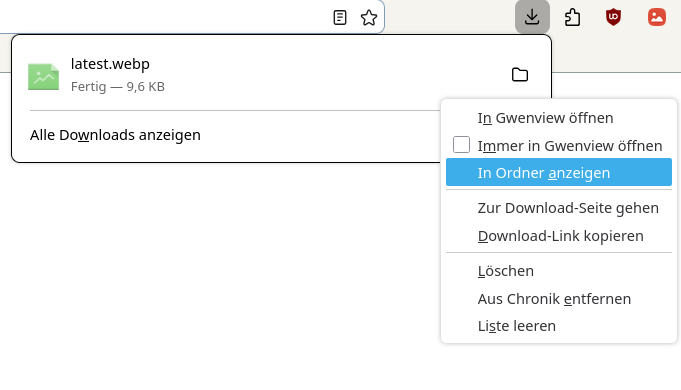
I use Dolphin as my file explorer. When I download something in my browser (Librewolf) and then I want the browser to show me the file in the folder (see first screenshot), it usually opens the folder in Dolphin.
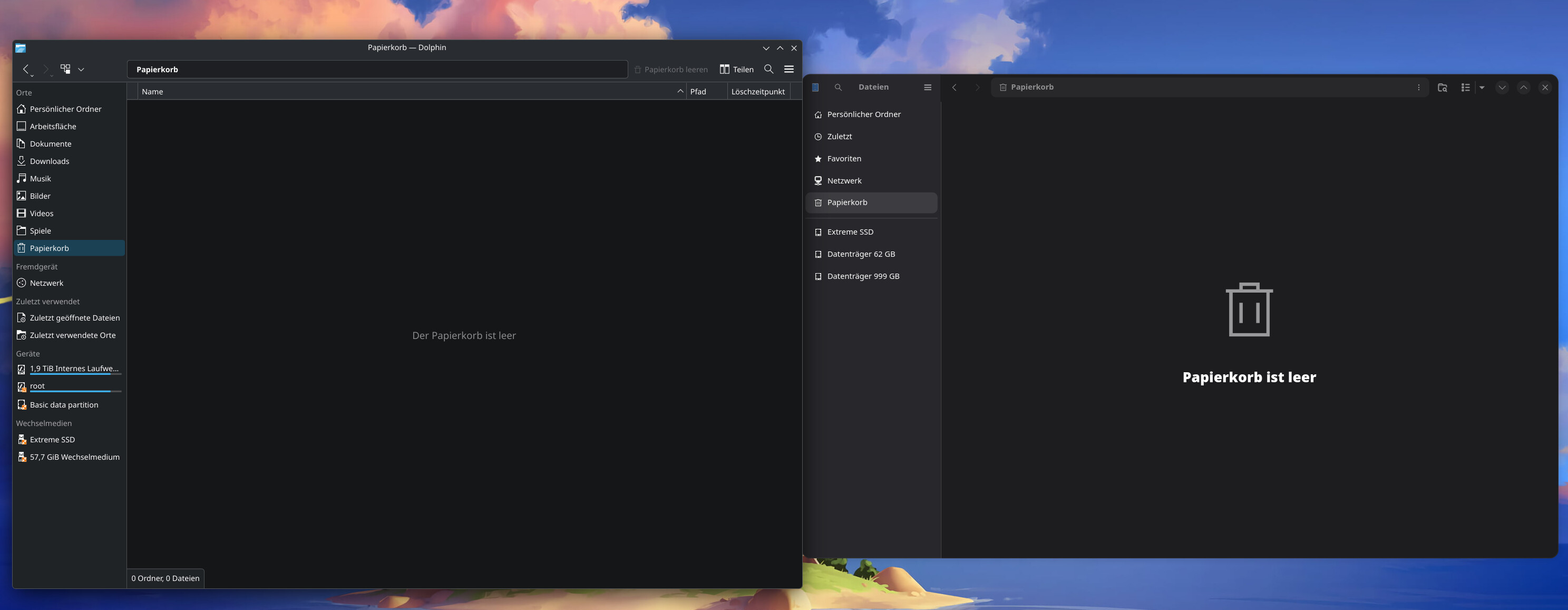
For some reason this changed. Now it opens a different looking file explorer. Here you can see Dolphin on the left side and the new one on the right. The new one also has a container symbol and shows me the last opened files when I click on it, so it ignores that I turned it off in the CachyOS system settings.
Yesterday I installed “cachyos-niri-noctalia” in the repo. Then I saw it had no graphical overlay yet, then uninstalled it and re-installed the kde-settings file from the repo. That’s all I did.
Could that be the cause? Any idea how I can fix that?
cachyos-niri-noctalia package pulled in GNOME’s Nautilus file manager, because that’s what the one on the right-hand side is. You can try removing it with sudo pacman -R nautilus.
cachyos-niri-noctalia depends on the package xdg-desktop-portal-gnome, which in turn depends on nautilus.
Why don’t you try to find out the name of the program? For example by opening its menu, then help and about, or something the like? Then you would at least know what you have to uninstall.
I tried to remove it with sudo pacman -R nautilus but it’s not possible because it depends on xdg-desktop-portal-gnome, so I tried to remove that but it says I don’t have root permissions.
For some reason it stopped doing that. It now opens everything in Dolphin now even though I did not change anything. Maybe it was a temporary bug or something.
I was able to uninstall xdg-desktop-portal-gnome and nautilus directly in the Repo afterwards, to make sure it won’t happen again.
This works permanently and is documented elsewhere on the web, but I didn’t make a note of where I found it, it’s been ages and I don’t remember the reference.
It is for Firefox not LibreWolf. I understand there are similarities remaining between the two. I don’t know if they are similar enough that that this would work. But it does reliably work for Firefox.
For future reference of Firefox and KDE users:
Enable Firefox support for KDE native file dialogs
• Install the extension Plasma Integration
• Enter about:config in the Firefox address bar
• Search for widget.use
◦ Change the following settings widget.use-xdg-desktop-portal.file-picker 1 widget.use-xdg-desktop-portal.mime-handler 1
• Search for media.hardware.keys.enabled
◦ Set to false
Is it not common to have GNOME also installed? I mean, for example I’m using “Bazaar” and “Flatseal” from time to time, and both are running with GNOME. So if GNOME was not installed, I would not be able to use some apps/programs right?
Flatseal is a flatpak application, I’m talking about installing GNOME desktop environment. Strangely it seems you are runningi ‘Bazaar’ which is a Flatpak ‘software store’ for the Gnome desktop.
It seems you wish to simply scroll icons and install that way - rather than use a browser to search for what you need, then decide the best way to install it.
I have no issues running Gnome apps without installing any Gnome runtimes - I have very little use for Flatpak, this isn’t an immutable or stable distribution.
I just have little experience with Linux (compared to Windows) in general and there is lot to learn for me. That’s why I keep looking for information and asking questions.
I just wanted to try out Noctalia, I installed 1 package from the Repo, uninstalled the same package afterwards. That’s all.
This is hard to do since every CachyOS installer I’ve used since 2024-08 installs at least a bit of Gnome by default when you choose Plasma as your only DE. This is true through at least the 260426 ISO. I’ve not tried the 260628 one.
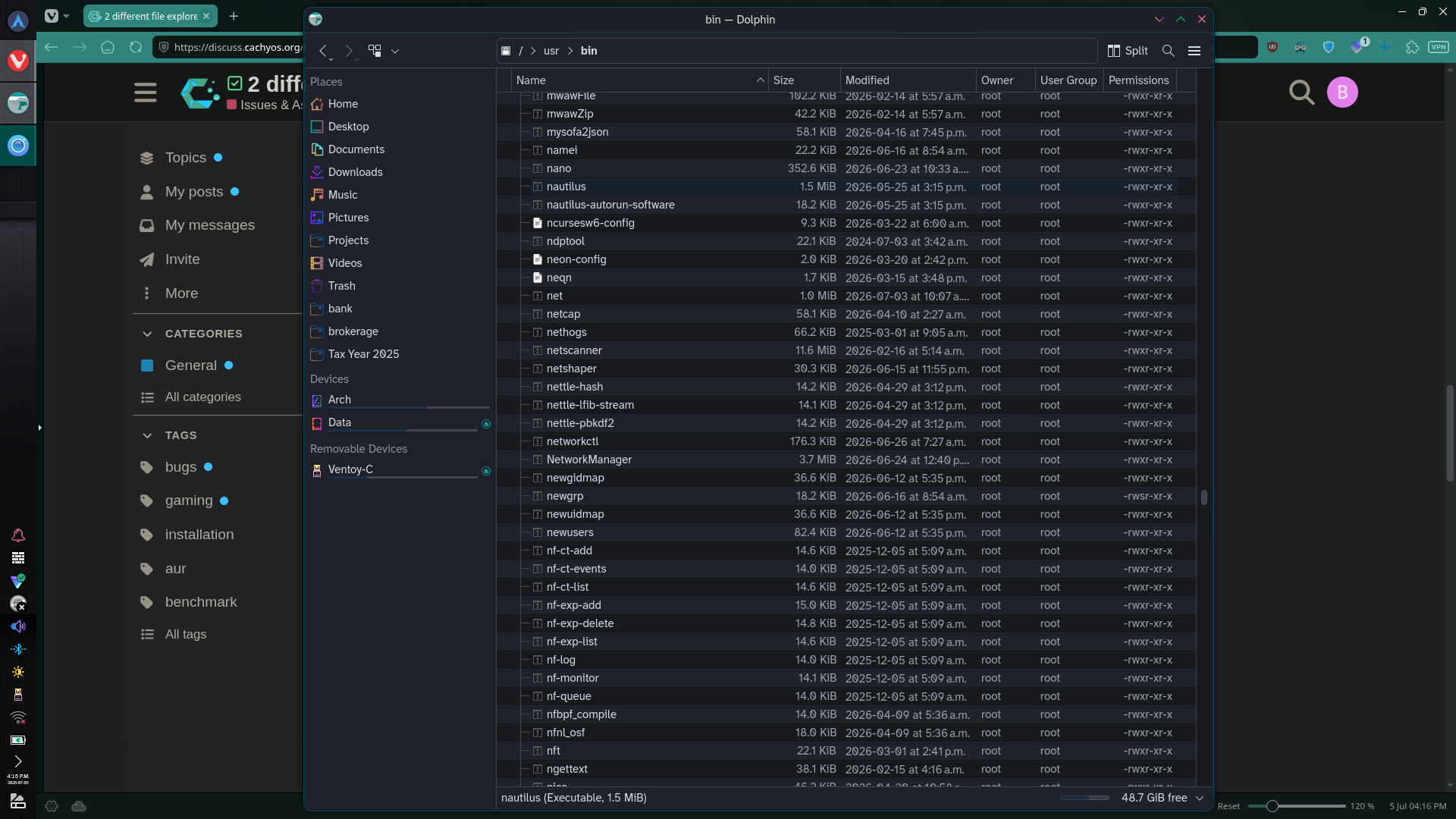
This seems to be an Arch thing because both of my Manjaro boxes and both of my Arch boxes do the same thing. I’m on one of my Arch boxes right now, and there’s nautilus, (which would be the offending 2nd file explorer the OP complains about) plain as day sitting in /usr/bin
Not only that, but plasma-login-manager allows me to start Gnome from the login screen. Try it yourself from the drop-down box in the lower-left of the plasma-login-manager login screen.
Perhaps (this is only a guess) a minimum number of Gnome components are included in a Plasma install in order to facilitate running GTK4 apps?
GTK (Gimp Toolkit) is a library that GNOME likes to use - it is not GNOME.
GTK4 apps don’t need any part of the GNOME desktop environment to run, only GTK4 libraries, which are independent of GNOME.
KDE manages a service to directly modify the GTK configs (like gtk-4.0/settings.ini) which are used by both Plasma and GNOME - which is why installing Plasma if you have GNOME is going to cause Plasma to mess up your GNOME session.
The file chooser (an old issue with Firefox) that ‘looks like GNOME’ is simply the xdg-desktop-portal-gtk - which is also not GNOME.
Now let’s compare (without needlessly loading the forum with large screenshots)
The most likely culprit of an “unintentionally” installed Nautilus is xdg-desktop-portal-gnome(see “Required by”). Which is why the OP ended up with an unintended file manager after installing cachyos-niri-noctalia since that meta package installs both -gtk and -gnome desktop portals, which also installed Nautilus as part of that tree.
@bluejeans It may or may not have been your intention, but as you say you need to learn and at least this was a bit of a learning experience. Installing and using different desktop environments is possible but does require a bit of a juggling act unless you get really lucky.
I’d advise steering clear until you have a better understanding of dependencies, GUI toolkits(QT/GTK), and theming. Or just diving back in works too. I know I personally learn best after breaking things and figuring how to put them back together.
Obviously one way to do this, whilst maintaining the spirit of adventure, is to manage a separate partition for the installation - then dual-boot… this was how I managed my trial run with KDE when I was using Cinnamon.
It takes a LOT less brain power and comes with a cast iron guarantee of success!
I missed this message previously.
For the most part I would think Plasma users should actively avoid things like gnome/nautilus and that that should not be very difficult either.
I am not sure what could be causing you to have nautilus with your Plasma install.
We would need to investigate with something like pactree -r nautilus or pacman -Qi nautilus but I am rather confident it is not ‘an Arch thing’ at all.
- Typed from a Plasma session that neither has Gnome nor any portion of GTK4.
Maybe the content I was actually replying to got missed .. but you may note that in subsequent comments from user @brucew they wonder about some sort of “Arch thing” that causes all Plasma to have some Gnome - including examples like nautilus.
That user gives no particulars but I am relatively sure it is quite similar to this thread in that, however unwittingly, some package with those dependencies has been installed and that it has little to do with either Plasma or Arch.
( They also apparently will not respond because Discourse has notified me that they have muted this topic. So we will likely never know what those particulars were. )


 and comes with a cast iron guarantee of success!