Well, I was wrong. Though pamac-aur appeared to be working with the locally built libpamac-aur, it only worked manually. It would no longer check for updates every 6 hours as I had it set to do.
However after using the AUR solution by @Lucas22776 pamac works correctly again.
So I thought I’d take a look at the CachyOS PKGBUILD for pamac-aur but couldn’t find it in GitHub - CachyOS/CachyOS-PKGBUILDS: PKGBUILDs for CachyOS (I could only find libpamac-aur). So I’m back to wondering where that CachyOS PKGBUILD is. If I could find it and compare it to the AUR pamac-aur PKGBUILD maybe I could finally solve this problem. Probably not, but hey, I could at least give it a try.
In any case I would not mark this problem as solved because it hasn’t been. Though using the AUR packages work, pamac under CachyOS still believes the packages came from the CachyOS repos so they have to be ignored, and therefore won’t upgrade from the AUR.
I guess the easiest solution would be to remove pamac-aur and libpamac-aur from the CachyOS repos so they can be installed and upgraded from the AUR. Though this is less than optimal if the CachyOS builds can’t be fixed it would be better than things are now.
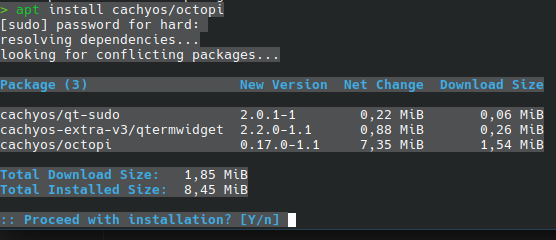
Because Octopi is an eyesore. Seriously, it’s so incredibly convoluted that people with visual difficulties can’t navigate it. I don’t have any visual problems, but the convolution is irritating and unnecessary.
While Pamac is beautiful, and simple to use.
I’ve mentioned before that if the CachyOS devs don’t wish to maintain it then it should be removed from the CachyOS repositories because right now it has to be installed from the AUR, and updates can’t be seen in Pamac because it’s looking at the CachyOS repositories instead of the AUR.
Then tell pamac to ignore the updates from the CachyOS repos by editing /etc/pacman.conf and adding “libpamac-aur pamac-aur” to the “IgnorePkg” line. The final line would look like:
IgnorePkg=libpamac-aur pamac-aur
Then click the hamburger menu on the right of pamac and click “Refresh databases” so it reads the ignore statement.
Note that unless the CachyOS devs remove it from the CachyOS repos you’ll have to manually check the AUR every once in while to look for pamac updates because pamac will only look at the CachyOS repos. So if you see an update just run the AUR install command above again.